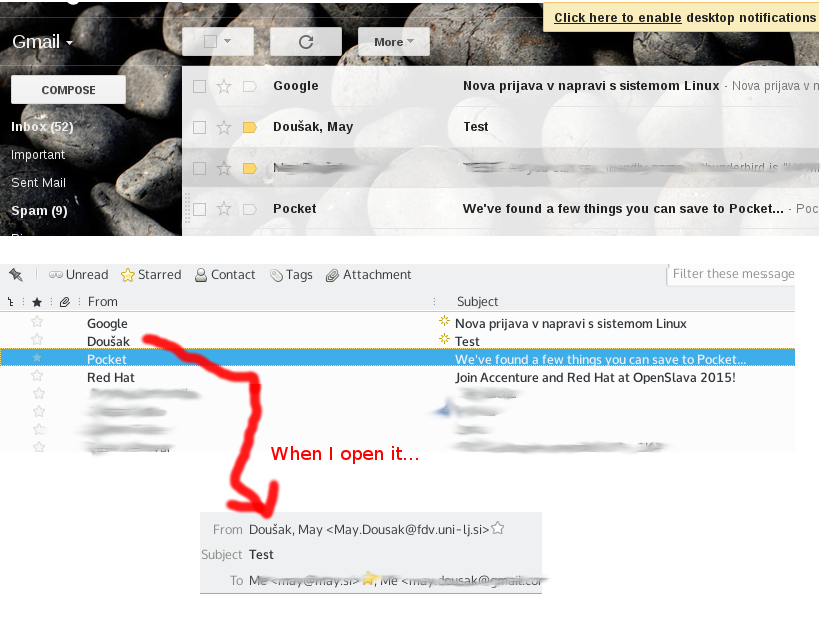
I get an "there are non-ascii characters in the local part of the recipient address" with ascii email addresses since last update

I'm getting this error since the last upgrade (38.2.0, Ubuntu Linux) for recepients whose email addresses do _NOT_ contain any non-ascii characters but their local aliases (name and surname) contain them.
Example: John Ščurek <john.scurek@example.com> will return this error but it didn't on previous version.
Tất cả các câu trả lời (8)
I get this error only on Exchange server (and Exchange users) but not on IMAP.
I can not replicate what you are saying. But I can replicate this very similar issue https://bugzilla.mozilla.org/show_bug.cgi?id=1200050
Co0uld you have an address that is actually missing or invalid?
I found out that users from same exchange server have this problem (and are written in other way, "Surname, Name") while non-exchange users work OK.
Please see the attachment.
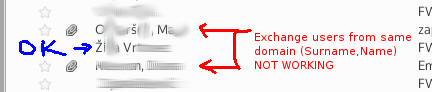
that appears to be a list of mail. click to reply. What actually appears in the To field of the email? Copy and paste. I will delete it once I have seen it.
Sorry for replying so late. It still isn't working, I'm attaching the screenshot of the e-mail that doesn't work. Please remove it once you see it. If I change "š" to "s" in display name in "To:" field, it works OK.
Thanks :)
Được chỉnh sửa bởi Matt vào
Can anyone confirm this? It is making TB useless as I have to remove scarons in display name everytime I send the e-mail when persons have commas in display names.
And those aren't lists - those are emails sent from Outlook/Exchange as it can be seen on attached image.
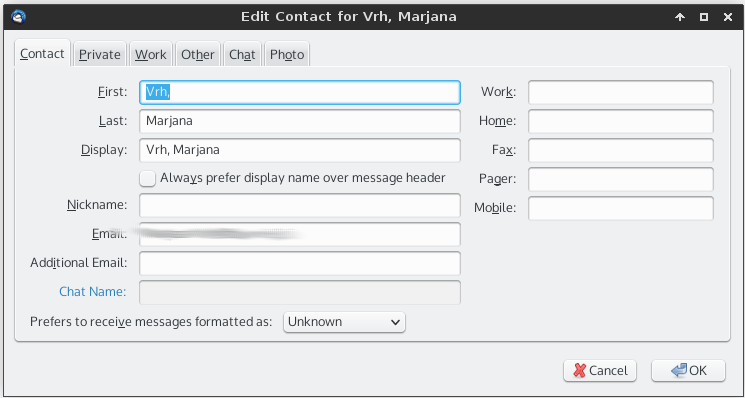
They also get stored badly in address book ("Surname, " goes under name and "Name" goes under surname). - second attached image.
And this it the source code (selected lines, actual addresses hidden):
From: "Vrh, Marjana" <her_email@somewhere> To: =?iso-8859-2?Q?May_Dou=B9ak?= <my_email@somewhere> CC: "Zrim, Katja" <other_email@somewhere>, "Vehovar, Vasja" <another_email@somewhere>

I suggest you create a gmail account and try and send an email in Thunderbird using is. My guess it the issue is the mail server software not Thunderbird at all. I have tried repeatedly and can not reproduce your issue using gmail. Can you?
I sent it from my work account (exchange) to gmail and opened it in both Gmail and Thunderbird. Gmail displays it correctly (and I can reply to it) but Thunderbird does not. If I try to reply, I get the "non-ascii characters.." error (as there is "š" in my display name).
I found out that I get such display name when the mail is sent from (out Exchange server) using Outlook or OWA. As most of coworkers use Outlook, replying to them is not easy (I have to edit "To:" whenever I reply to them).
The attachment shows it...