


Images not showing properly, randomly getting chopped up and otherwise distorted

As title says. No idea how this is happening either. Clearing Cookies and cache seem to either change the way the image is distorted or maybe even fix it. Thing is, this happens so often that it's not a viable option, something is very wrong here. Tried saving image to disk, the whole image file is distorted in exactly the same way it was in the browser.
Tất cả các câu trả lời (15)
You can try to disable OMTC and leave hardware acceleration in Firefox enabled.
- about:config page: layers.offmainthreadcomposition.enabled = false
- http://kb.mozillazine.org/about:config
You can try to disable hardware acceleration in Firefox.
- Tools > Options > Advanced > General > Browsing: "Use hardware acceleration when available"
You need to close and restart Firefox after toggling this setting.
- https://support.mozilla.org/kb/Troubleshooting+extensions+and+themes
- https://support.mozilla.org/kb/upgrade-graphics-drivers-use-hardware-acceleration
Start Firefox in Safe Mode to check if one of the extensions (Firefox/Tools > Add-ons > Extensions) or if hardware acceleration is causing the problem.
- Switch to the DEFAULT theme: Firefox/Tools > Add-ons > Appearance
- Do NOT click the Reset button on the Safe Mode start window
Thanks so much, layer.mainthreadcomposition was the answer ^_^ No more distorted images!
Sorry, to quick to judge, it improved, but didn't solve.
Được chỉnh sửa bởi The Last Melody vào
It does not disappear in Safe mode.
Did you try to disable hardware acceleration in Firefox?
- Tools > Options > Advanced > General > Browsing: "Use hardware acceleration when available"
You need to close and restart Firefox after toggling this setting.
You can check if there is an update for your graphics display driver and check for hardware acceleration related issues.
Disabling Hardware acceleration was the first thing I did, even before posting here. It did not change anything.
I updated my graphics driver after this issue started happening, thinking there was something wrong there(especially since on my previous computer, FireFox and my graphics driver had a tendency to crash each other), but it did not change anything either.
Hmm, maybe... There is an old issue with Samsung systems running Windows 8, where a built-in program named Support Center corrupts Firefox's cache (e.g., Cache needs to be cleared constantly). If you have a Samsung system with that program, you could try uninstalling it.
I am not aware of any Samsung items on my computer. I have an ASUS RoG G75VW
So, it's a dead end? :( Don't want to have to start using Chrome/Opera/God forbid, Safari
Could you compare the results of two kinds of reloads:
(1) Reload checking for updates but using cached files when possible: Ctrl+r
(2) Reload of all files, dumping cached files: Ctrl+Shift+r
Do either or both of those correct the broken images on the page?
Can you attach a screenshot?
- http://en.wikipedia.org/wiki/Screenshot
- https://support.mozilla.org/kb/how-do-i-create-screenshot-my-problem
- Use a compressed image type like PNG or JPG to save the screenshot
- Make sure that you do not exceed the maximum size of 1 MB
jscher2000 Both options changed how the images were corrupted.
cor-el Here's your screenshot
Thanks for hanging with me ^_^
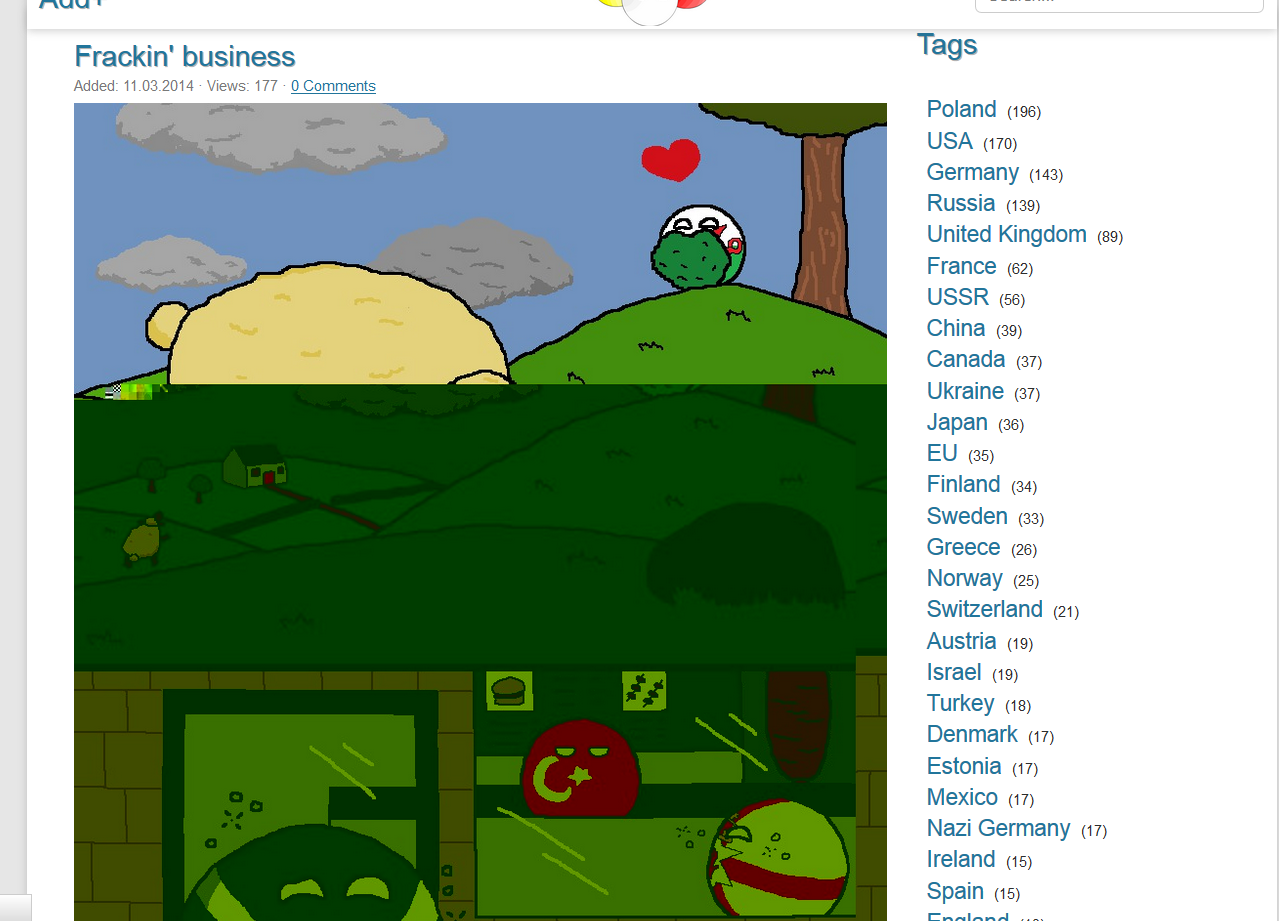
Also, it seems to refuse to load pictures, sometimes...
Make sure that your security software isn't causing this problem.
Boot the computer in Windows Safe Mode with network support (press F8 on the boot screen) as a test.
I hate this computer, it's so hard to get it into safe mode sometimes...(F8 doesn't work, need MSCONFIG)
Anyways, running FireFox in safe mode seems to get rid of the issue, so some other program is interfering.
EDIT: In addition, after booting into normal mode afterwards, the issue has almost disappeared, almost.
Được chỉnh sửa bởi The Last Melody vào
Okay, I generally don't like double posting, but given the circumstances...
Any way I can find out what program may be interfering?