


Thunderbird won't download update even though it shows a new version available

I'm currently running Thunderbird 140.9.1esr and it shows an update available to version 140.10.0esr. However, when I click on the update button, it shows "downloading" but it stays at 0 bytes and will not download the update. All previous updates to my current version automatically downloaded and installed after I clicked on the update button. How do I fix this or is there a problem with 140.10.0esr? Thank you!
All Replies (4)

How long has this been going on? There could be general Internet issues, or Mozilla may be having temporary server issues that could interfere with a download. Those should go away before long. If it's been a persistent problem...
Did you originally install this from an installer file downloaded directly from Thunderbird? Or from a "app store"? If the former, you can download the installer file for version 140.10.0esr from here:
https://www.thunderbird.net/en-US/thunderbird/all/
Choose the Extended Support Release channel and your operating system. Shut down Thunderbird, then install the new version right over the old.
Hello. The installer was done over a year ago from the Thunderbird website. All updates since then went flawlessly until just this last update which has been doing this for over a week now. Interestingly, my laptop updated to the current version without any problem. I'll try again and if worse comes to worse, I'll just download the new version installer and update it that way. Hopefully it won't do anything to the Profiles which contains all my contacts, emails, etc., etc.
Installing with the installer shouldn't affect your profiles, but if you want to be especially careful, you should make a backup copy of the Profiles folder before upgrading - it's trivial to restore them if necessary,
It's a good idea to back up your profiles regularly anyway, if your email is valuable and irreplaceable. I made myself a batch file that does it with a click.

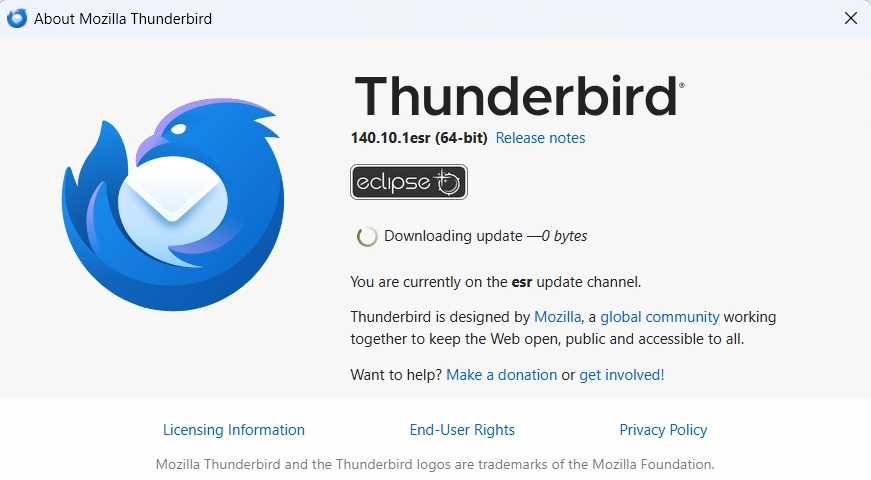
And once again, today .10.2 ESR update will not download. Just like the last 2 or 3 updates, when for years there has been no problem. Attached screen shot of download freeze, I have to force close Thunderbird eventually.
I did do the suggestion above last time (for .10.1) re: installing the version over top of my existing installation, so that didn't solve this problem.
Then I deleted trash and compacted folders, closed the program and restarted. Same thing, download shows as frozen again. Then I went into troubleshoot mode, didn't help.
So then I used the above link to again download and install .10.2 ESR over my .10.1 and it worked again, and clicking 'help' - 'about thunderbird' immediately checks and shows the tick mark saying 'thunderbird is up to date'. So at least THAT communication is working?
Can't think of any further steps to take without risk.
And another thing, now I get an "authorization code for sign in" e-mail ("Did you sign in to Mozilla?") when I'm already signed in (on this page), and, there is nowhere to enter the code??
Modified by dougjp