


Stop videos launching full screen

How in the world can I prevent videos from launching in full screen? This is incredibly invasive. I already have the setting enabled to block auto play of audio and video, but it’s not working. The videos are auto-playing and launching in full screen mode. An example of where this happens is Amazon.
Moderator note: Moved from the Firefox Desktop forum to the Firefox for iOS forum.
Ndryshuar nga Denys
Krejt Përgjigjet (8)
Have you seen this before, or it seems new? (Why I'm asking is the version you now use was supposed to include extra protections against this.)
That means they're using another tech to circumvent the built–in settings — could you please share a link where this happens (and possibly the steps to follow to reproduce the issue)? Thanks!
Happens here, but not every time. I’m not sure what makes it go full screen vs not but it auto-plays regardless. https://www.amazon.com/gp/aw/d/B0FMQC594G/ref=ox_sc_act_title_4?smid=A36XF2M6MF6NE4&psc=1 This has been an ongoing issue for quite some time.
Ndryshuar nga alli_sun
Hmm, the video in the link never even autoplays for me... Could you please try creating a new Firefox profile and see if the issue persists there?
This is a Firefox iOS issue. I'm investigating it.
I do see the inline muted videos autoplaying, but I've yet to reproduce the system fullscreen trigger — grabbing a few devices and version ranges as we speak.
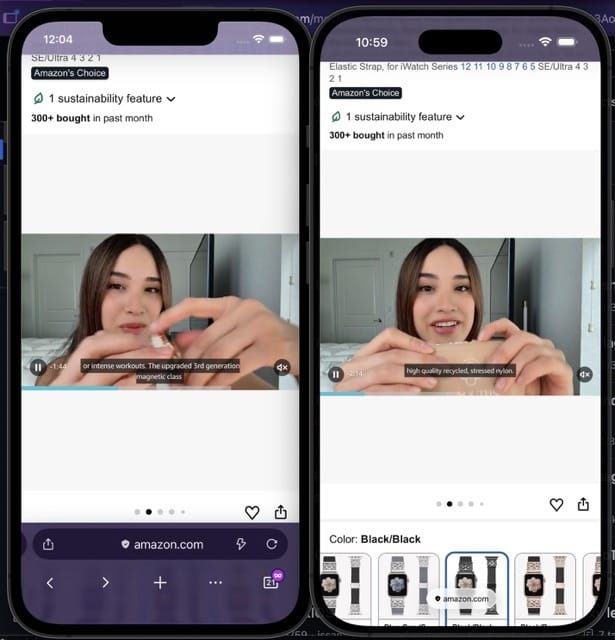
Thanks for the link, I think it actually happens after long–tapping on some element in the page for context menu and preview, and then the videos are presented by the system as fullscreen.
Which is tracked in github.com/mozilla-mobile/firefox-ios/issues/34218 and I checked the proposed patch fixes this scenario here as well:
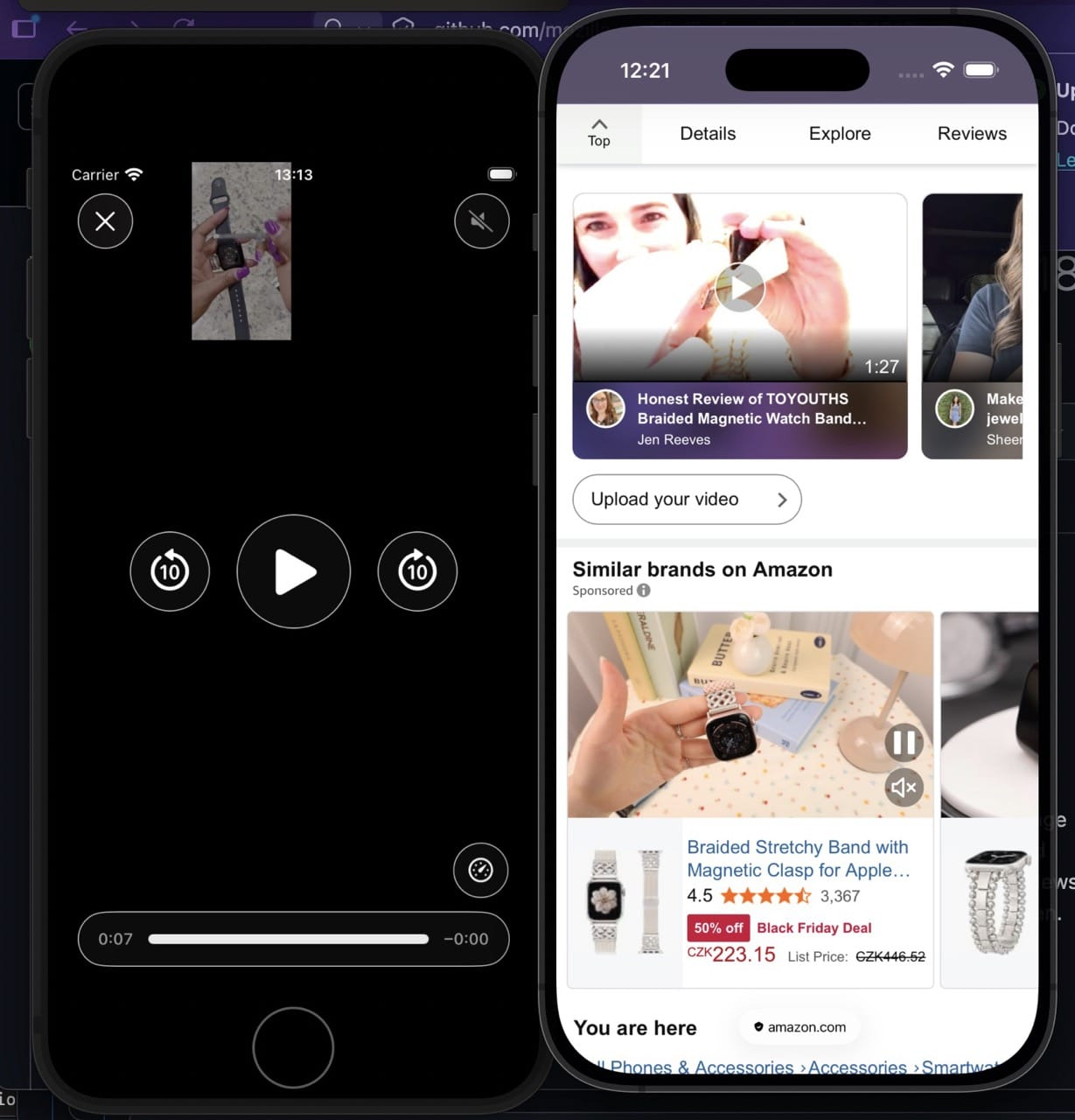
I'm going to move the thread to the Firefox for iOS forum. Jan, please feel free to flag questions in wrong products so that we can move them
Denys said
Hmm, the video in the link never even autoplays for me... Could you please try creating a new Firefox profile and see if the issue persists there?
I’m using this on iOS and don’t see that there is a profile. I’m also not logged into an account or anything. It may be important to note that it doesn’t always auto-play and go full screen. I’m not sure what makes this happen however. I’m currently on an iPhone 18 Pro but this also happened on my 15 Pro.
No worries. That pretty closely matches the linked bug report which has the reproduction steps and the reason for that result. The change is currently in review, I'll update here with any news.