


Home Button

How can I set up a "Home" button to show while using Firefox on my Windows 11 Pro laptop?
Krejt Përgjigjet (2)
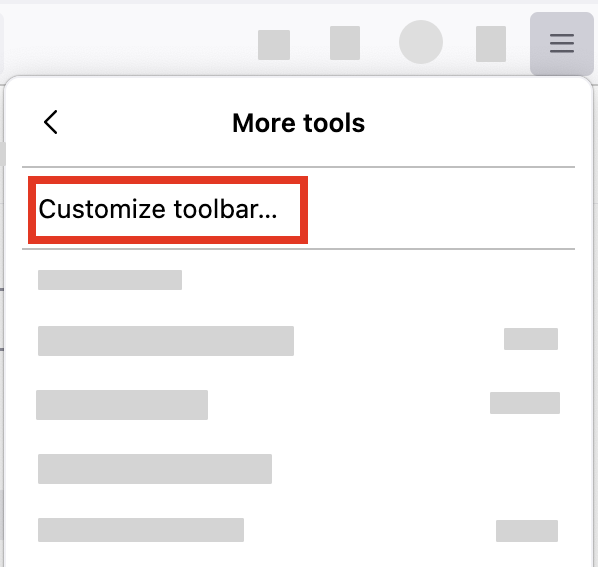
- Click the menu button
 in the top-right corner, click More tools, and choose the Customize toolbar… option.
- A special tab will open that allows you to drag and drop items, including the Home button, in the toolbar.
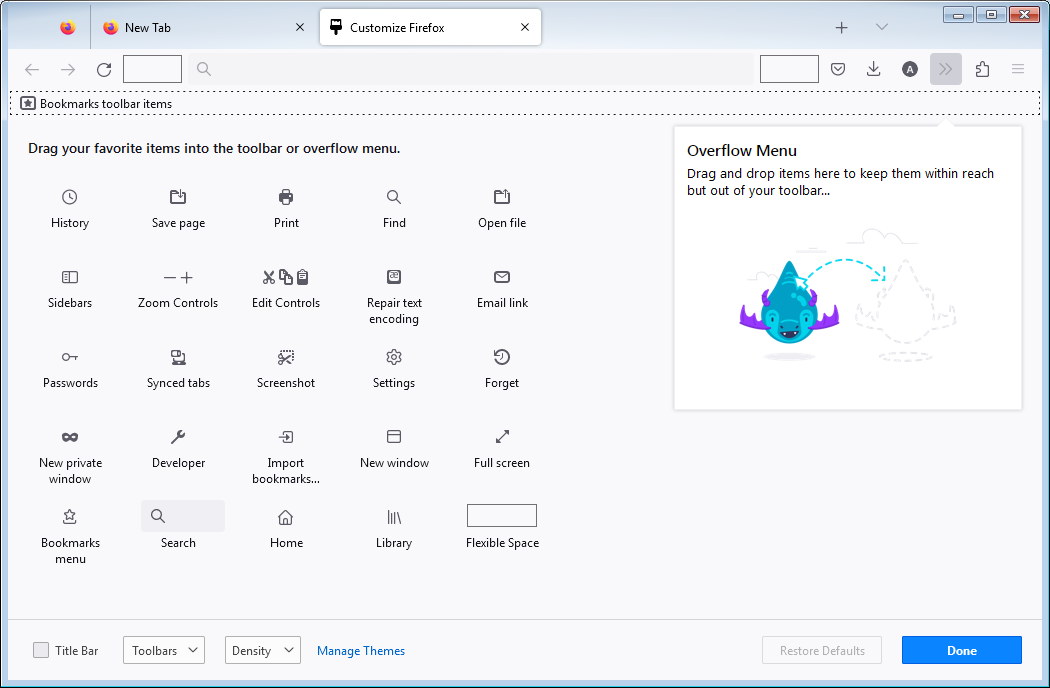

The Home button is not displayed in the overflow list!
Why can't we just have things left the way we want them? From my OS to even the most basic apps are always screwing things up when they update! It's ridiculous, especially when it's apps or softwares that I've paid money for! Updates? Certainly, go ahead because I realize that things are in development and the security settings need to stay current to protect against new threats. But leave the features we use and keep our settings! WTF?!
So how do I find the Home button now? It's a feature that I use constantly and it really grinds my gears when it's not there. Why does it disappear every time there's an update that affects it? Can't developers make it so that the things we use stay the way they were before the update? It doesn't seem like it would be very hard to do! I know they work very hard on far less important things concerning the browser. Useful features get deleted. Useless features get added. Etc Etc...