

Kjo rrjedhë është arkivuar.
Ju lutemi, bëni një pyetje të re, nëse keni nevojë për ndihmë.

Arkivuar
HOME PAGE ICON

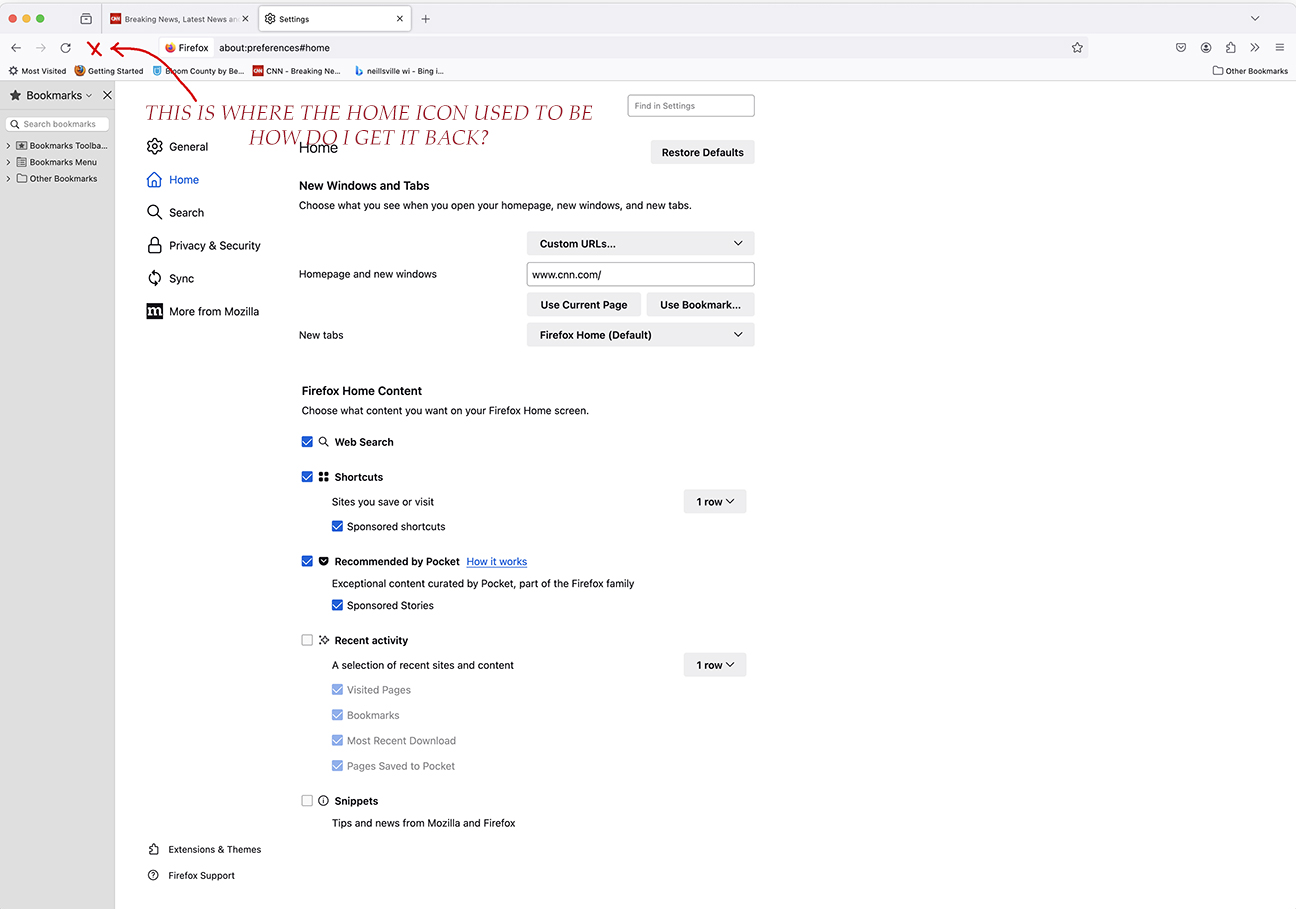
I AM ATTACHING AN IMAGE THAT MAY HELP WITH MY QUESTION. I USED TO HAVE MY HOME PAGE ICON SHOW UP BUT IT NO LONGER DOES. SEE ATTACHMENT. HOW CAN I RESTORE THE HOME PAGE ICON? PLEASE REPLY TO [removed email from public]
Thank you
I AM ATTACHING AN IMAGE THAT MAY HELP WITH MY QUESTION. I USED TO HAVE MY HOME PAGE ICON SHOW UP BUT IT NO LONGER DOES. SEE ATTACHMENT. HOW CAN I RESTORE THE HOME PAGE ICON?
PLEASE REPLY TO [removed email from public]
Thank you
Ndryshuar nga On Break --- Veteran Moderator
Krejt Përgjigjet (3)

Right click on the toolbar and then click customize.
Hello,
You can change the items that appear in the overflow menu or your toolbar.
Click the menu button ≡, click More Tools and choose Customize Toolbar….
- A special tab will open which allows you to drag and drop items in or out of the overflow menu and the toolbar. Note that some items, such as the menu ≡ button, cannot be moved into the overflow menu. Feel free to experiment. You can always start over by clicking the Restore Defaults button at the bottom of the screen.
Did this fix the problem? Please report back to us!
Thank you.
The Library and the Home button are no longer present by default on the Navigation Toolbar, you need to drag them out of the Customize palette to the toolbar.