

Windows 10 reached EOS (end of support) on October 14, 2025. If you are on Windows 10, see this article.

Kërkoni te Asistenca

Shmangni karremëzime gjoja asistence. S’do t’ju kërkojmë kurrë të bëni një thirrje apo të dërgoni tekst te një numër telefoni, apo të na jepni të dhëna personale. Ju lutemi, raportoni veprimtari të dyshimtë duke përdorur mundësinë “Raportoni Abuzim”.

Mësoni Më Tepër
Arkivuar

Weird text in firefox fixes itself when firefox is turned off

Braden Bouwman

Firefox displays weird characters in text when some pages are loaded. This appears to happen with Helvetica font and maybe some others. The problem seems to go away when firefox is launched in safe mode, and does not occur in other browsers. After a little digging I found when I turn hardware acceleration off the problem seems to fix itself. I'd rather not operate firefox with this option off, and I have a relatively new mac so this shouldn't be an issue. Is there a better way to solve this problem? Attached are pictures of the issue when hardware acceleration is on. As you can see, there are weird characters that display on the right.
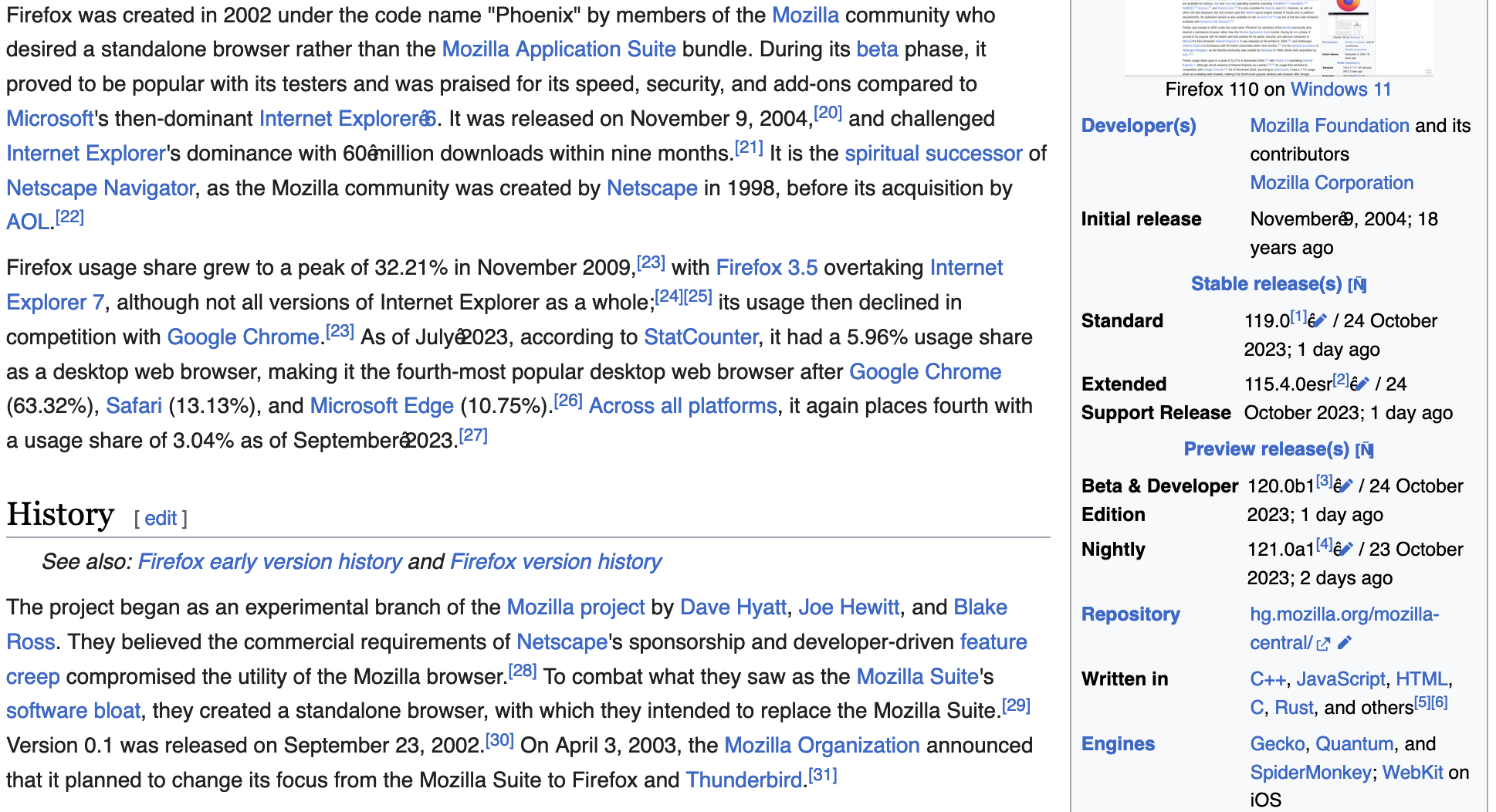
Firefox displays weird characters in text when some pages are loaded. This appears to happen with Helvetica font and maybe some others. The problem seems to go away when firefox is launched in safe mode, and does not occur in other browsers. After a little digging I found when I turn hardware acceleration off the problem seems to fix itself. I'd rather not operate firefox with this option off, and I have a relatively new mac so this shouldn't be an issue. Is there a better way to solve this problem? Attached are pictures of the issue when hardware acceleration is on. As you can see, there are weird characters that display on the right.
Foto të bashkëngjitura ekrani

Krejt Përgjigjet (2)

Go to about:config and try changing layout.css.font-visibility to 1 to limit fonts to a standard list.

Maybe clear the Font Cache on your Mac.