


Sending email. mail server responded: <END-OF-MESSAGE>: End-of-data rejected: user smtprelay service AUP suspended

cannot send email. Can receive email fine. l cannot respond, forward, or send new email. I checked settings, and they seem to be correct. It suddenly started this a few days ago. When sending, icon indicates sending, but get this box:
"Sending of the message failed. An error occurred while sending mail. The mail server responded: <END-OF-MESSAGE>: End-of-data rejected: user smtprelay service AUP suspended. Please check the message and try again."
Now what?
Ndryshuar nga Wayne Mery
Krejt Përgjigjet (8)
This appears to be an error in the SMTP server configuration, such as possibly an incorrect email address for the account, but could be other reasons. If you share a screenshot of SMTP settings, someone here may have suggestions.
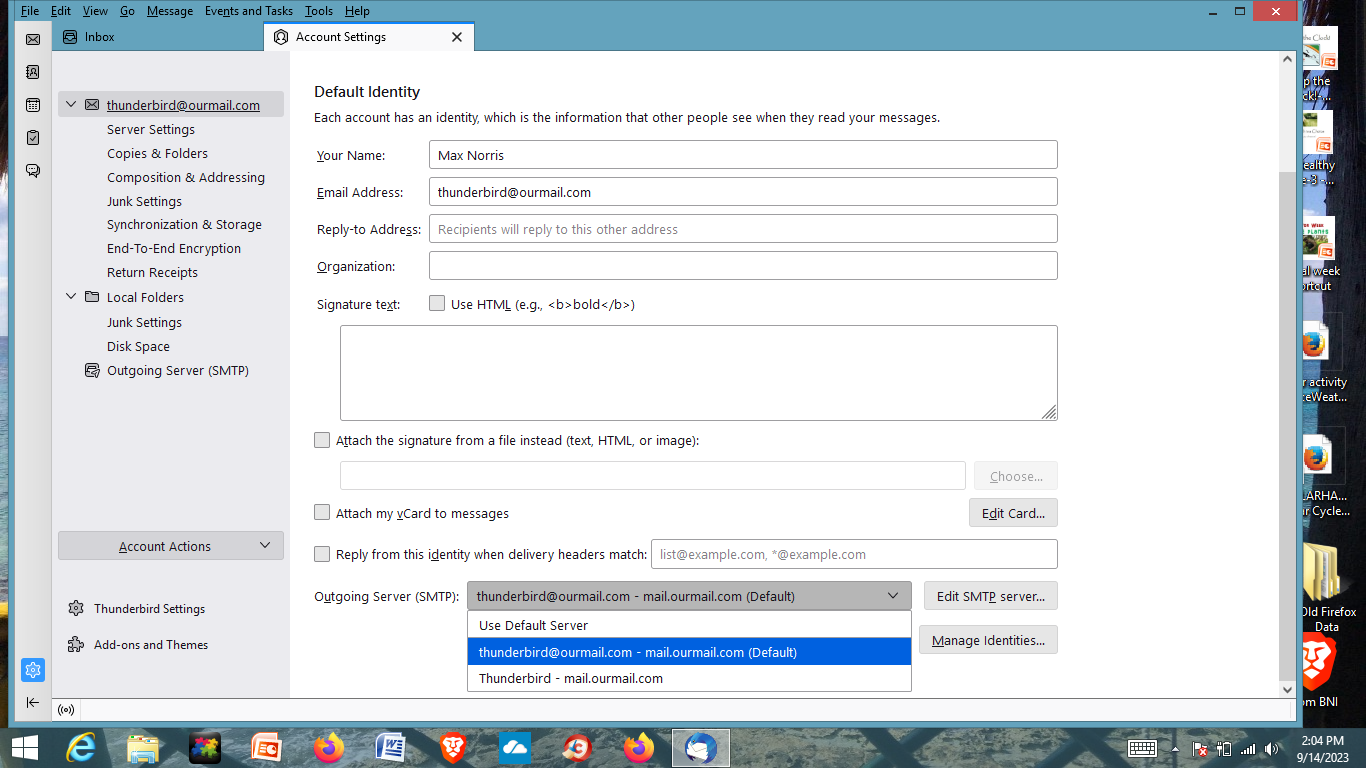
Below, is what I have: (see image below)
In account settings, look down left side to 'Outgoing server (SMTP). Click that and do a screenshot. That will show the smtp settings. Thanks.
This is what it says:
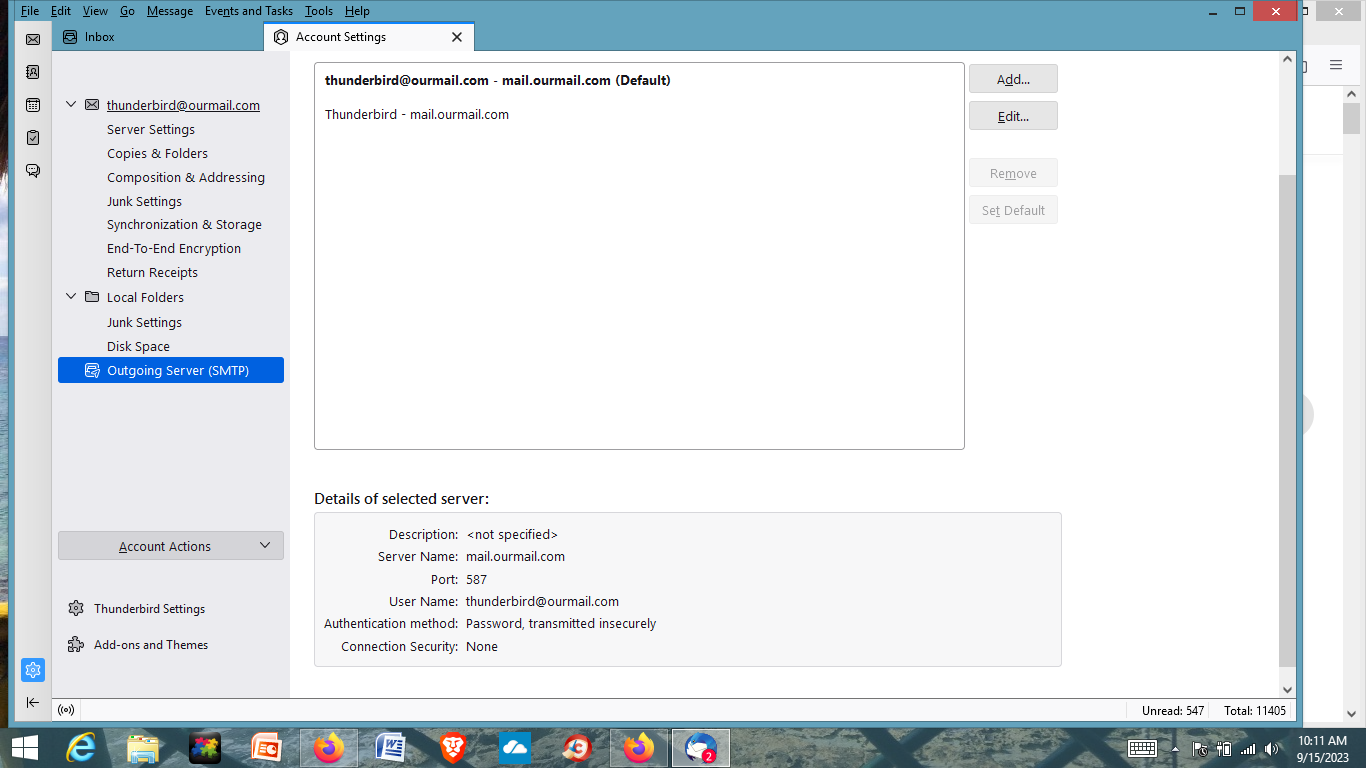
Try changing authentication to STARTTLS with normal password and see how that goes.
No change.

Hi, were you able to solve this problem? I have the same Problem at the moment and would appreciate any help there is.
You seem to have two SMTP servers. I suggest creating a unique description for each and verify which is being used. Be sure you are authenticating with it.