


On Start, Firefox always shows my windows and tabs from last time, even though I have selected the option to Show my homepage.

Issue: Although my option is to show my homepage on start, Firefox always shows my my windows and tabs from last time.
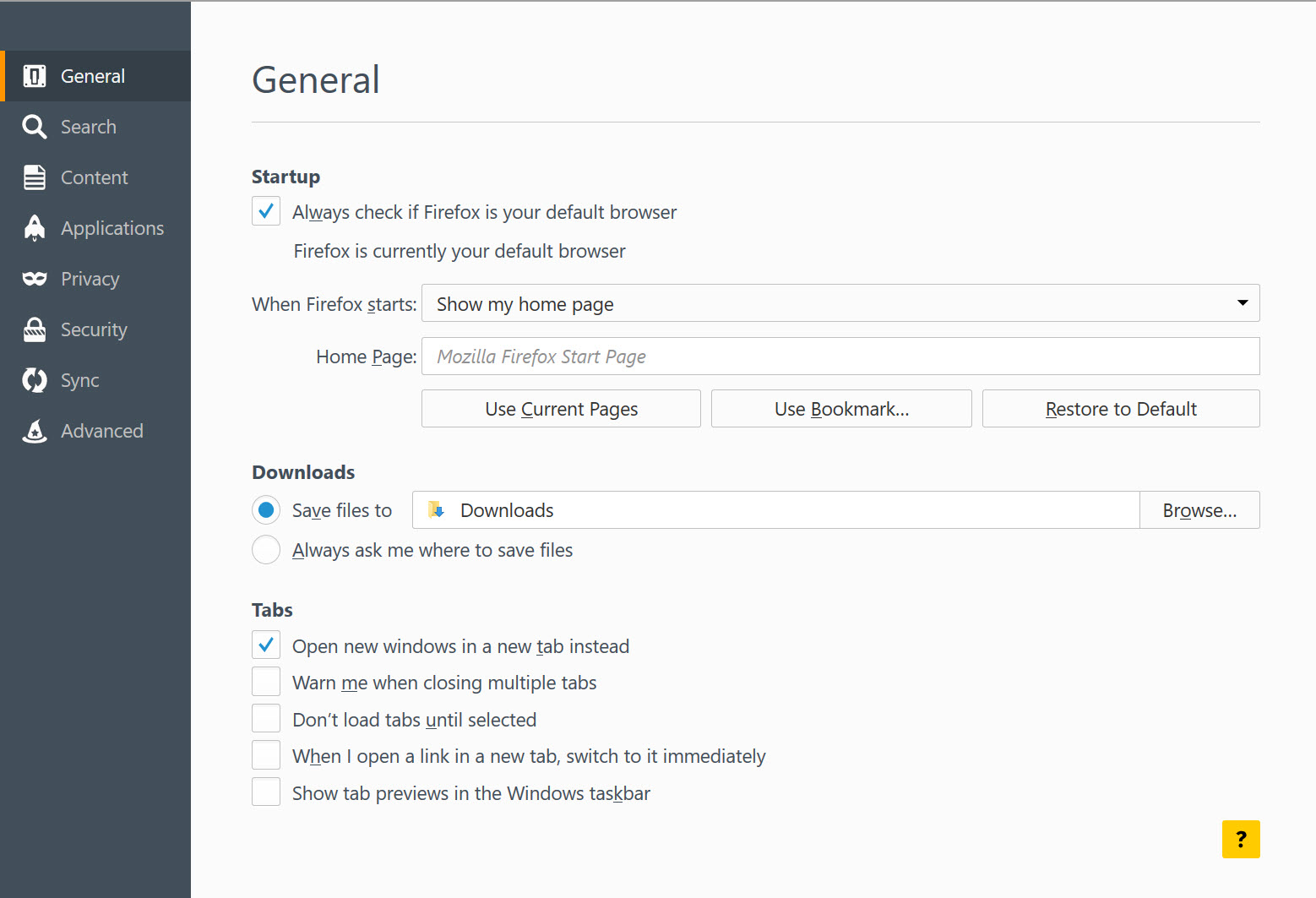
More Detail: I am using Microsoft Surface Pro 3 with Windows 10 Pro and Firefox v 40.0.2 I have selected option to start Firefox to show my homepage. Please see attached screenshot. The homepage is Mozilla Firefox Start Page. However I have tried other homepages such as www.cognizant.com, www.cnn.com.
I have also tried to start by selecting a blank page. Still on start Firefox displays windows and tabs from last time.
I have also deleted (renamed) prefs.js file and restarted firefox.This step did NOT resolved this issue.
Please help. Thanks
Zgjidhje e zgjedhur
You can check if you have a user.js file in the Firefox profile folder that sets the browser.sessionstore.resume_session_once pref to true.
The user.js file will only be present if you or other software has created this file and normally won't be present.
You can check its content with a plain text editor (right-click: "Open with"; do not double-click). The user.js file is read each time Firefox is started and initializes preferences to the value specified in this file, so preferences set via user.js can only be changed temporarily for the current session.
You can delete the user.js file if you didn't create this file yourself.
You can use this button to go to the current Firefox profile folder:
- Help > Troubleshooting Information > Profile Directory: Show Folder (Linux: Open Directory; Mac: Show in Finder)
- http://kb.mozillazine.org/Profile_folder_-_Firefox
Windows hides some file extensions by default. Among them .html and .ini and .js and .txt and you may only see a file name without file extension. You can check the file extension (type) in the properties of the file in Windows Explorer via the right-click context menu.
Lexojeni këtë përgjigje brenda kontekstit 👍 2Krejt Përgjigjet (5)

You may have corrupt sessionstore file(s).
Type about:support in the address bar and press enter.
Under the page logo on the left side you will see Application Basics. Under this find Profile Folder. To it’s right press the button Show Folder. This will open your file browser to the current Firefox profile. Now Close Firefox.
Locate the sessionstore file(s). Then rename or delete them. Restart Firefox.
There is no such file in that folder.
Zgjidhja e Zgjedhur
You can check if you have a user.js file in the Firefox profile folder that sets the browser.sessionstore.resume_session_once pref to true.
The user.js file will only be present if you or other software has created this file and normally won't be present.
You can check its content with a plain text editor (right-click: "Open with"; do not double-click). The user.js file is read each time Firefox is started and initializes preferences to the value specified in this file, so preferences set via user.js can only be changed temporarily for the current session.
You can delete the user.js file if you didn't create this file yourself.
You can use this button to go to the current Firefox profile folder:
- Help > Troubleshooting Information > Profile Directory: Show Folder (Linux: Open Directory; Mac: Show in Finder)
- http://kb.mozillazine.org/Profile_folder_-_Firefox
Windows hides some file extensions by default. Among them .html and .ini and .js and .txt and you may only see a file name without file extension. You can check the file extension (type) in the properties of the file in Windows Explorer via the right-click context menu.
Thank you.
There indeed was user.js file and after deleting I no longer have the issue.
The solution worked for me thanks so much! I had this issue in Windows 7. Dave