


As of today, Firefox gets an "Access Denied" when accessing goddady.com. Chrome works.

Access Denied You don't have permission to access "http://www.godaddy.com/" on this server.
Reference #18.acf7d517.1771548295.4f66cee0
https://errors.edgesuite.net/18.acf7d517.1771548295.4f66cee0 is what I get when going to https:\goddady.com as of today. Running on Windows7 (no, I won't upgrade). Tried a variety of changes. But Chrome works fine. Any suggestions?
All Replies (11)
Hi,
Thank you for reaching out! I've filed a WebCompat report for this. Let's see what our QA staff members there say.
Meanwhile, you can try using Chrome Mask for this website.
Just to note, it's most likely the website blocking Firefox 115 ESR based on the User-Agent string, a kind of issue we can't prevent from happening. We can fix it once it's confirmed, though.
Hm, ok, could you please try the following troubleshooting steps then:
- Please check if you have Enhanced Tracking Protection (ETP) enabled. You can do that by clicking the shield
 icon in the left part of the address bar.
- If ETP is enabled, try disabling it.
- If the problem is not fixed, try clearing Firefox cache.
- If it does not help, try clearing cookies and data for the website you experience troubles with (warning: you will be logged out on this website).
- If it also does not help, try running Firefox in Troubleshoot Mode. If the problem doesn't persist, please follow the steps from this article to troubleshoot further.
- If nothing from the above helps, try creating a new Firefox profile and check if the issue persists there. If it doesn't, you can start copying files from your old profile to the new one to identify which one causes the issue. See this article on what files to copy.
Does any of the above help? Looking forward to your update on how it goes!
First, it turns out that Chrome mask is not accepting any website inputs, so that does not work. I tried the others with no luck.

This problem relates to many commercial sites: Home Depot, Lowe's, Costco, and many other. But it doesn't affect most grocery and and general merchandise stores (Walmart, Target, etc).
You don't have permission to access "http://www.lowes.com/Search=snow%20shovel" on this server. Reference #18.1c9533b8.1771790334.13ea45f9 https://errors.edgesuite.net/18.1c9533b8.1771790334.13ea45f9
This happened after a recent update. The current version is 115.32.1esr.
None of the steps recommended by Denys helped. This does occur for a new clean profile.
It's not related to the IP address because these sites can be accessed from other devices on the same home network that use different versions of Firefox.
Some person mentioned that "Reference 18" means the website is using an Akamai CDN and Akamai has either rate-limited requests from what it thinks are "you," or it thinks you're a bot.
Modified by vd10314-vlad
lyleleverich said
no, Chrome mask did not work
I've just realized that you have to clear cookies and data for that website first, and enable Chrome Mask. (Because once you get the error message the info about blocking you seems to be stored somewhere in cookies.) Does that work?
As I said, Chrome mask is installed, but is not accepting website inputs. I enter "www.godaddy.com" in the field to save sites, hit return, but it never shows up as a saved site and will not activate on that page.
lyleleverich said
As I said, Chrome mask is installed, but is not accepting website inputs. I enter "www.godaddy.com" in the field to save sites, hit return, but it never shows up as a saved site and will not activate on that page.
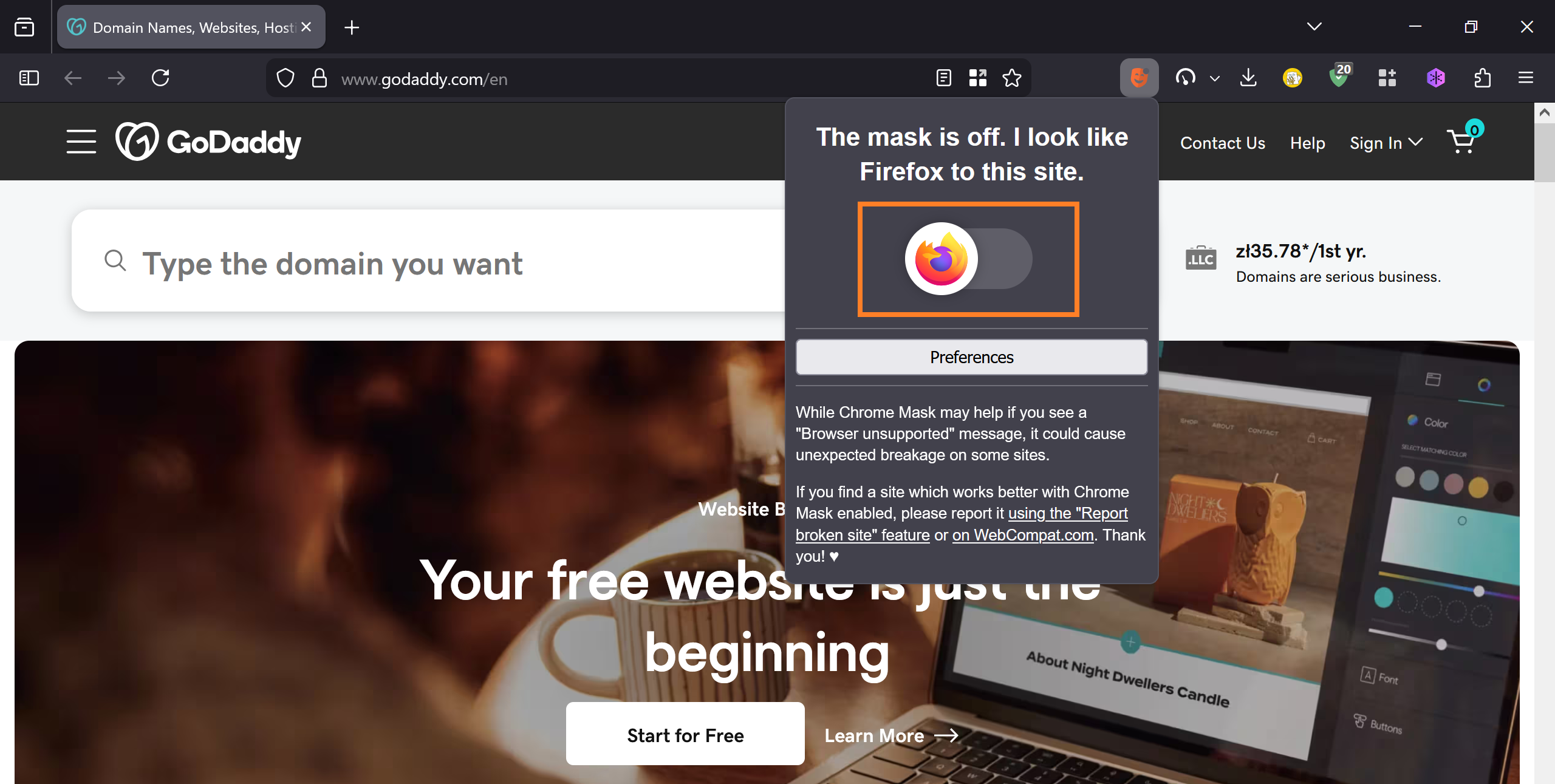
You should be able to just toggle the switch while visiting the website. See the screenshot.
yes, it will toggle on from the mask icon. But I still get "Access denied"