


Firefox 60.0.1 Bookmarks - No Export or backup options

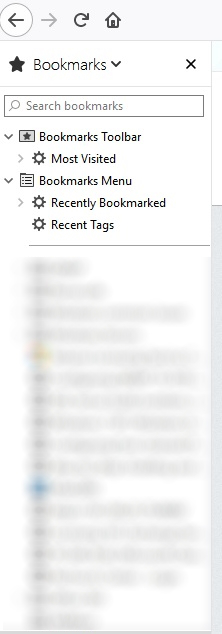
Hello, I'm running Firefox 60.0.1 and there are no way for me to export and/or backup Bookmarks. https://support.mozilla.org/en-US/kb/export-firefox-bookmarks-to-backup-or-transfer This doesn't exist. I have also looked for "show all bookmarks" and that doesn't exist either. I have try to right click some option and try "properties" but no luck... Firefox please fix and re-add the options. Unfortunately I cannot add any picture here as it's stuck at uploading.
All Replies (4)
I was able to add the screenshot separately
Chosen Solution
Try using { Ctrl + Shft + B } to open the Library.
You can add the "Bookmarks Menu" button that shows the bookmarks in a drop-down list to the Navigation Toolbar via these steps:
- click the bookshelf
 icon on the Navigation Toolbar or alternatively use the Library menu in the "3-bar" Firefox menu button
  drop-down list
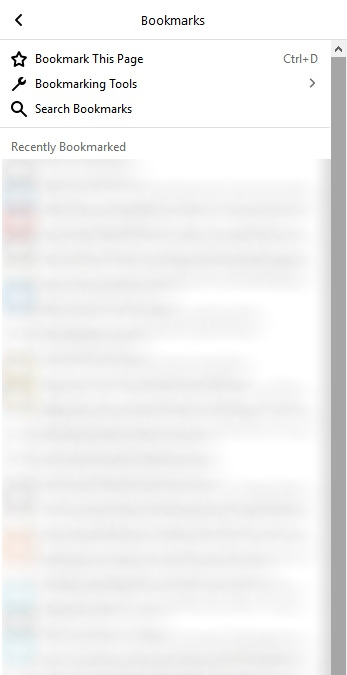
- click Bookmarks
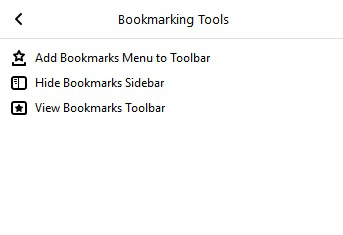
- click "Bookmarking Tools", then click "Add Bookmarks Menu to Toolbar"
 should appear on the Navigation Toolbar.
You can also drag the Bookmarks Menu button from the Customize palette to the Navigation Toolbar
See also "How do I add the Bookmarks Menu button to the toolbar?":
Both option worked!!! thank you. CTRL+SHIFT+B is just a bit faster.
Thank you guys