


Windows 10 reached EOS (end of support) on October 14, 2025. For more information, see this article.

Поиск в поддержке

Избегайте мошенников, выдающих себя за службу поддержки. Мы никогда не попросим вас позвонить, отправить текстовое сообщение или поделиться личной информацией. Сообщайте о подозрительной активности, используя функцию «Пожаловаться».

Подробнее

Cannot send emails

  • 2 ответа
  • 1 имеет эту проблему
  • 16 просмотров
  • Последний ответ от user01229325

дополнительные действия

I asked this question before and they referred me to a TWC page showing how to configure the outgoing emails as shown in the following link: https://www.timewarnercable.com/en/support/faqs/faqs-internet/e-mailacco/incoming-outgoing-server-addresses.html See my previous posting from paulherk and answered by Airmail. I let Thunderbird configure the STMP configuration. It configured the STMP as shown in the first screen shot. When I tried to send an email, i received the error message shown in the second screen shot. The set up is what the help page from TWC indicated that it should be.
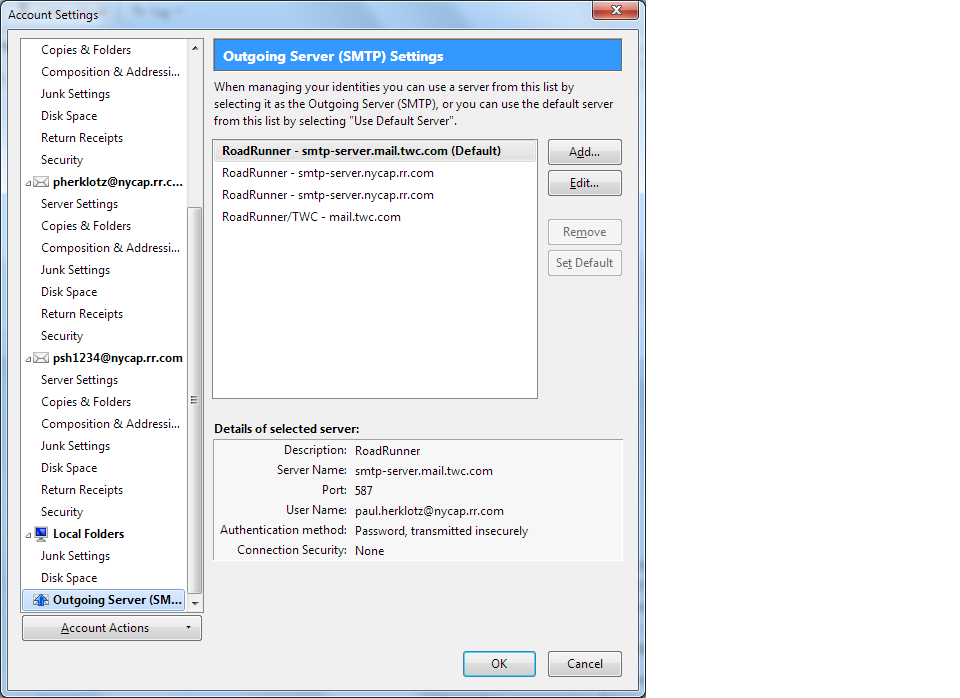
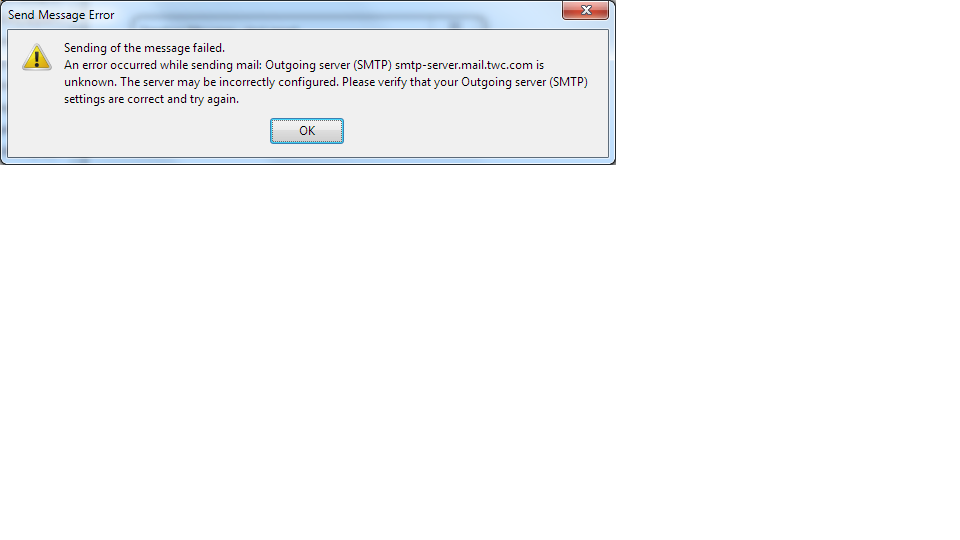
I asked this question before and they referred me to a TWC page showing how to configure the outgoing emails as shown in the following link: https://www.timewarnercable.com/en/support/faqs/faqs-internet/e-mailacco/incoming-outgoing-server-addresses.html See my previous posting from paulherk and answered by Airmail. I let Thunderbird configure the STMP configuration. It configured the STMP as shown in the first screen shot. When I tried to send an email, i received the error message shown in the second screen shot. The set up is what the help page from TWC indicated that it should be.
Приложенные скриншоты

Все ответы (2)

дополнительные действия

Check the TWC article again, and correct the SMTP server name.

дополнительные действия

Here is your original post. Use that and do not start new threads for the same issue. https://support.mozilla.org/en-US/questions/1185564 And as Christ1 pointed out change the server name as I advised earlier.