Windows 10 reached EOS (end of support) on October 14, 2025. If you are on Windows 10, see this article.

Pesquisar no apoio

Evite burlas no apoio. Nunca iremos solicitar que telefone ou envie uma mensagem de texto para um número de telefone ou que partilhe informações pessoais. Por favor, reporte atividades suspeitas utilizando a opção "Reportar abuso".

Saber mais

Problem with European Patent Office (EPO) Smartcards

  • 2 respostas
  • 0 têm este problema
  • 98 visualizações
  • Última resposta por it-technik
  • Arquivadas

Hello, we're happy firefox users within our patent attorneys' offices', but recently we have problems using our smartcards in firefox, especially for tasks to "renew" smartcards or other simple tasks which used to work with firefox. In Chrome or EDGE, we have no problems with this.

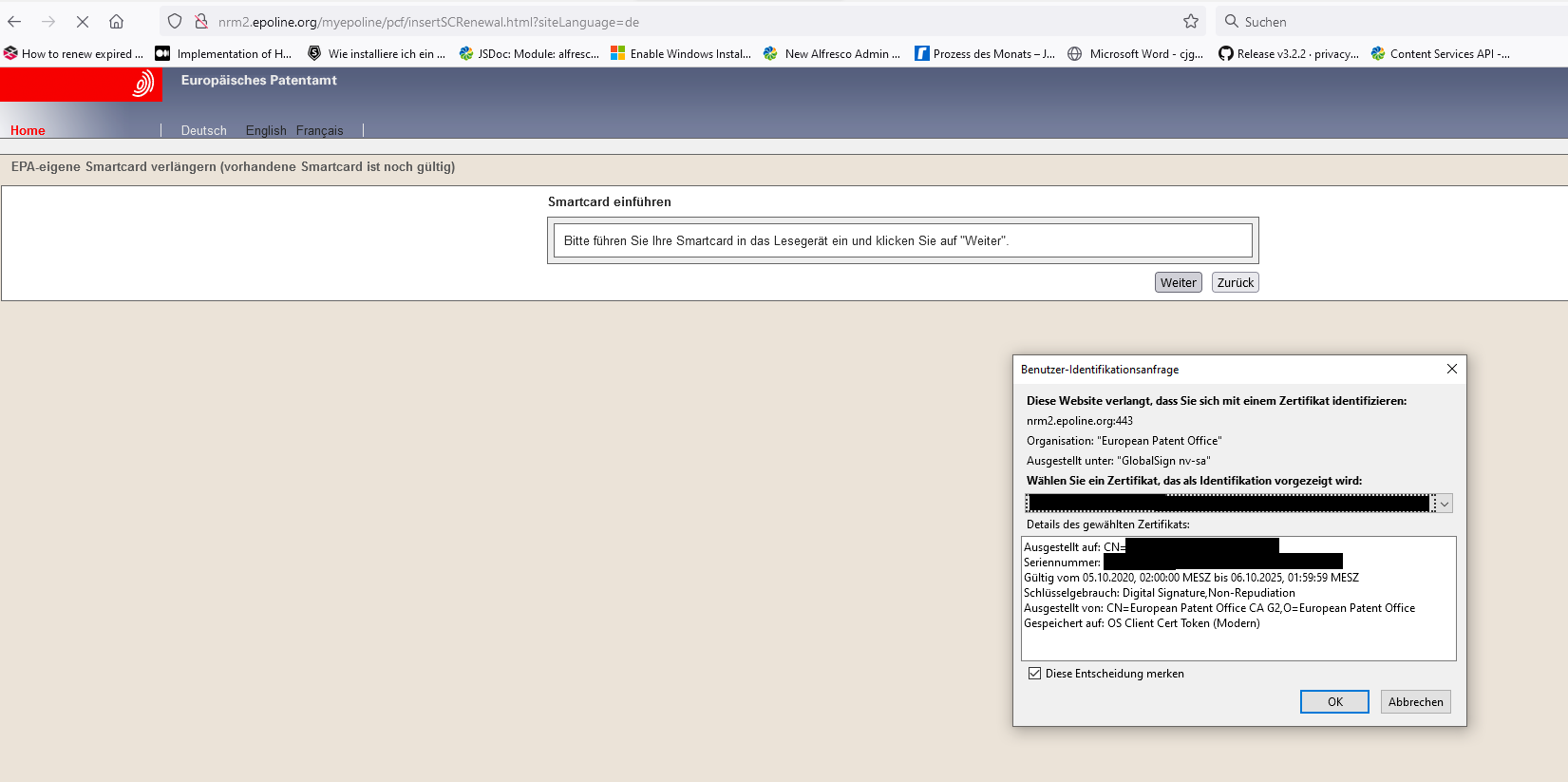
The problem is as follows (on a windows 10 based system) 1. Insert the smartcard 2. The cryptovision driver (version 8.0.12. 708) recognizes the smartcard 3. Call the url http://nrm2.epoline.org/myepoline/pcf/insertSCRenewal.html?siteLanguage=de 4. Firefox asks for the "certificate" (see screenshot) 5. After selecting the certificate, usually the PIN Input dialog form is displayed, but here nothing happens 6. After a while, you get an error that the url could not be loaded (timeout)

On this page https://login.epo.org/ and then "Anmeldung mit Smartcard" the login using the EPA Smartcard works as expected, the PIN input dialog shows up.

In earlier versions of firefox, the smartcards worked better. What is going wrong?
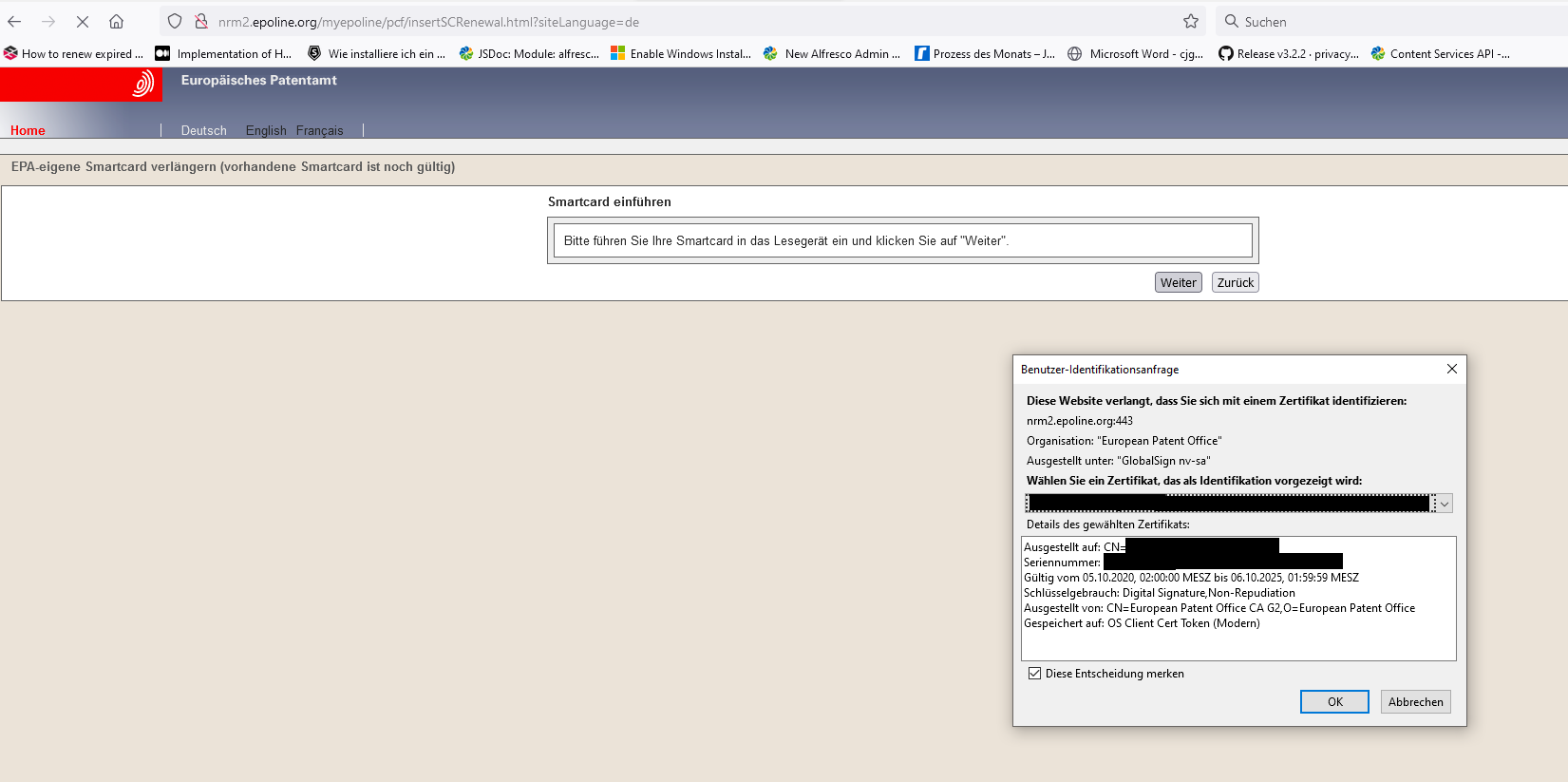
Hello, we're happy firefox users within our patent attorneys' offices', but recently we have problems using our smartcards in firefox, especially for tasks to "renew" smartcards or other simple tasks which used to work with firefox. In Chrome or EDGE, we have no problems with this. The problem is as follows (on a windows 10 based system) 1. Insert the smartcard 2. The cryptovision driver (version 8.0.12. 708) recognizes the smartcard 3. Call the url http://nrm2.epoline.org/myepoline/pcf/insertSCRenewal.html?siteLanguage=de 4. Firefox asks for the "certificate" (see screenshot) 5. After selecting the certificate, usually the PIN Input dialog form is displayed, but here nothing happens 6. After a while, you get an error that the url could not be loaded (timeout) On this page https://login.epo.org/ and then "Anmeldung mit Smartcard" the login using the EPA Smartcard works as expected, the PIN input dialog shows up. In earlier versions of firefox, the smartcards worked better. What is going wrong?
Capturas de ecrã anexadas

Modificado por it-technik a

Todas as respostas (2)

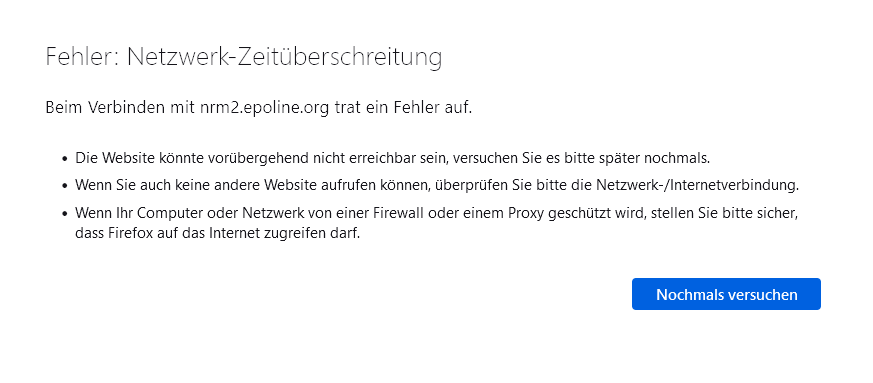
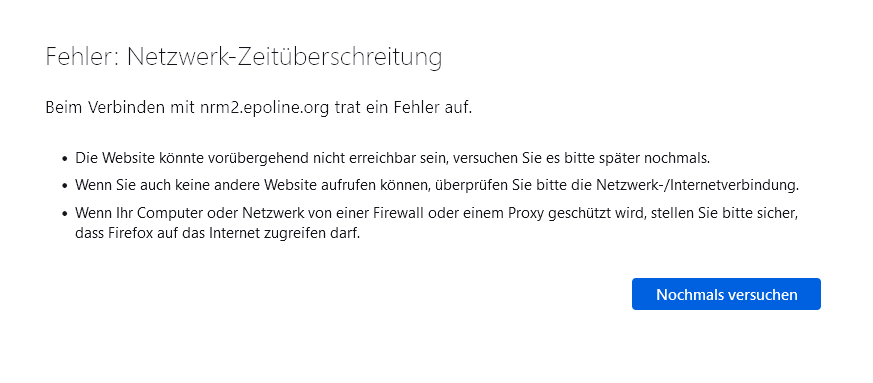
The error looks like this
Certificate Selection Dialogbox