


Want to get rid of "This time, search with" option in address bar
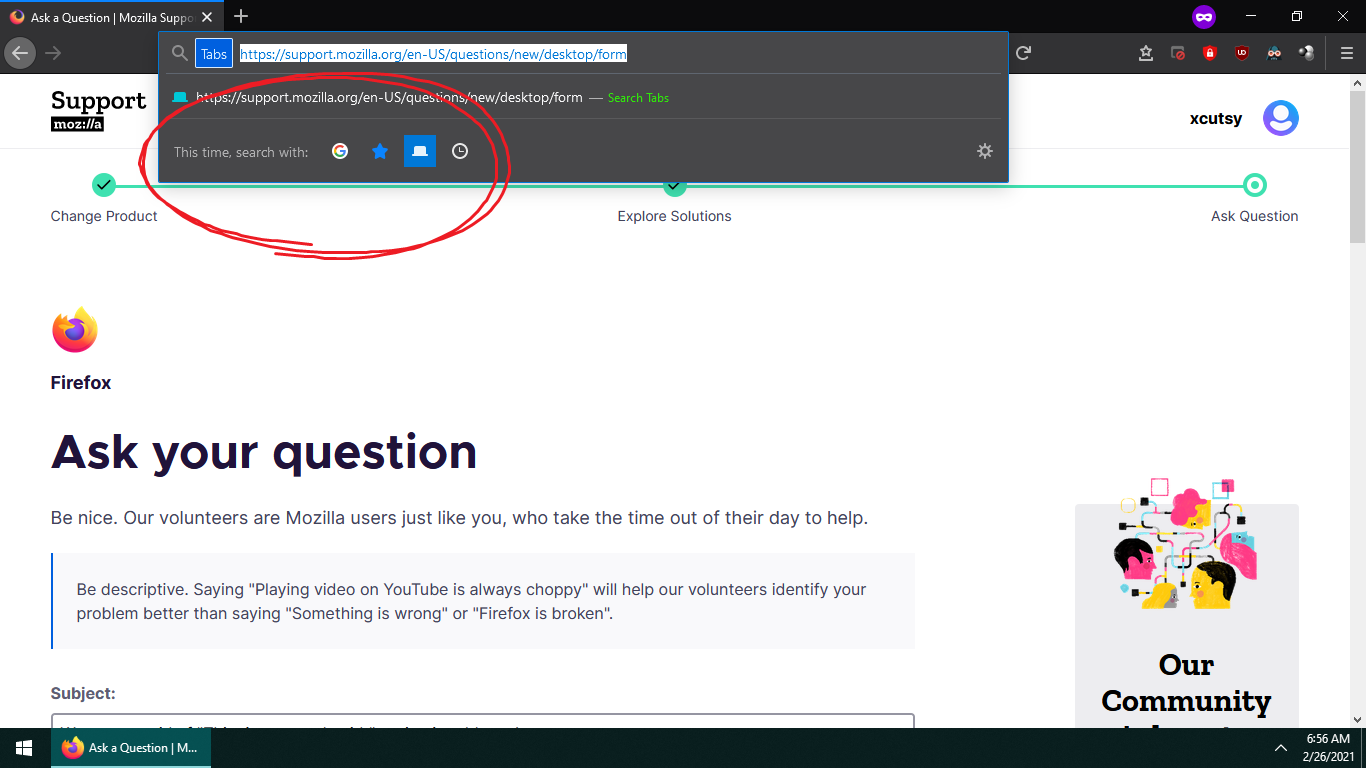
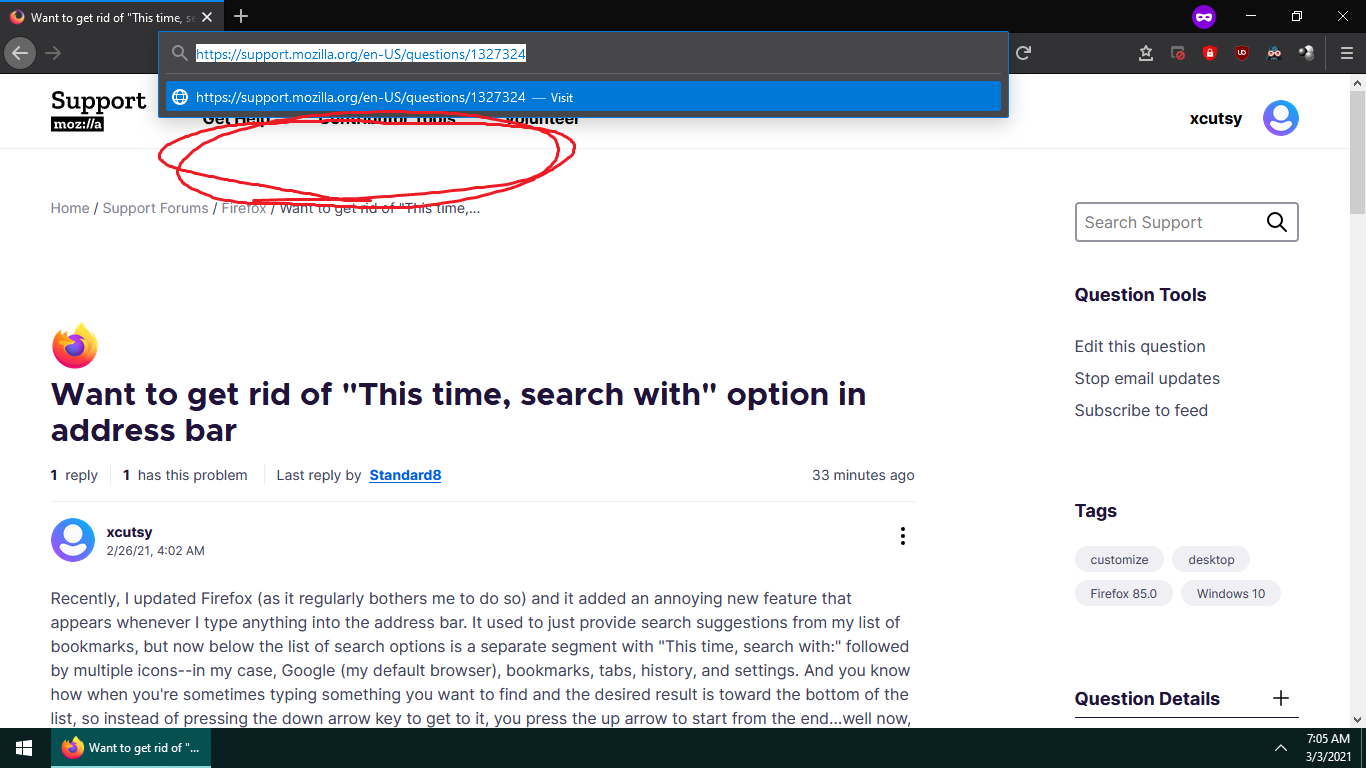
Recently, I updated Firefox (as it regularly bothers me to do so) and it added an annoying new feature that appears whenever I type anything into the address bar. It used to just provide search suggestions from my list of bookmarks, but now below the list of search options is a separate segment with "This time, search with:" followed by multiple icons--in my case, Google (my default browser), bookmarks, tabs, history, and settings. And you know how when you're sometimes typing something you want to find and the desired result is toward the bottom of the list, so instead of pressing the down arrow key to get to it, you press the up arrow to start from the end…well now, when I try that on the address bar, it cycles through each icon before letting me get to the list's end.
I know it sounds like a petty complaint, but it's annoying and inconvenient to have to do it each and every time since it's habitual to cycle from top to bottom or vice versa on basically every other search bar. I went the route of "Settings > Options > Search > Search Shortcuts" to see if I could get rid of these icons, but just like how it doesn't let you get rid of search engines when you only have one on the list, it doesn't give you an option to remove these superfluous icons.
These Mozilla dumbasses seem to lack foresight and/or consideration with the way they limit user preferences. Can anybody give me any alternative solutions? Please spare me the snide answers like "switch to Chrome" (already considering it). If there's a way to simply circumvent these icons in the address bar rather than getting rid of them entirely, that would be more that enough: I just don't know how to go about it. Anyway, thank you for taking the time to read my submission/rant.
Solução escolhida
Hi, you can simply hide the search engines by unticking the tick in the column next to them:
https://support.mozilla.org/kb/add-or-remove-search-engine-firefox#w_hide-search-engines
We're hoping to improve those options to be more discoverable later this year.
Ler esta resposta no contexto 👍 2Todas as respostas (4)

Solução escolhida
Hi, you can simply hide the search engines by unticking the tick in the column next to them:
https://support.mozilla.org/kb/add-or-remove-search-engine-firefox#w_hide-search-engines
We're hoping to improve those options to be more discoverable later this year.
This is just what I needed. Thank you so much!

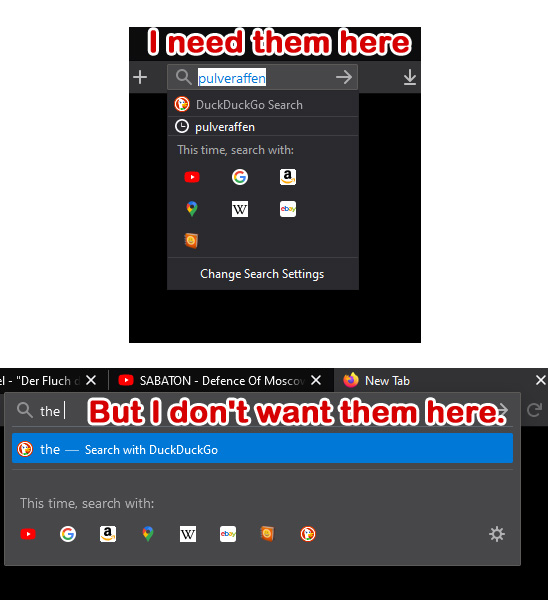
Here's the problem I have: I want to remove them from the URL (address) bar, BUT KEEP THEM IN THE SEARCH BAR. If you untick the boxes, you won't get them in the search bar. Meaning that this is still a problem.
Every time I upgrade Firefox, Firefox changes all my settings and customizations, and I have to start over. Why can't Firefox just update and NOT change everything?
Modificado por r.thomas.wright a
r.thomas.wright said
Here's the problem I have: I want to remove them from the URL (address) bar, BUT KEEP THEM IN THE SEARCH BAR. If you untick the boxes, you won't get them in the search bar. Meaning that this is still a problem.
Sorry, this simply isn't possible. Unfortunately we can't support every possible configuration, and to my knowledge this hasn't been asked for before.
Every time I upgrade Firefox, Firefox changes all my settings and customizations, and I have to start over. Why can't Firefox just update and NOT change everything?
Please start a new discussion for this, people will be along to help you.