


I don't have the star button in the navigation line

I'm using version 38.0.5, and haven't got the star button in the navigation line to create a bookmark.
Todas as respostas (5)
On smart phones, the star icon is on the menu. Depending on your device, the menu may be accessed using a stack of 3 dots to the right of the address, or using your device's menu button (typically down near the home button).
On tablets, I'm not sure...
Can you find it?
Thank you for your reply. I'm using a Nexus 7 tablet. I've had a look in the 3 dot icon, but can't find anything.
Hmm, the help article refers to the menu for 7" tablets, so I'm not sure why it's missing: Get started with Firefox for Android on tablets.
On the phone menu, there are two rows of icons:
- [back] [forward] [reload]
- [bookmark] [reading-list] [share]
Does yours look at all similar to that?
Hello. Sorry for the delay. I've attached a screenshot of my navigation bar. I thought it would be easier for you to look at, rather me describe it. Thanks.
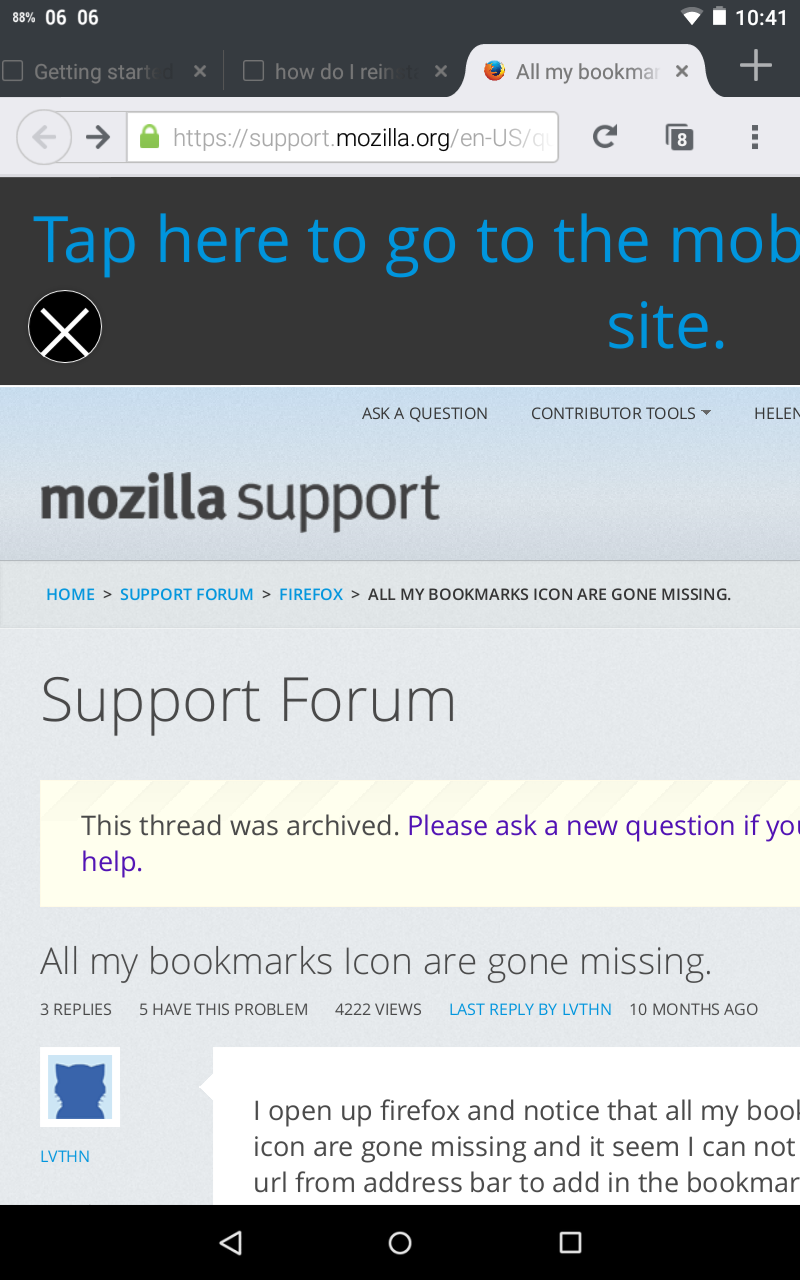
Wow, you have a tab bar! Hopefully someone else know about the tablet interface because it's quite different than what I have on my phone.