


Why did Firefox kill the ability to listen to Amazon Music.
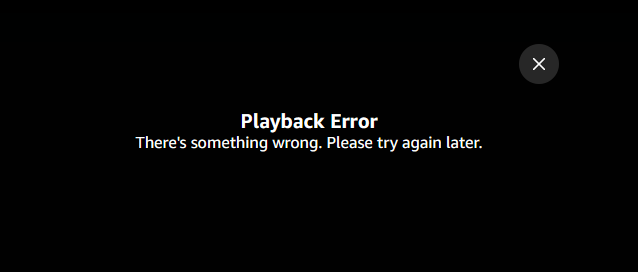
Now i always get this in Firefox "Playback Error There's something wrong. Please try again later. "
And yes it is just Firefox. I know that Firefox is killing the ability to listen to Amazon Music as it works perfectly fine in Chrome and Microsoft Edge but not in Firefox at all. I've tried several days - it won't play it.
Really is uninstalling and basically killing Firefox the best?
Solução escolhida
OH I'm very sorry it turned out that it was an old computer that caused this and the fact that Gmail would not show up. On this new computer Firefox is working very good (well except for Yahoo, I asked again about that). Sadly (very sadly) Microshit (ha Microsoft) it's update on 4/13 basically killed my computer. I have lost 80% of my art, 100% of my documents, 50% of my photos. So yeah maybe it was the updates that caused the problems with your good browser. Now I will never ever allow another update. If all the apps I use were available on a different computer type then I would leave Microsoft, but the main ones I use are only available on Windows.
Ler esta resposta 👍 0Todas as respostas (5)

Many site issues can be caused by corrupt cookies or cache.
Warning ! ! This will log you out of sites you're logged in to. You may also lose any settings for that website.
- How to clear the Firefox cache {web link}
If there is still a problem, Start Firefox in Safe Mode {web link} by holding down the <Shift> (Mac=Options) key, and then starting Firefox.
A small dialog should appear. Click Start In Safe Mode (not Refresh). Did this help?
While you are in safe mode;
Try disabling graphics hardware acceleration in Firefox. Since this feature was added to Firefox it has gradually improved but there are still a few glitches.
How to disable Hardware Acceleration {web link}
There is security software like Avast, Kaspersky, BitDefender and ESET that intercept secure connection certificates and send their own.
https://support.mozilla.org/en-US/kb/firefox-cant-load-websites-other-browsers-can
https://support.mozilla.org/en-US/kb/firefox-and-other-browsers-cant-load-websites
https://support.mozilla.org/en-US/kb/secure-connection-failed-error-message
https://support.mozilla.org/en-US/kb/connection-untrusted-error-message
Websites don't load - troubleshoot and fix error messages
Solução escolhida
OH I'm very sorry it turned out that it was an old computer that caused this and the fact that Gmail would not show up. On this new computer Firefox is working very good (well except for Yahoo, I asked again about that). Sadly (very sadly) Microshit (ha Microsoft) it's update on 4/13 basically killed my computer. I have lost 80% of my art, 100% of my documents, 50% of my photos. So yeah maybe it was the updates that caused the problems with your good browser. Now I will never ever allow another update. If all the apps I use were available on a different computer type then I would leave Microsoft, but the main ones I use are only available on Windows.
Take the hard drive from the old computer and mount it as an external drive on the new one.
Sorry I had a problem but thanks to Microshit (ha Microsoft) the update killed the computer I was using before. Now on the new one Firefox seems fine. The music is perfectly fine to play now. So I guess that it was because the computer the Windows update killed was a bit older (about 5 years).