


How do i restore the URLs in the address bar?

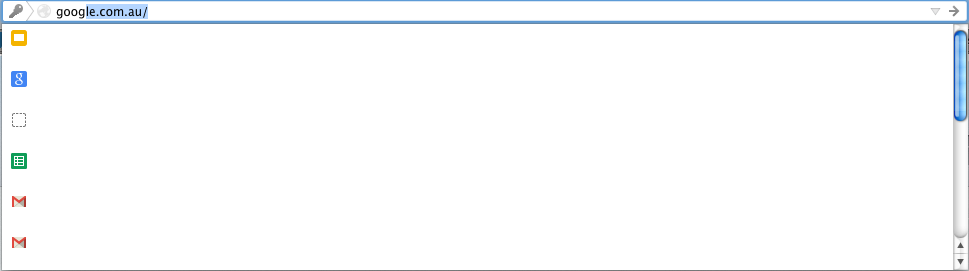
When I enter in a URL into the address bar, the history or list of relevant sites does not appear in the dropdown list.
Instead, all of the full URLs appear blank (apart from the top result). While I can see the favicon I have to scroll through each link to find the correct one.
Penyelesaian terpilih
Start Firefox in Safe Mode to check if one of the extensions (Firefox/Tools > Add-ons > Extensions) or if hardware acceleration is causing the problem (switch to the DEFAULT theme: Firefox/Tools > Add-ons > Appearance).
- Do NOT click the Reset button on the Safe Mode start window.
- https://support.mozilla.org/kb/Safe+Mode
- https://support.mozilla.org/kb/Troubleshooting+extensions+and+themes
All Replies (3)
Here is a screenshot of the problem I'm having. Thanks
Penyelesaian Terpilih
Start Firefox in Safe Mode to check if one of the extensions (Firefox/Tools > Add-ons > Extensions) or if hardware acceleration is causing the problem (switch to the DEFAULT theme: Firefox/Tools > Add-ons > Appearance).
- Do NOT click the Reset button on the Safe Mode start window.
Thanks so much. Turns out it was Delicious (social bookmarking app) which was affecting this. I've since disabled the add-on. Thanks again