Open
Adding a vcard to my signature Borks outbound mail

Despite my attempts to find an error in my outbound mail settings, I keep getting the message below.
The test of the connection to the server passes everytime, but the mail form will not allow mail to be sent.
It's the ESR version. It all started when I added a vcard to my outbound mail.
"Sending of the message failed.
An error occurred while sending mail. The mail server responded: Sender refused. Please verify that your email address is correct in your account settings and try again."
Despite my attempts to find an error in my outbound mail settings, I keep getting the message below.
The test of the connection to the server passes everytime, but the mail form will not allow mail to be sent.
It's the ESR version. It all started when I added a vcard to my outbound mail.
"Sending of the message failed.
An error occurred while sending mail. The mail server responded: Sender refused. Please verify that your email address is correct in your account settings and try again."
All Replies (1)
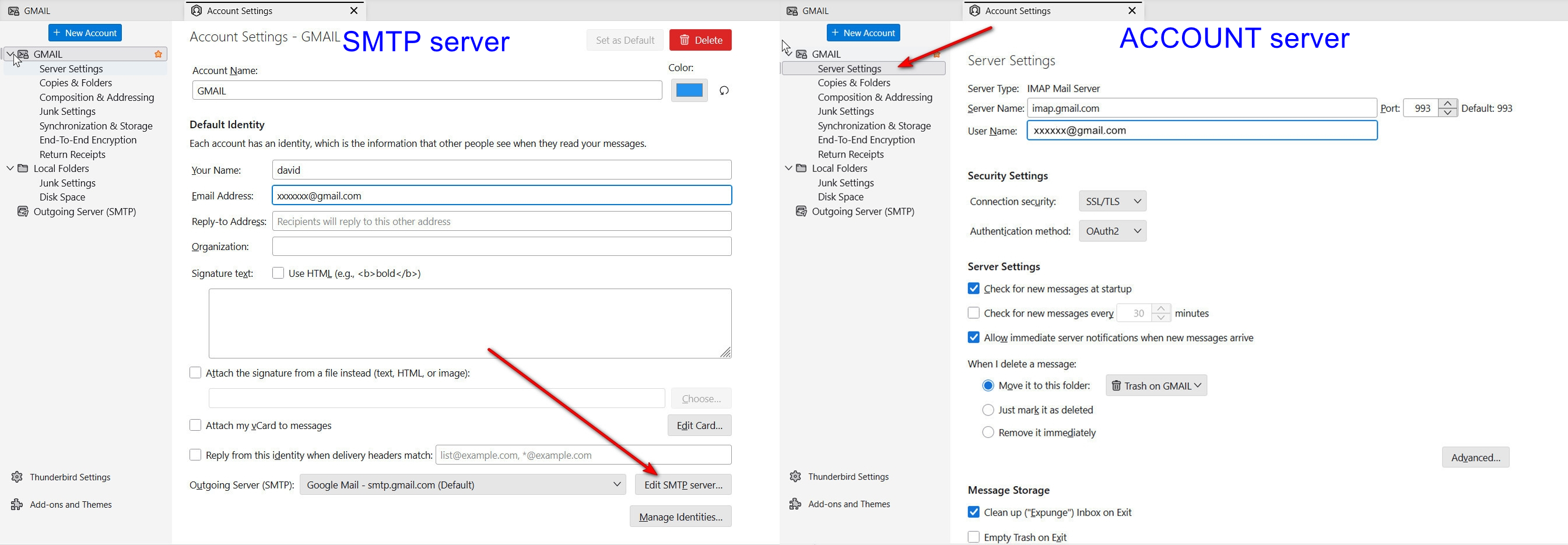
It may help to post screenshot of your server settings pane, and also of your SMTP server settings pane. I included an attachment that shows were to locate each.