


I cannot prevent "McAfee" pop-up viral warnings in Firefox every 90 seconds.

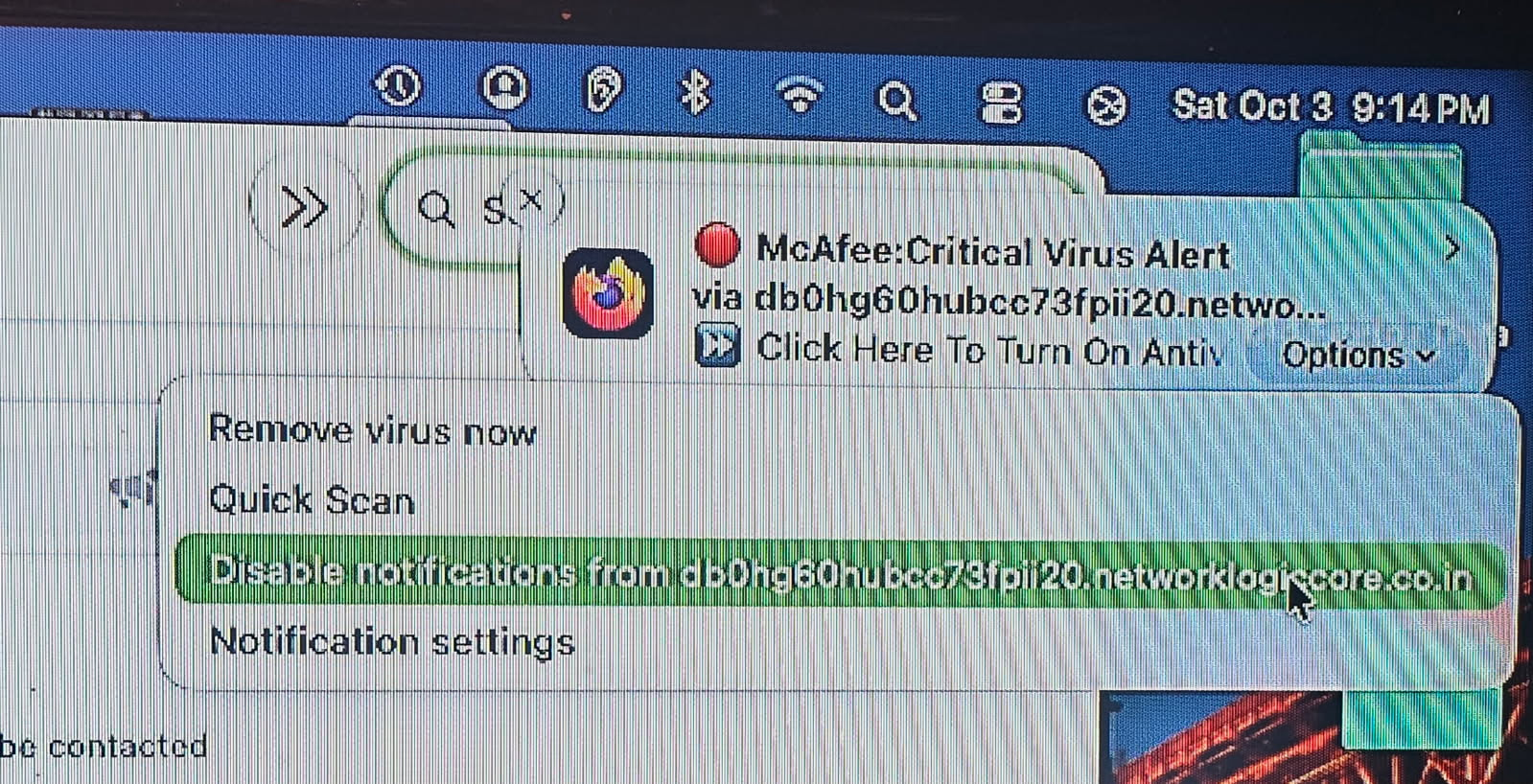
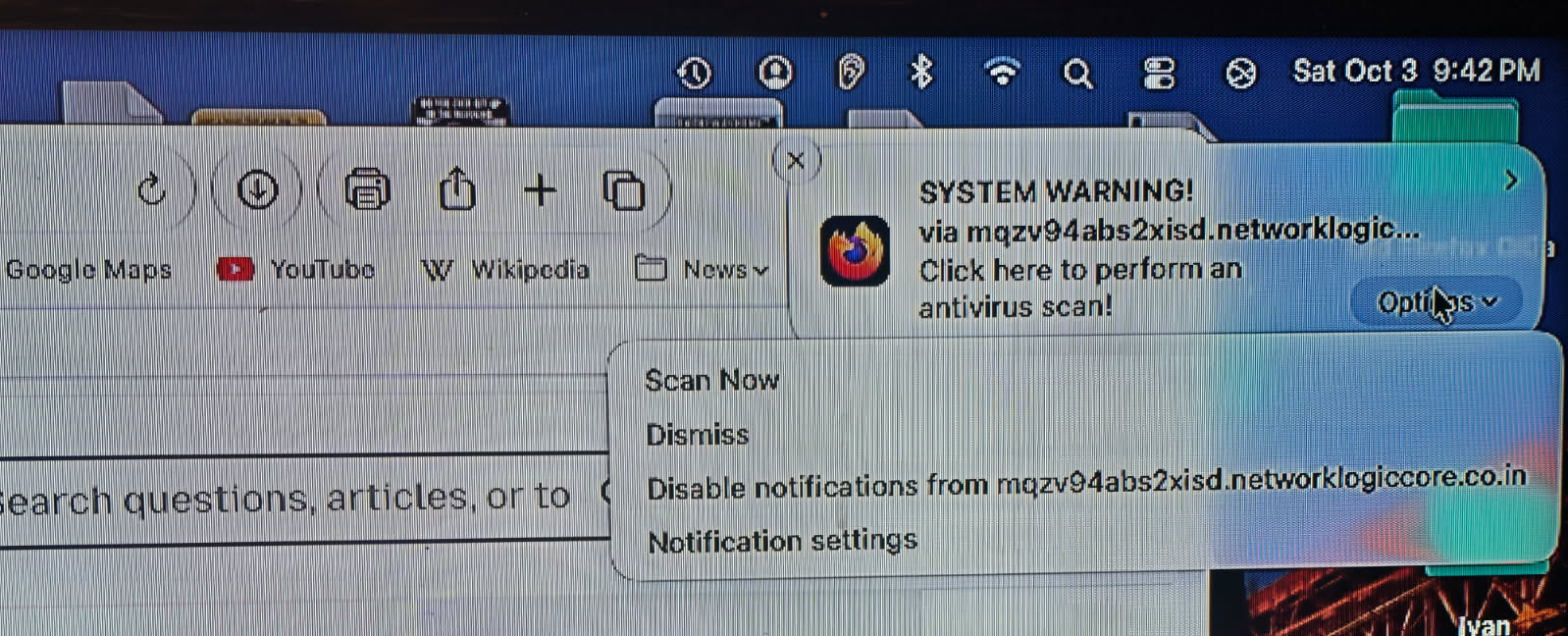
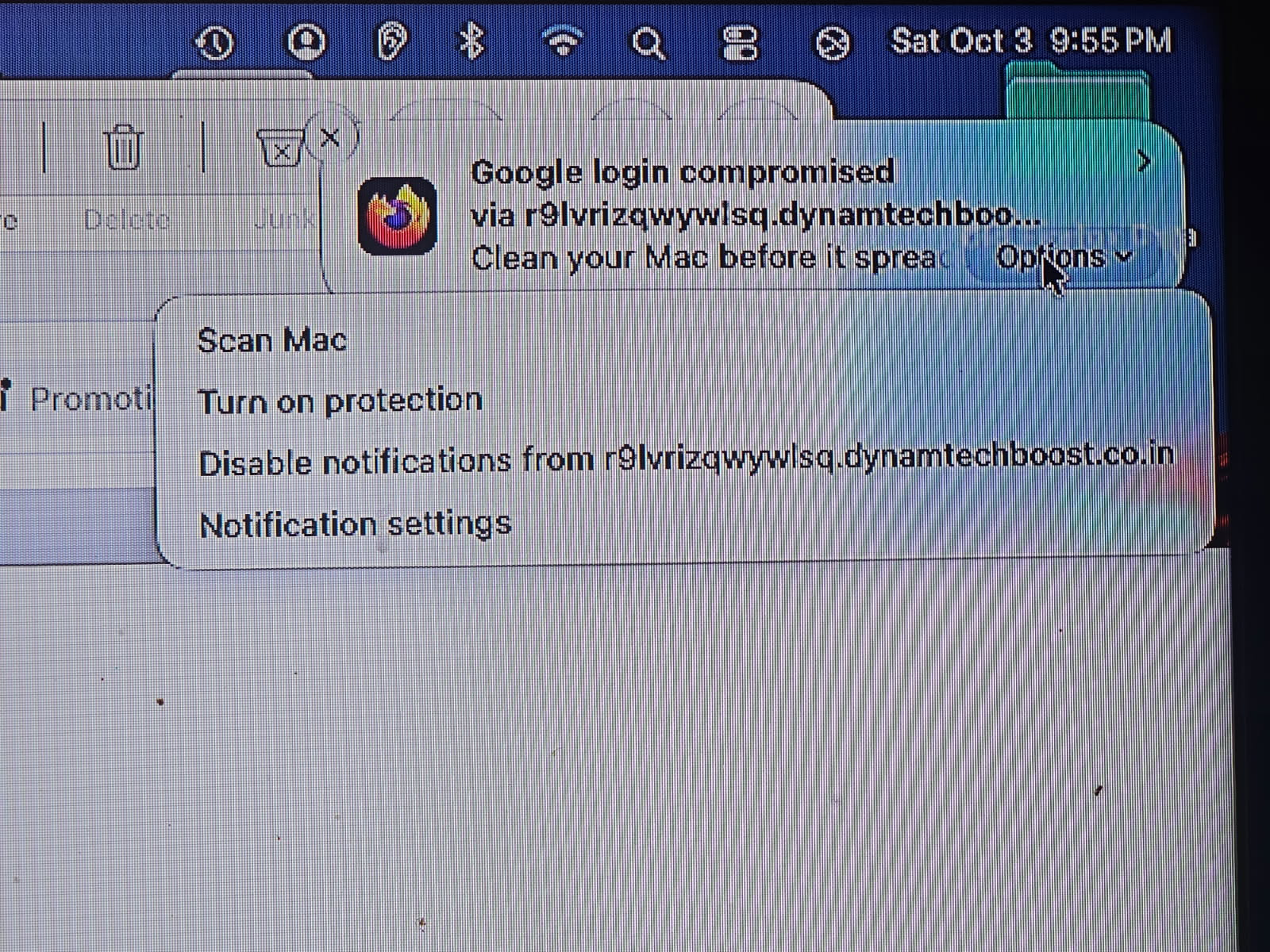
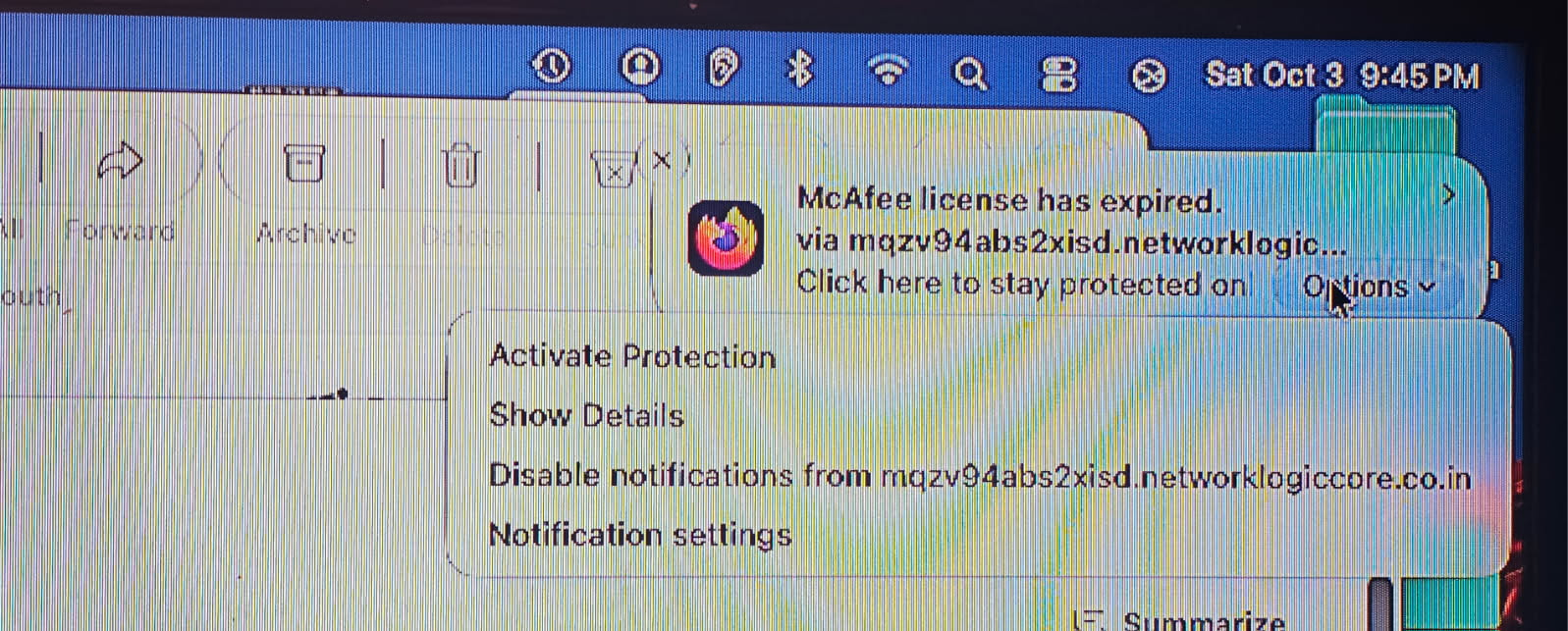
Only when I have Firefox open on my Mac mini using Golden Gate (effective today) and the previous Mac OS version, do I have McAfee warnings (& subscription requests) pop up approximately every 90 seconds. I was able to get a photograph before one disappeared tonight. I also selected the option to disable notifications from that particular sender. (I took photos of at least 3 more pop-ups to include with this question. Please see below.)
Now, I still receive these warning pop-ups with MUCH LESS frequency. I tried uninstalling Firefox and getting a fresh download from Mozilla.org. (I deleted any old download(s) prior to installing the latest version downloaded tonight.) The pop-ups began again as soon as I opened the freshly installed new version of Firefox.
I have 2 other web browsers installed on my computer and these pop-ups do not occur when I use them. Firefox has been my go-to browser for years and I would prefer to keep using it.
1. How do I disable these pop-ups once and for all? (Please note that I have attached 4 samples showing different "senders". So far, the one thing the senders have in common is they all end in ".co.in", originating in India as I am sure you know. 2. Do you have any idea what allowed these pop-ups to "infect" my Firefox - even the freshly installed version? 3. Is there a record of pop-ups saved to Firefox? AKA - what happens to the pop-ups when they disappear before I can click to disable notifications from said sender(s)? 4. Have you had many other people contact you about this issue?
Please reply as soon as possible. I would really appreciate the help.
Dr. Barry Simmons Athens, GA
All Replies (2)
Hello,
Firstly, the popup is a fake browser notification spam. To gaurantee the best safety, DO NOT interact with the notification at all.
To disable it, go to menu > settings > privacy & security, then scroll down to permissions and find "notification", then find the website pinging you (through the screenshots i did see a website Networklogicore. co. in' (don't go to this website), fully for reference. Then, change its status from allow to block, or click remove website. After that, click save changes. To prevent this from happening again, check the box at the bottom that says "Block new requests asking to allow notifications".
Diubah oleh dessertdish
1. the settings are explained in Web Push notifications in Firefox
2. your profile data is not removed by reinstalling app bundles, so it's a permission stored in your visited sites' privileges (the question is not "what", but "who" — user has to click permission dialogs to allow sites to deliver these)
3. they are not saved, the push notifications go to your system Notification Center support.apple.com/guide/mac-help/mchl2fb1258f/mac (and expire after some time on their own)
4. yes, people get tricked into clicking scam every day: support.mozilla.org/search/?q=fake+alerts&product=firefox