


Logon issue with Halifax Online Banking (UK) site
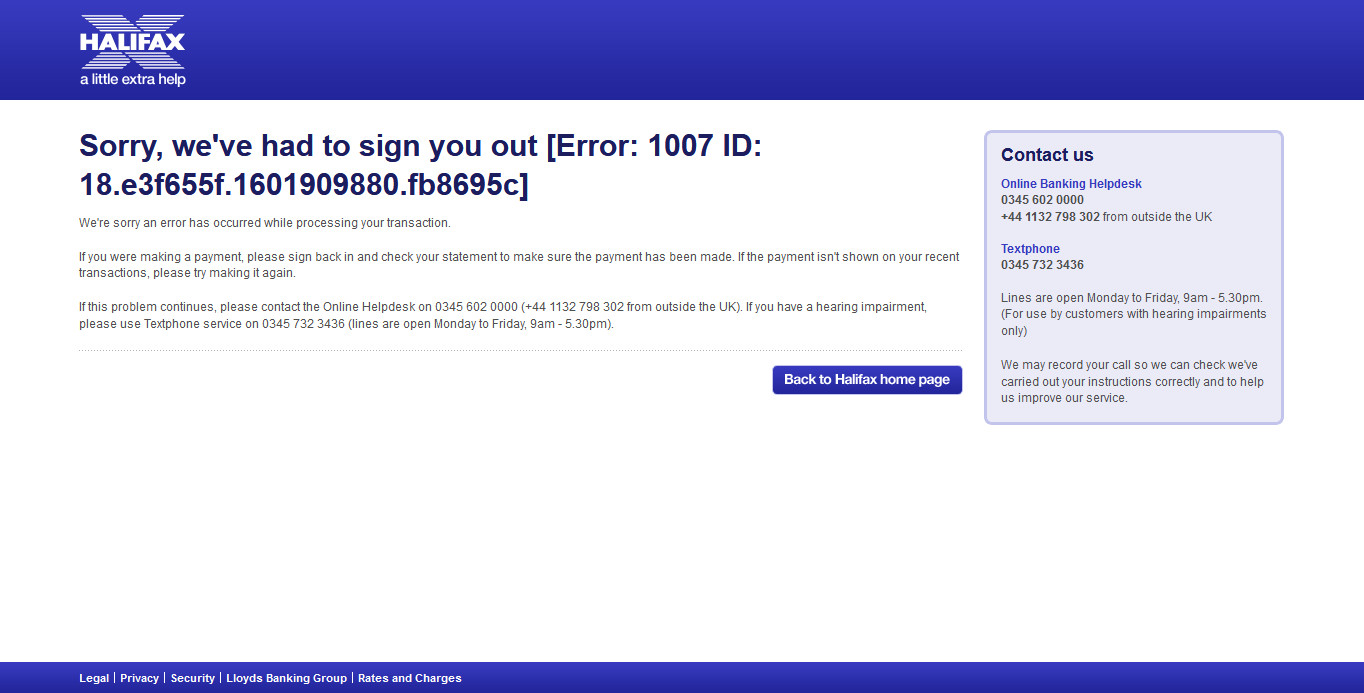
Can't log in. MS Edge does allow log in. Pls see attached image.
Have tried clearing cache and cookies.
Address is:- https://www.halifax-online.co.uk/personal/logon/login.jsp
TIA
Diubah oleh Mark
Penyelesaian terpilih
Many site issues can be caused by corrupt cookies or cache.
Warning ! ! This will log you out of sites you're logged in to. You may also lose any settings for that website.
- How to clear the Firefox cache {web link}
If there is still a problem, Start Firefox in Safe Mode {web link} by holding down the <Shift> (Mac=Options) key, and then starting Firefox.
A small dialog should appear. Click Start In Safe Mode (not Refresh). Did this help?
While you are in safe mode;
Try disabling graphics hardware acceleration in Firefox. Since this feature was added to Firefox it has gradually improved but there are still a few glitches.
How to disable Hardware Acceleration {web link}
Baca jawapan ini dalam konteks 👍 1All Replies (3)

Penyelesaian Terpilih
Many site issues can be caused by corrupt cookies or cache.
Warning ! ! This will log you out of sites you're logged in to. You may also lose any settings for that website.
- How to clear the Firefox cache {web link}
If there is still a problem, Start Firefox in Safe Mode {web link} by holding down the <Shift> (Mac=Options) key, and then starting Firefox.
A small dialog should appear. Click Start In Safe Mode (not Refresh). Did this help?
While you are in safe mode;
Try disabling graphics hardware acceleration in Firefox. Since this feature was added to Firefox it has gradually improved but there are still a few glitches.
How to disable Hardware Acceleration {web link}
Thx for the tip!
I had already tried clearing cache and cookies before. Starting in safe mode "fixed" the issue. I have since tried to log in using Firefox in standard mode and it still works. I did not have to disable hardware acceleration.
Much appreciated!
Glad to help. Safe Surfing.