


UI Issue in Ukrainian Localization: "Quit" and "Reload" buttons are too close

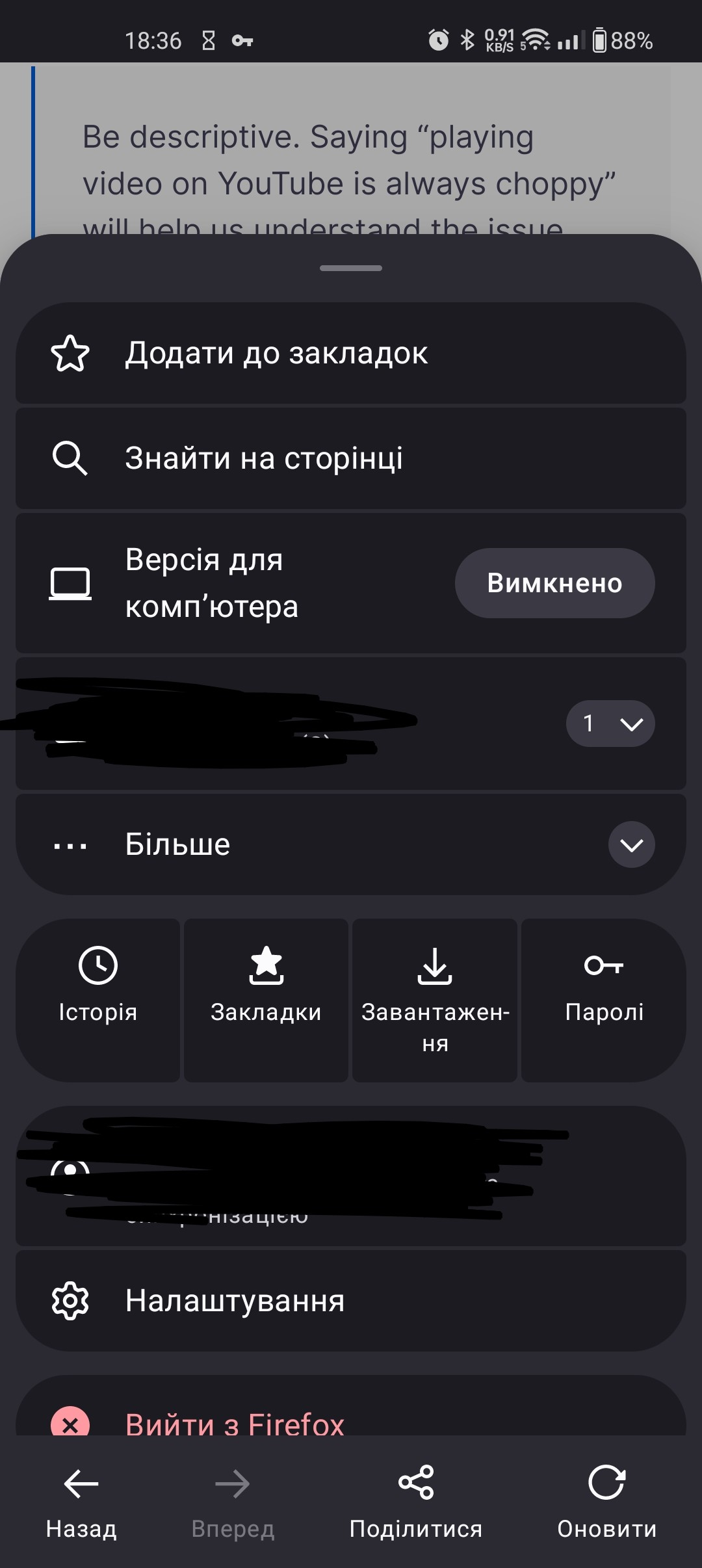
Hi, I would like to report a UI/UX issue specifically in the Ukrainian localization of Firefox on Android. In the menu, the "Reload" (Оновити) and "Quit" (Вийти з Firefox) options are positioned so closely that it’s very easy to misclick. I constantly find myself clicking "Quit" by mistake when I only intend to refresh the page. This is a huge issue for me because it instantly closes all my active tabs and interrupts my work. It feels like a "UI trap" specifically in the Ukrainian version. I would be very grateful if you could fix this issue.
Chosen solution
As I said, I can't reproduce it, but if you want, it would be better to report this bug on https://bugzilla.mozilla.org/ .
Read this answer in context 👍 1എല്ലാ മറുപടികളും (8)
I switched to Ukrainian and it's OK for me, but I'm on Nightly. Can you install the Nightly version and test it there? Thanks.
Yes, there is no "quit" button in the Nightly version. Thanks. So, is it better to switch to Nightly permanently for daily use?
dima.sedykh said
Yes, there is no "quit" button in the Nightly version. Thanks.
That button shows up only when something has been selected in Settings -> Delete browsing data on quit.
So, is it better to switch to Nightly permanently for daily use?
That's debatable, but I'm using it permanently and everything is OK.
So, basically, it is a localization bug, because in English it is ok. Still, it would be nice to fix this issue either by allowing users to remove the "quit" button from the list entirely or by tweaking the UI layout to prevent accidental clicks. Thanks for your answers! 🙂
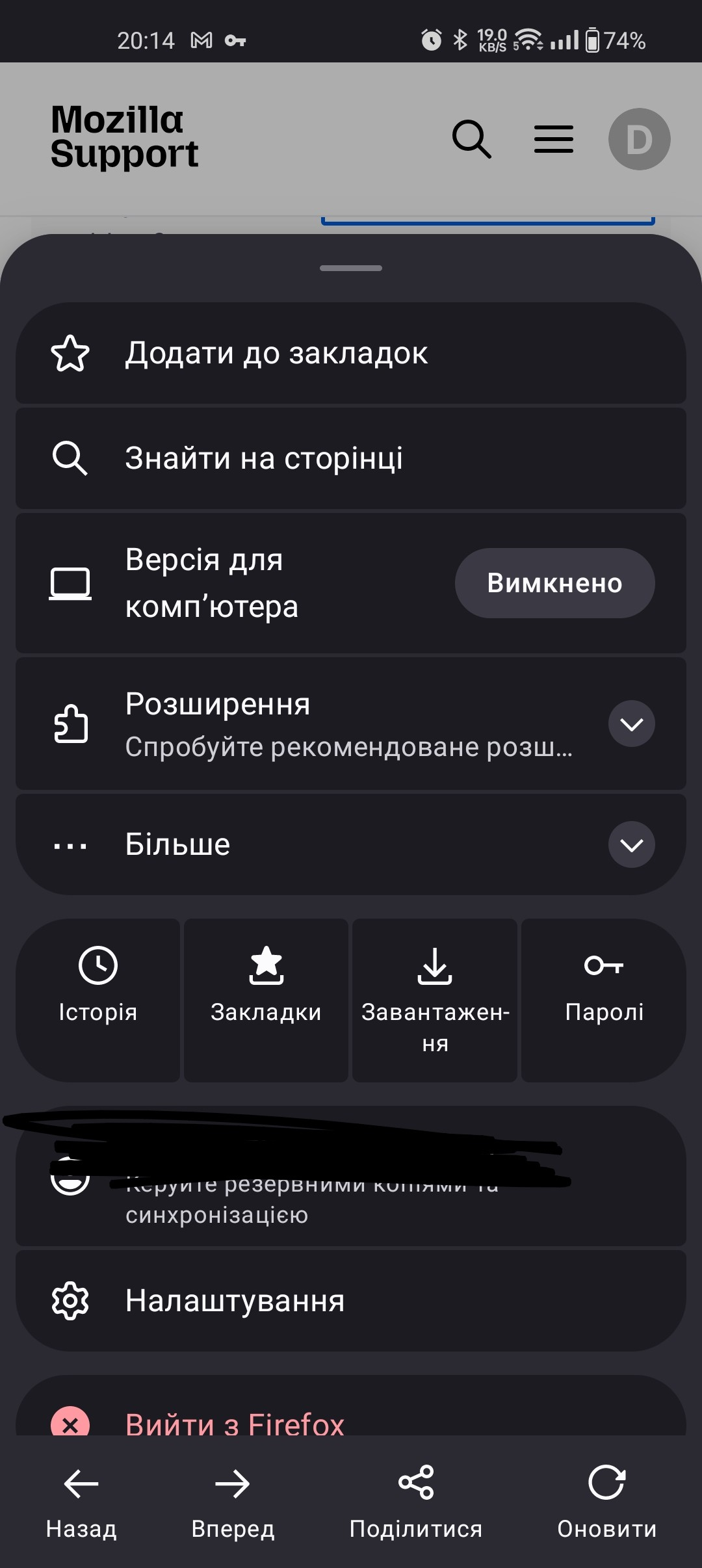
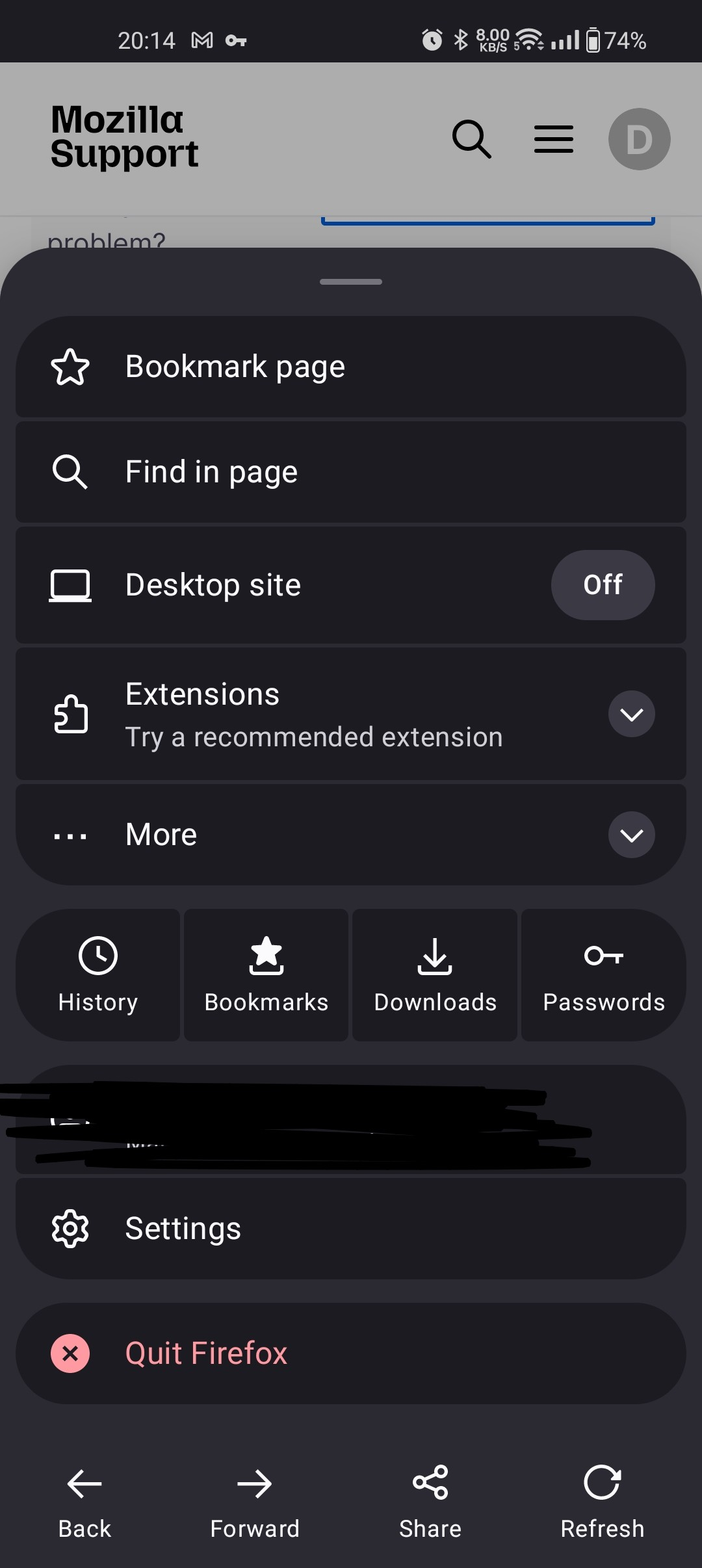
No, it is standart Firefox. In Nightly it is the same, I've checked. I would like to have everything selected in "Delete browsing data on quit". When this feature is enabled, I have no choice but to have this "Quit" button right under the "Reload". And that is because some longer words in layout in Ukrainian.
Chosen Solution
As I said, I can't reproduce it, but if you want, it would be better to report this bug on https://bugzilla.mozilla.org/ .