Download files with firefox (in privat navigation), under ubuntu

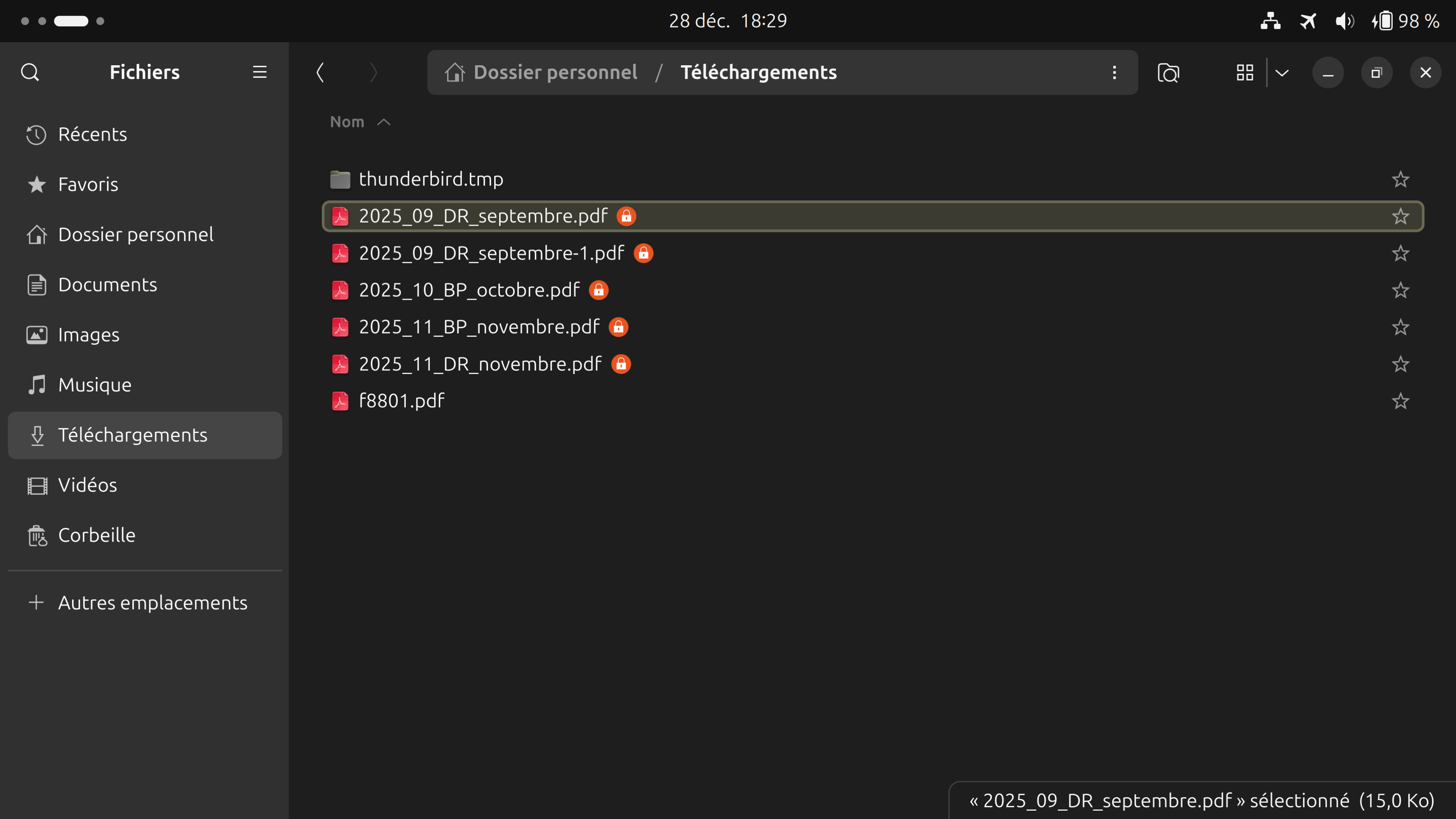
Hello! See the screenshot please: so, I downloaded à pay-bill, with Firefox (under ubuntu), in private navigation, and I get the file with a padlock-symbol at the end. What means that? What means that for me (on my computer), what means that for à friend, when I sent him the pdt-file (can he open it?). Nota: I understood that I can choose between "delete downloads when closing the privat window" or not. And I choosed not to delete them (but there appears this padlock-symbol). Thanks for your help! Michael from France
എല്ലാ മറുപടികളും (6)
Hard to help with this issue when we cannot replicate your steps. Do you get the lock in a normal window? What site are you getting that file from? Did you ask them about it? Does it happen on any other site? See what happens on this site. https://www.irs.gov/downloads/irs-pdf Does it happen in another OS? Do you have the same issue with Firefox in Troubleshoot Mode? https://support.mozilla.org/en-US/kb/diagnose-firefox-issues-using-troubleshoot-mode#w_how-to-start-firefox-in-4troubleshoot-modesf5safe-modesf
Modified by jonzn4SUSE
Thanks for your help! Do you get the lock in a normal window? -> Yes, in a normal window (under Ubuntu) What site are you getting that file from? From a official french government site (ensap.gouv.fr) Did you ask them about it? -> No, they are not intelligent enough to answer to this kind of questions... (France is going down...) Does it happen on any other site? Yes, I had the same with my bank. See what happens on this site. https://www.irs.gov/downloads/irs-pdf -> I downloaded in a privat window the first file "Credit for Prior Year Minimum Tax" and the name of the downloaded file is "f8801.pdf", without padlock-symbol at the end of the file name. Does it happen in another OS? I don't know (working only with ubuntu) Do you have the same issue with Firefox in Troubleshoot Mode? What's that? Thanks again for the time you take for reading and thinking about my question (and sorry for eventual mistakes in my English...) Michael
Do you have the same issue with Firefox in Troubleshoot Mode? https://support.mozilla.org/en-US/kb/diagnose-firefox-issues-using-troubleshoot-mode#w_how-to-start-firefox-in-4troubleshoot-modesf5safe-modesf
michael.storz1 said
See what happens on this site. https://www.irs.gov/downloads/irs-pdf -> I downloaded in a private window the first file "Credit for Prior Year Minimum Tax" and the name of the downloaded file is "f8801.pdf", without padlock-symbol at the end of the file name.
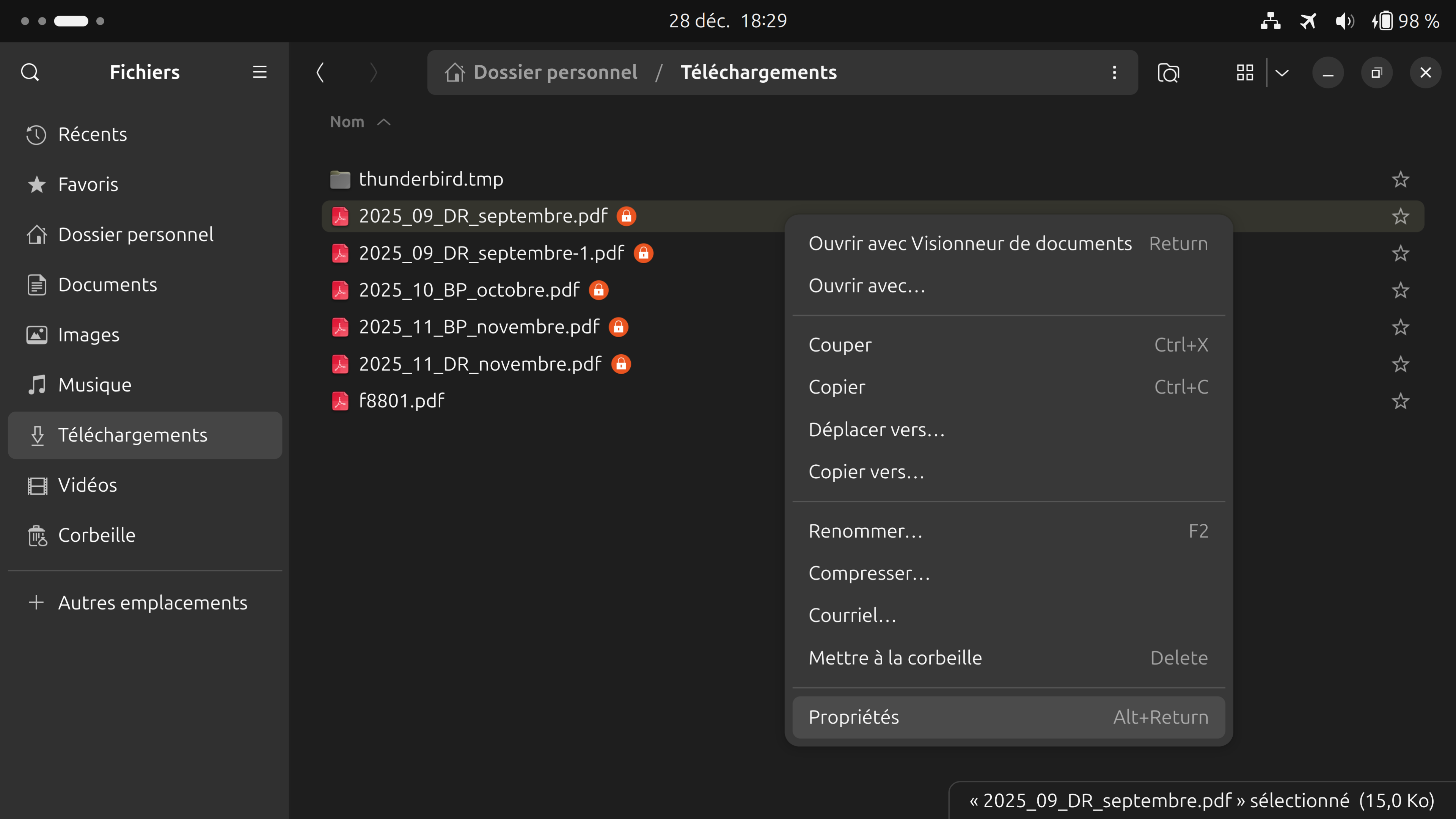
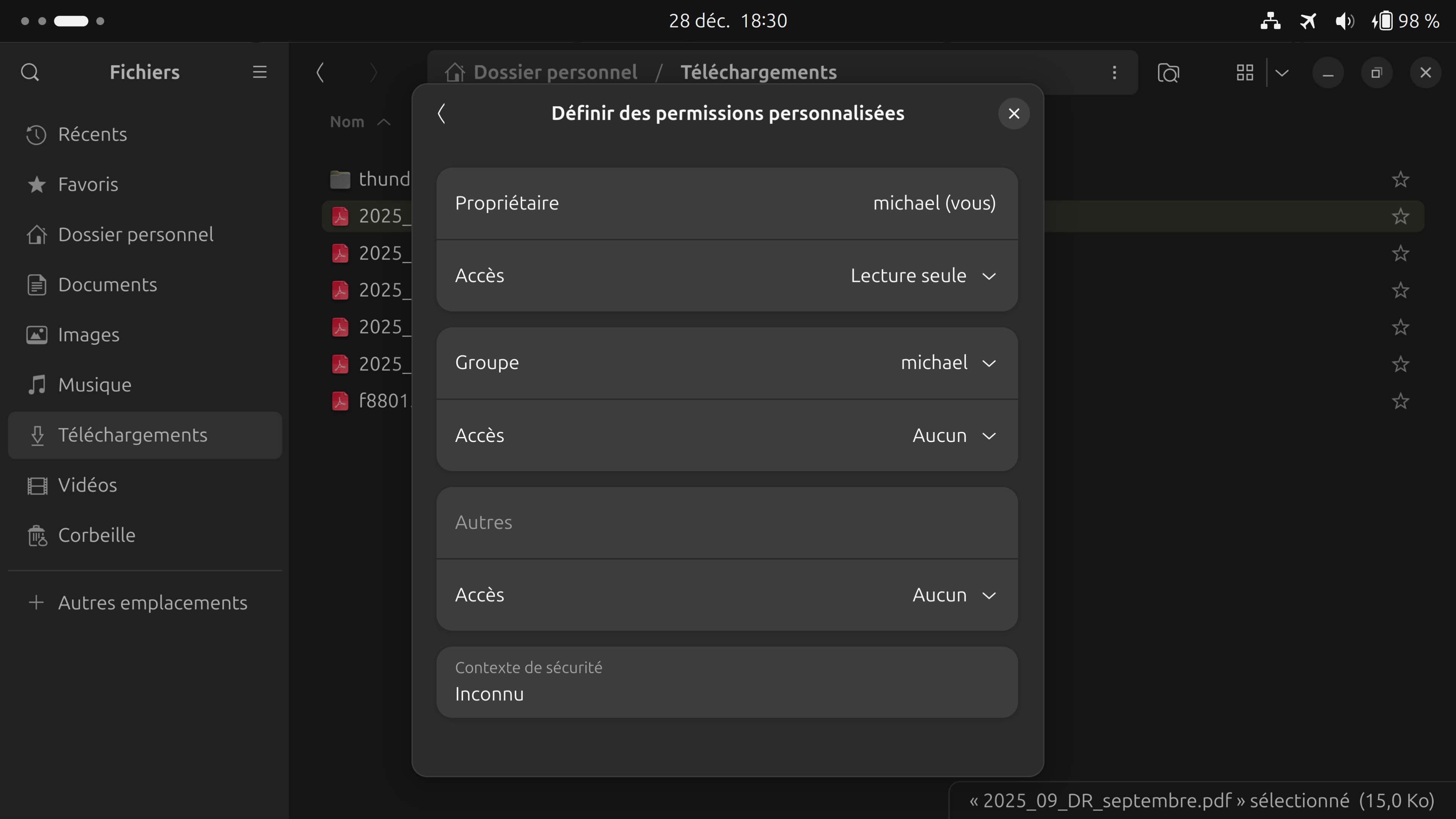
Can you post a screenshot of the file in detailed view showing the permissions / owner of the file? see screenshot from my files
Try downloading Firefox from Mozilla. Download, unzip, and run firefox-bin from the folder and see if you have the same issue. https://www.mozilla.org/en-US/firefox/all/#product-desktop-release
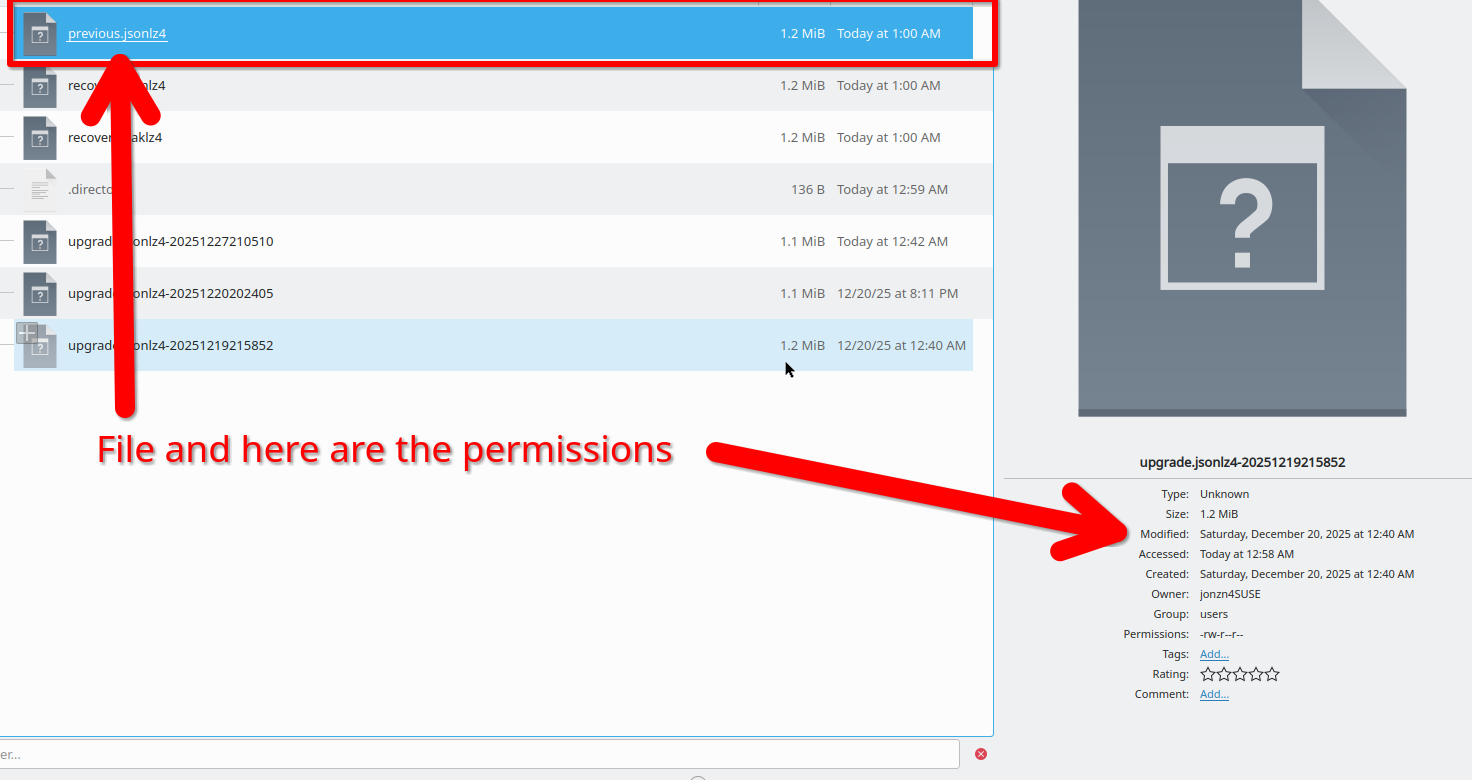
Modified by jonzn4SUSE
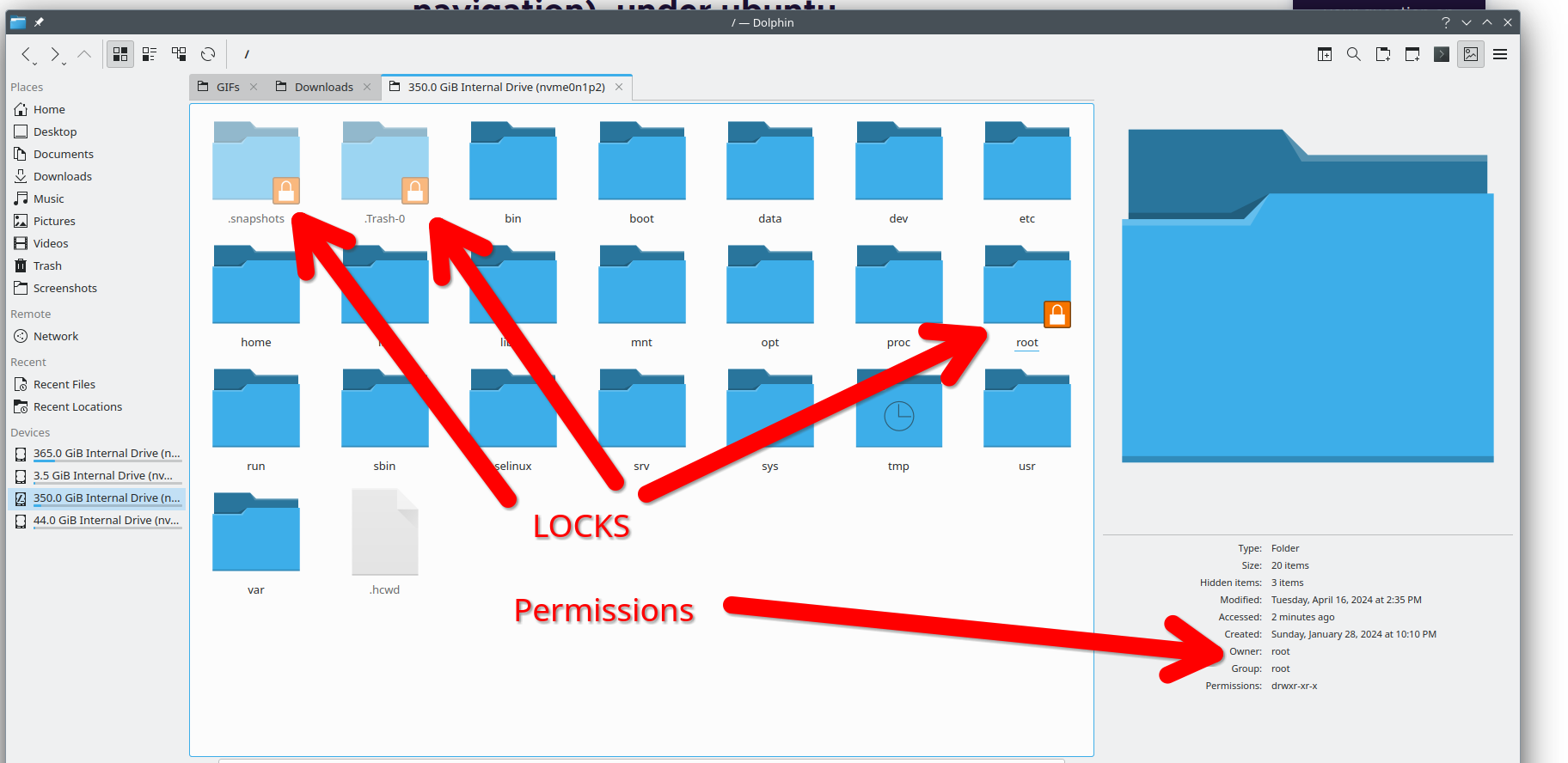
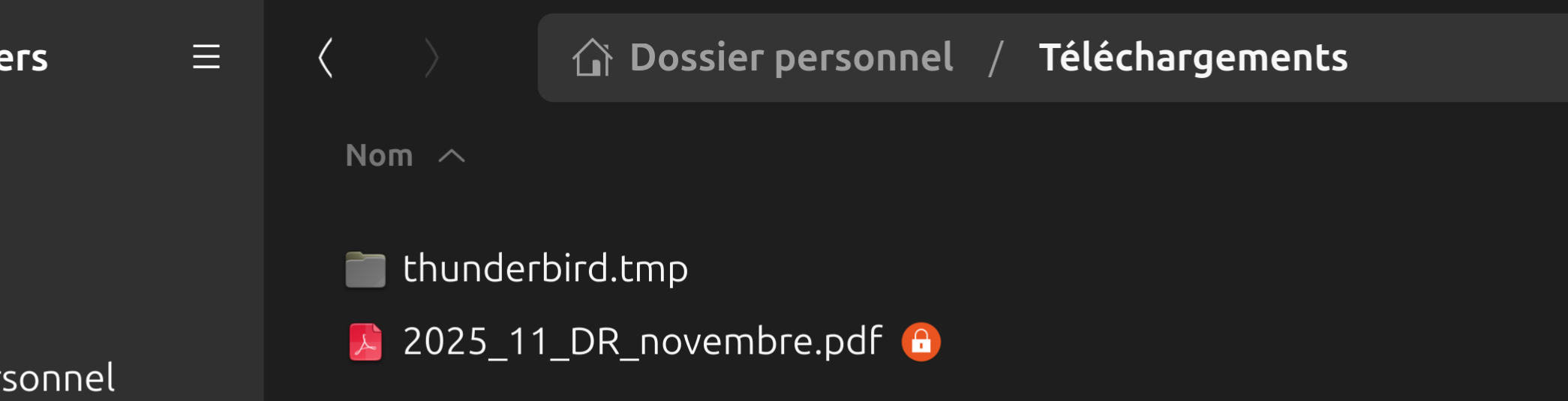
Thanks Jonzn for your help. So, on step after the other... I looked what "troubleshooting-mode" is, ok, I understood ("mode de dépannage" in french), and I started Firefox in troubleshooting-mode, and I downloaded the same pdf-files from ensap.gouv.fr (using a privat window), and the symbols of the padlock are still here (see the 4 screenshots including data properties ). This symbols are not dramatic, I can read the files, but I would like to understand why they appear... What do you mean?