


Ability to Turn Off Dark Mode is Crucial for Some Users - Please make this possible FOREVER!

It very important to me to be abler to Turn OFF Dark mode when a recent TB update defaulted to that mode.
Why? Because I have vision problems. So I run everything under Windows' "High Contrast" mode, which changes all displayed colors and backgrounds.
Given that is how my system is set, Windows "flips" your new Dark Mode into a light and low contrast image that I cannot easily read.
SO For users like me who must depend on Windows High Contrast settings, everything is fine as long as Thunderbird retains the option to TURN OFF DARK MODE. Please be sure to maintain this option Forever, or TB will become unusable to users like me.
Thank you.
എല്ലാ മറുപടികളും (1)
The "dark mode" is a theme, it can be enabled and disabled at will.
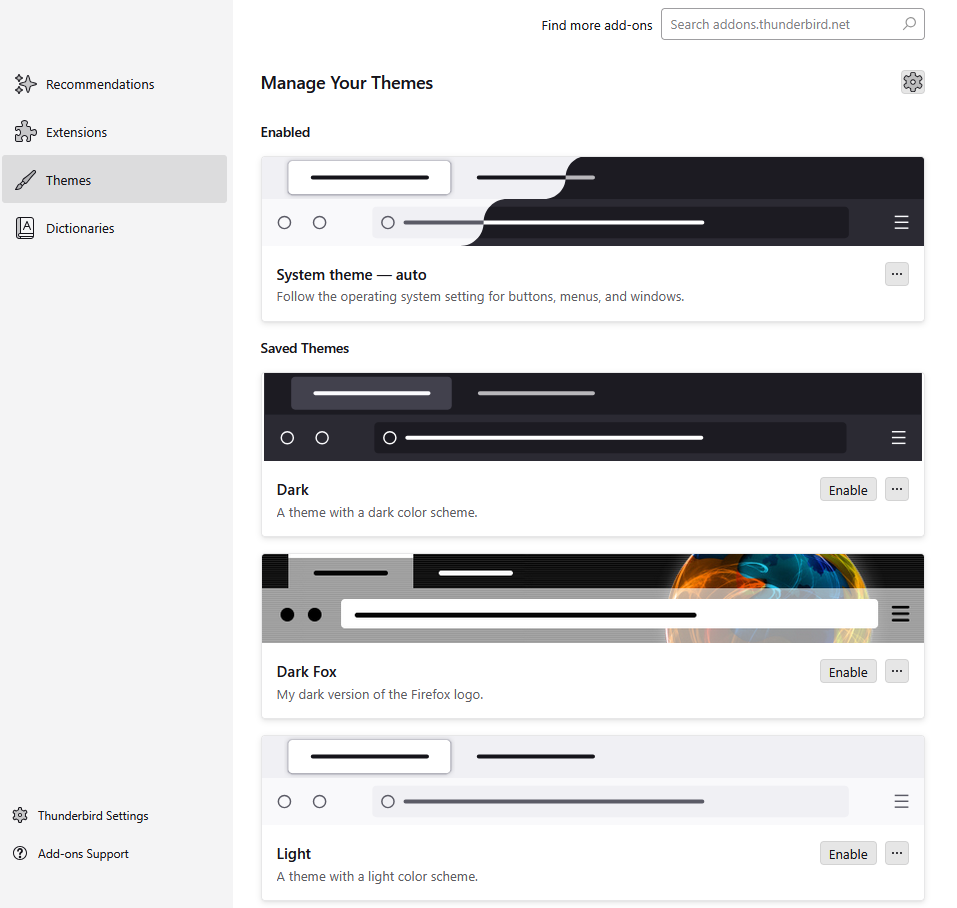
However the default is to follow the operating system (system theme - auto) and Windows does default to a dark mode that is not really as it uses light backgrounds in applications so the task bar is essentially dark grey or black.
See
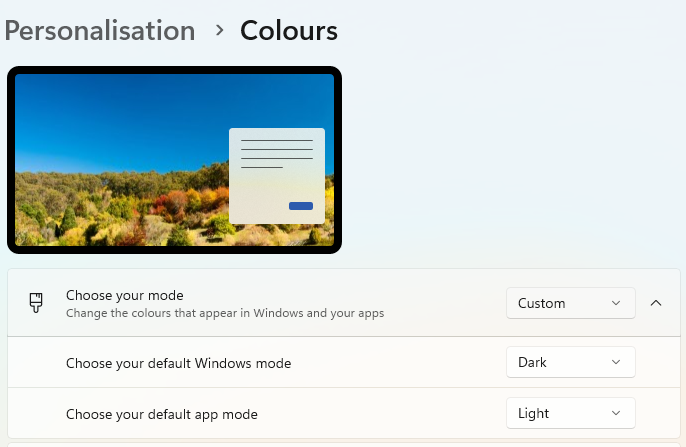
Of the windows high contrast themes, only desert can be considered to be a light theme the rest will bring a dark shade to applications
Modified by Matt