

This thread was archived.
Please ask a new question if you need help.

Solved
Archived
If read mail is in the INBOX it disappears and is replaced by new unread mail. (141.0)

There is no settung that I can find to stop automatic downloading of mail. If read mail is in the INBOX it disappears and is replaced by new unread mail. Where does the read mail go and how do I turn off auto downloading of mail?
There is no settung that I can find to stop automatic downloading of mail.
If read mail is in the INBOX it disappears and is replaced by new unread mail.
Where does the read mail go and how do I turn off auto downloading of mail?
Modified by Wayne Mery
Chosen Solution
Problem solved with V142.0 Thanks guys
എല്ലാ മറുപടികളും (4)
Is View > Messages set to Unread instead of All?
I have no Menu with View > Message. See screen capture
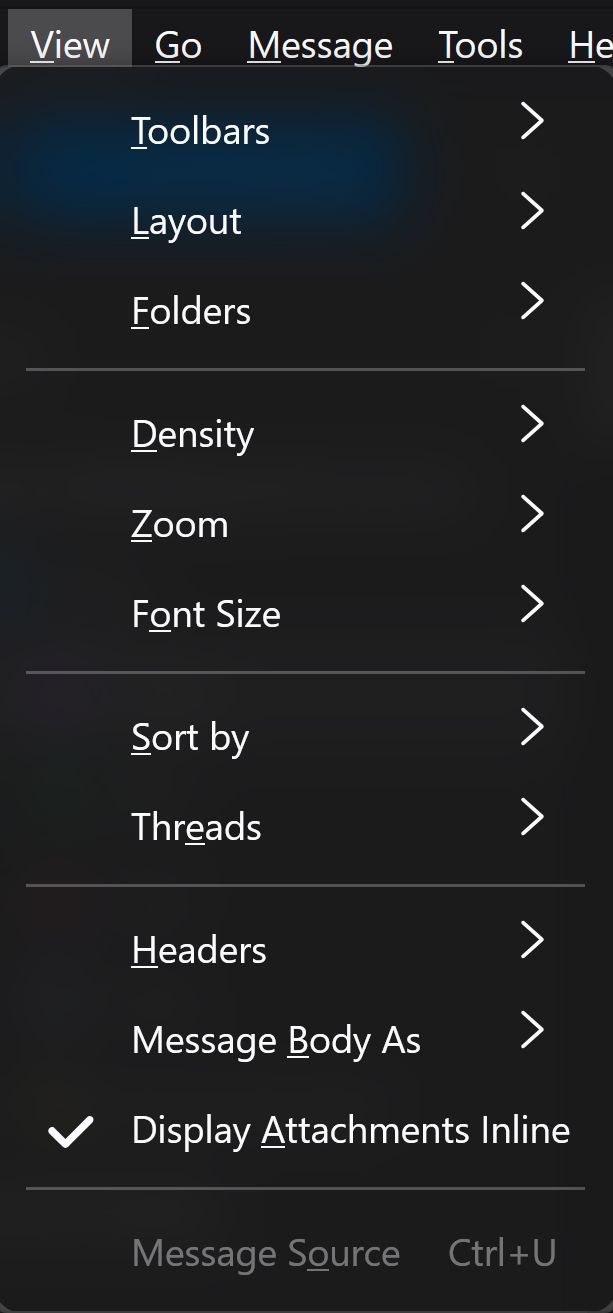
Still a problem when using version 142.0 ?
Chosen Solution
Problem solved with V142.0 Thanks guys