


Cannot open Thunderbird after reinstallation.

I was having massive problems with Thunderbird on my MacBok Pro while I was trying to migrate email.
I uninstalled and deleted my profile folder, as I wanted a clean reinstall. After rebooting the machine, I now receive the following error, and cannot open Thunderbird at all.
After looking through all previous threads, none of the solutions worked for me. I just need a clean reinstall--the profiles do not need to be recovered.
I'm running OS X El Capitan Version 10.11.6.
Thank you for any assistance you can provide.

Chosen Solution
Try to manually create a new profile using profile manager. https://support.mozilla.org/en-US/kb/using-multiple-profiles
എല്ലാ മറുപടികളും (14)
I now receive the following error, and cannot open Thunderbird at all.
What is the error?
Ack, it must not have loaded. I've tried to reattach, but it says: "Profile Missing Your Thunderbird profile cannot be loaded. It may be missing or inaccessible."
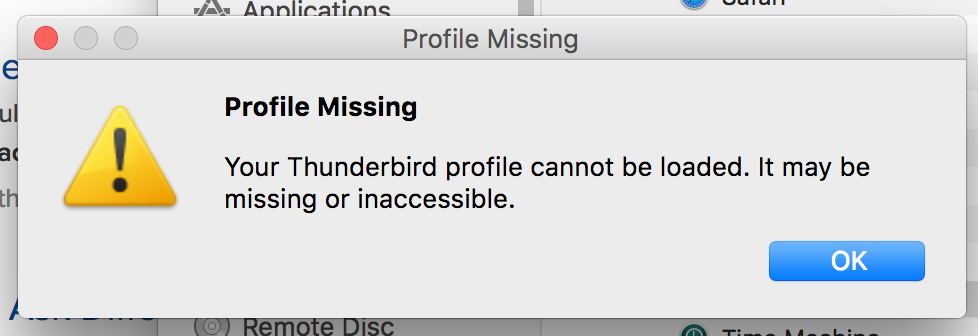
What exactly did you delete when you "deleted your profile folder"? I'm guessing that you may have left the profiles.ini file in place.
Per [support page], I deleted: ~/Library/Thunderbird/Profiles/xxxxxxxx.default/
nierielimladris said
Per [support page], I deleted: ~/Library/Thunderbird/Profiles/xxxxxxxx.default/
Go back and delete the entire Thunderbird library. If there is nothing you get a new start. If you remove the profile folder the profile.ini file in ./thunderbird is pointing to you get an error.
I cannot locate profile.ini, even when the application is installed. I have removed anything with thunderbird in the Go > Computer folder. :(
I do not use OSX, I have never even seen it on a machine. So what I know is theoretical.
What I do know is you need to delete ~/Library/Thunderbird
As I mentioned above, I already deleted ~/Library/Thunderbird. I've also searched the entire hard drive and deleted anything related to Thunderbird, but there is no profile.ini file anywhere.
That's not what you said:
Per [support page], I deleted: ~/Library/Thunderbird/Profiles/xxxxxxxx.default/
I've also searched the entire hard drive and deleted anything related to Thunderbird, but there is no profile.ini file anywhere.
Indeed, there isn't. The file name is profiles.ini. Pay attention to details.
I have been sleep deprived, my apologies. There was a mistype.
I had inferred that I had already done what had been suggested above. I should have been clearer.
- ~Library/Thunderbird had already been deleted.
- No files with profiles/profile were located. the only kind:ini files are for "desktop."
- I also did a search for anything "Thunderbird," and no results show up.
Do you still get the 'Profile Missing' error after deleting ~/Library/Thunderbird?
Correct, and that is when I posted my question here.
Any ideas? You can see why I'm confused!
Chosen Solution
Try to manually create a new profile using profile manager. https://support.mozilla.org/en-US/kb/using-multiple-profiles
Thank you SO much for your patience and information--that did the job!
christ1 said
Try to manually create a new profile using profile manager. https://support.mozilla.org/en-US/kb/using-multiple-profiles