


Reminder snooze options "x minutes before start"
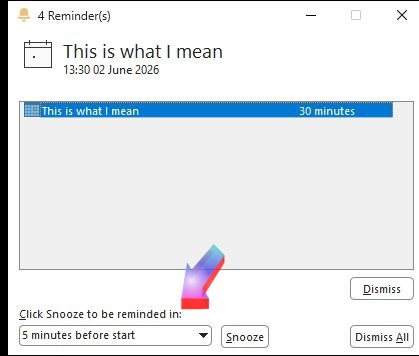
Is there a setting, like in Outlook, to snooze a reminder until "x minutes before start"?
If I have a reminder for e.g. 3pm, which is set to go off 1 hour before and then I want to snooze to give 5 minutes warning, in Outlook I would set it to remind me 5 minutes before. This works at any time up until 6 minutes before the event, regardless of when I snooze it..
But it seems that in TB, if you're away from your desk until e.g. 2.30pm, then you would have to calculate and manually enter "remind me in 25 minutes" to achieve the same effect.
I can't find an addon which does this, but happy to stand corrected!
All Replies (7)
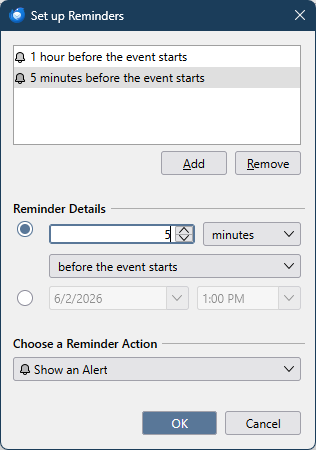
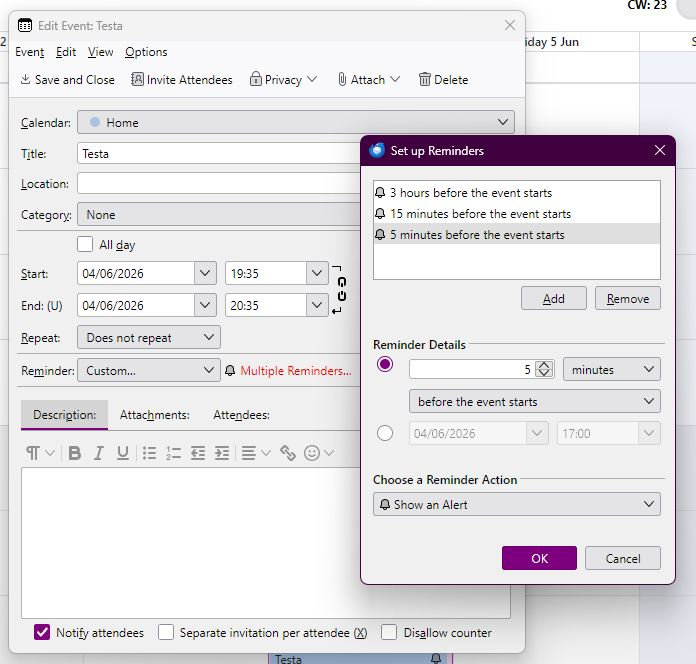
In the Event window, click the Reminder drop-down, Custom..., and Add reminders as in the attached picture.
Thank you.
Is there any way to make that custom list a default for all reminders? Or at least some sort of template?
I don't think you can make a custom set of alerts the default, but you can copy and paste events and retain the same alerts.

Orddu said
Is there any way to make that custom list a default for all reminders? Or at least some sort of template?
Is the following what you want?
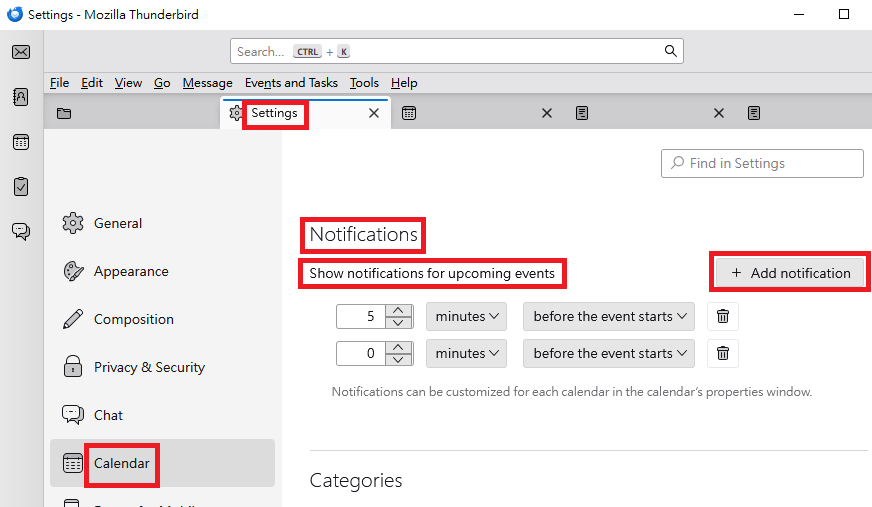
(A) To set default reminders in the global level:
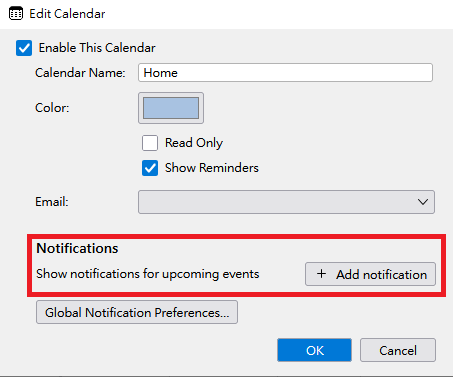
"Settings" > "Calendar" > "Notifications" section > "Show notifications for upcoming events" > Click "+ Add notification" button.
(B) To set default reminders in the calendar level:
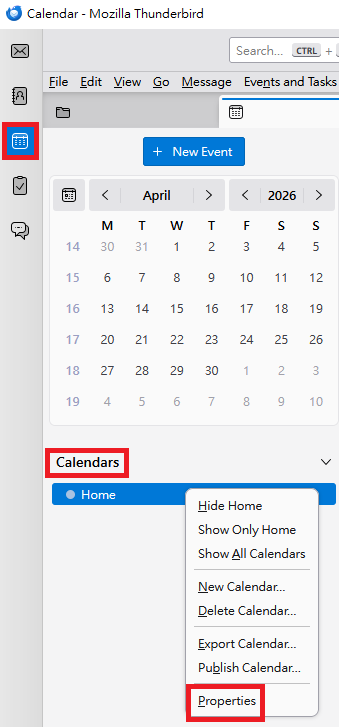
1. In Calendar mode, under "Calendars" section, right-click the calendar which you want to configure.
2. In the pop-up context menu, click "Properties".
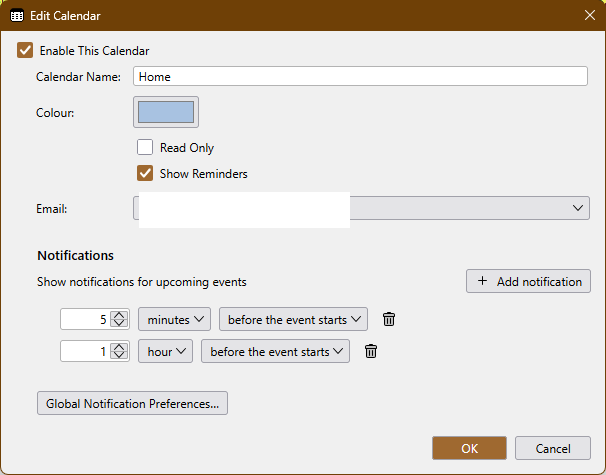
3. In the "Edit Calendar" dialog: "Notifications" section > "Show notifications for upcoming events" > Click "+ Add notification" button.
Please see the attached images.
Ah didn't know that was there - it's very close but notifications aren't persistent (even using the app "Topnotify" to put them in the middle) so they're going to be very easy to dismiss/miss.
What I really need is as per the picture, those 3 reminders added as default to every calendar appointment as they're added. Can that be done?
Multiple notifications can indeed be added, either globally, as in the second picture above, or per calendar in Properties like the attached picture.
That's popup toasts in the notification area though isn't it, which show for 5 seconds and that's it. If you're not glued to your screen at the time, you'll miss them. I'm after something you cannot possibly miss in the centre of the screen, a la Outlook reminders.
I'm looking for something which will work in the reminders window instead, setting up those multiple reminders (which you can do manually) to appear on all subsequent new calendar entries. Some sort of default or template.