


No text on menus like bookmarks, saving login info, etc.

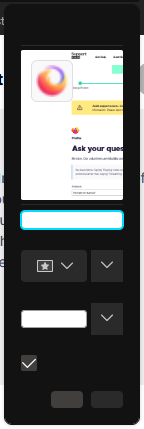
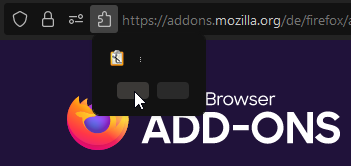
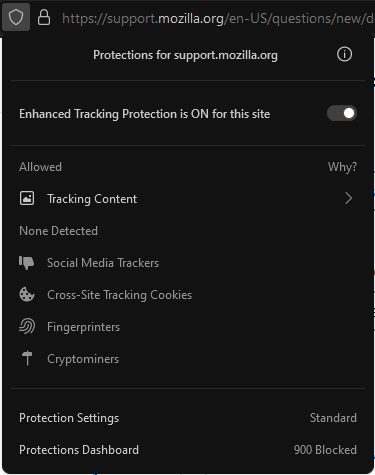
I just got firefox nightly a little while ago and I really like it, it's really fast which is just what I need. But, there's just one thing- there's no text on the menus (i don't really know what they're called). I think the attached images will explain it. Some menus have text though, again it's one of the attached images.
All Replies (6)

What's your computer system and Firefox version?
Diagnose Firefox issues using Troubleshoot(Safe) Mode {web link}
A small dialog should appear. Click Start In Troubleshoot(Safe) Mode (not Refresh). Is the problem still there?
Nightly is alpha software and as such you always can encounter issues. Sometimes things are fixed with the next update or you may have to revert to the previous version that worked.
You can create a new profile as a quick test to see if your current profile is causing the problem.
See "Creating a profile":
If the new profile works then you can transfer files from a previously used profile to the new profile, but be cautious not to copy corrupted files to avoid carrying over problems.
Hi, both did not work (troubleshoot mode, new profile).
FredMcD said
What's your computer system and Firefox version?
I'm using a laptop with an i5-8300h, gtx 1050, and 8 gigs of ram Firefox nightly just updated a while ago and the update did not fix it still. 90.0a1
You can try a different theme like default or light to see if that makes a difference.
cor-el said
You can try a different theme like default or light to see if that makes a difference.
It's still the same. Default themes or community themes, still no text.