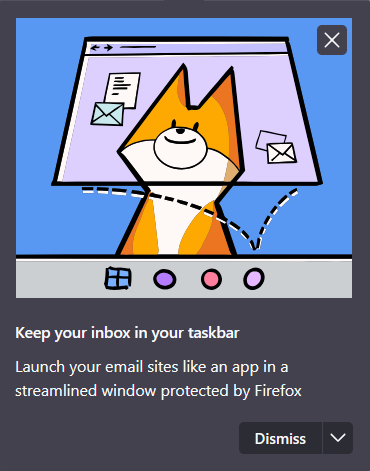
I want to permanently disable this tutorial popup

Roughly every two weeks, when accessing gmail, I get this popup in the upper right of the screen. I have tried clicking dismiss, I have tried the dropdown to "see fewer hints", neither thing makes any difference. Please stop interrupting me to tell me about this feature - I am very happy with my current method of accessing my email.
Is there any way to disable this notification, forever?
Roughly every two weeks, when accessing gmail, I get this popup in the upper right of the screen. I have tried clicking dismiss, I have tried the dropdown to "see fewer hints", neither thing makes any difference. Please stop interrupting me to tell me about this feature - I am very happy with my current method of accessing my email.
Is there any way to disable this notification, forever?
All Replies (1)
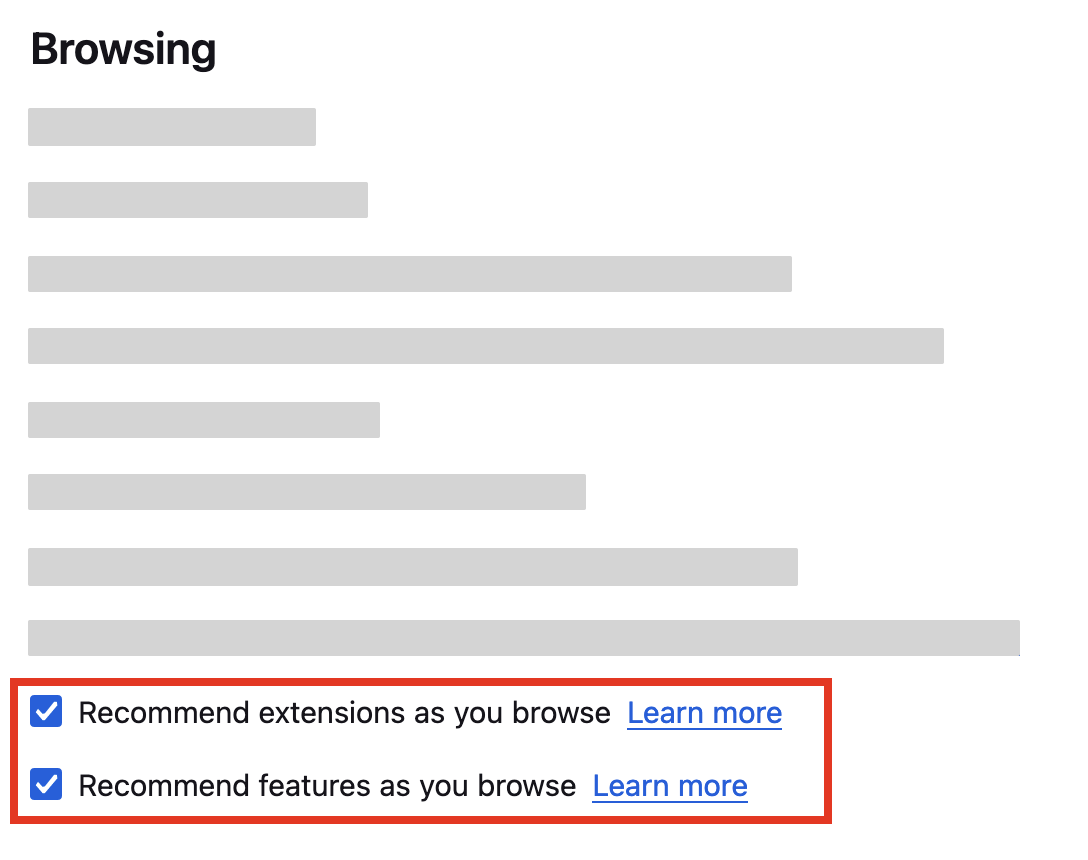
- Click the menu button
 and select Settings.
- In the General panel, go down to the Browsing section.
- Uncheck
 the box next to Recommend extensions as you browse and the box next to Recommend features as you browse.