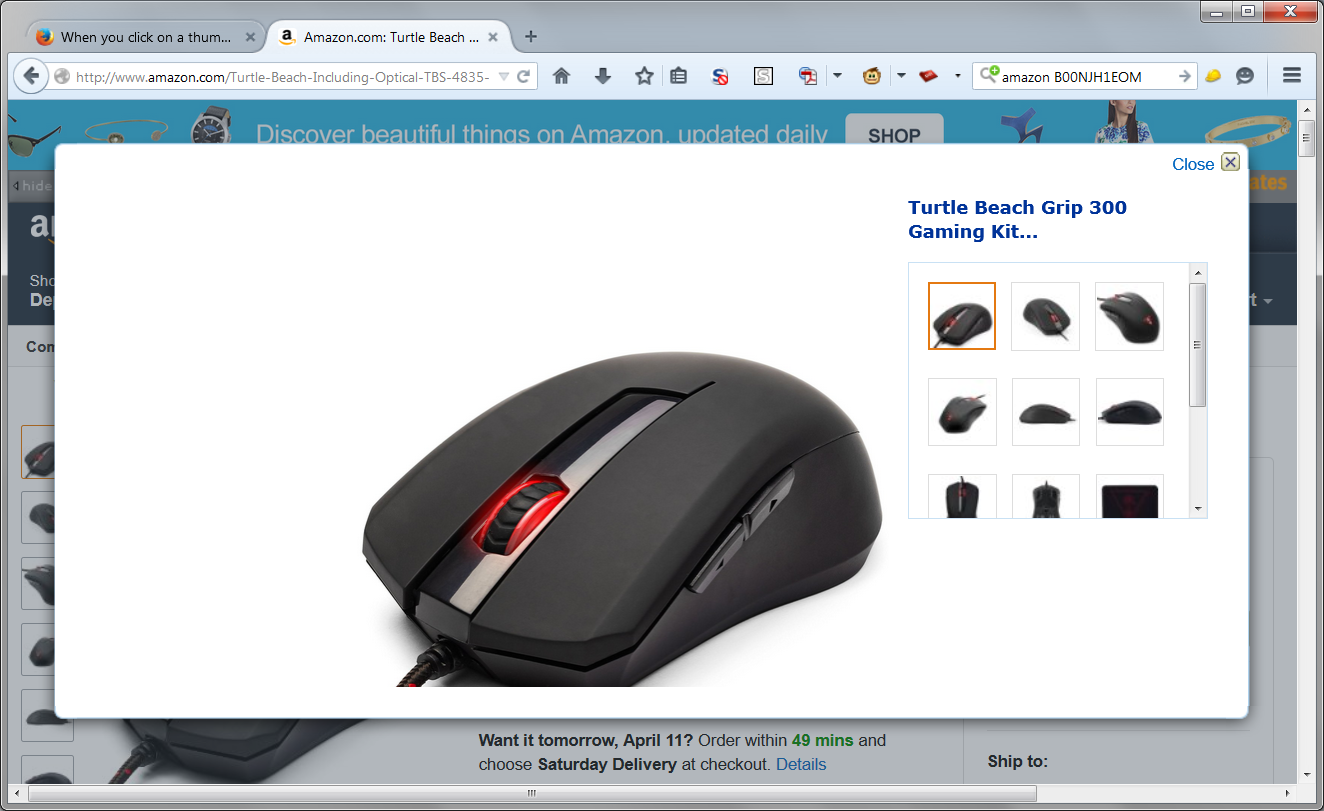
When you click on a thumbnail to the left of a main image on Amazon, a lg box should open with all images. Isn't working with Firefox, works with IE.

I have refreshed Firefox and my problem still exits. I've also asked a co-worker who uses Mozilla to try and she can't get the large box to open either. I work on Amazon constantly and have not run into this problem in the past. Example: If you search on Amazon with B00NJH1EOM, you should get the Grip 300 Mouse Kit. If you click on a thumbnail on the left side you should see what looks like the image I've attached.
All Replies (1)
Should look like the attached?
This is working for me in my "normal" profile with settings and add-ons accumulated over several years. I have not tested in a "clean" profile without customization.
Do you have any add-ons that might filter/block content in pages? Perhaps one of those is suppressing the overlay. Could you test in Firefox's Safe Mode? That's a standard diagnostic tool to deactivate extensions and some advanced features of Firefox. More info: Use Troubleshoot Mode in Firefox.
If Firefox is not running: Hold down the Shift key when starting Firefox.
If Firefox is running: You can restart Firefox in Safe Mode using either:
- "3-bar" menu button > "?" button > Restart with Add-ons Disabled
- Help menu > Restart with Add-ons Disabled
and OK the restart.
Both scenarios: A small dialog should appear. Click "Start in Safe Mode" (not Refresh).
Any difference?