


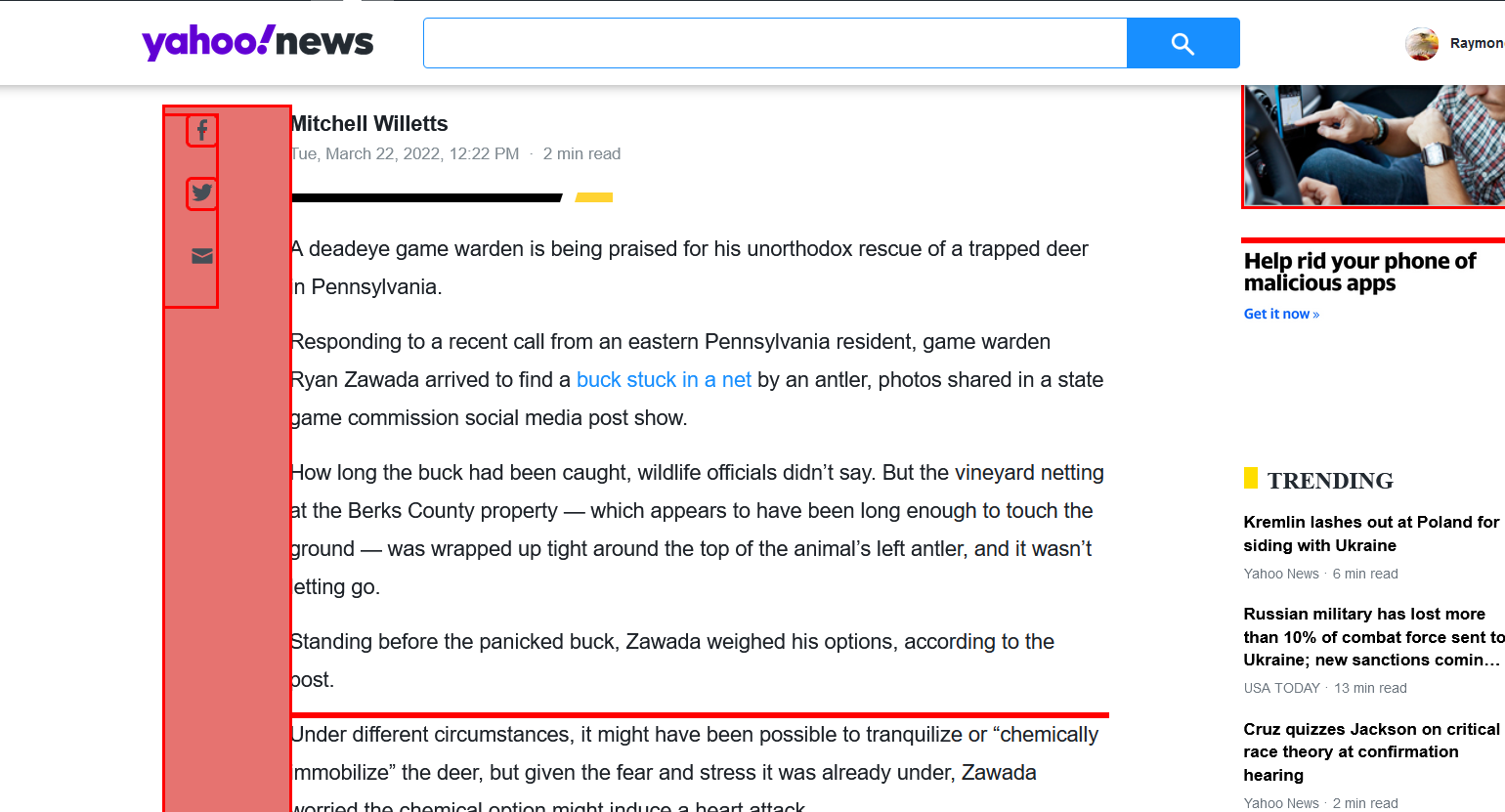
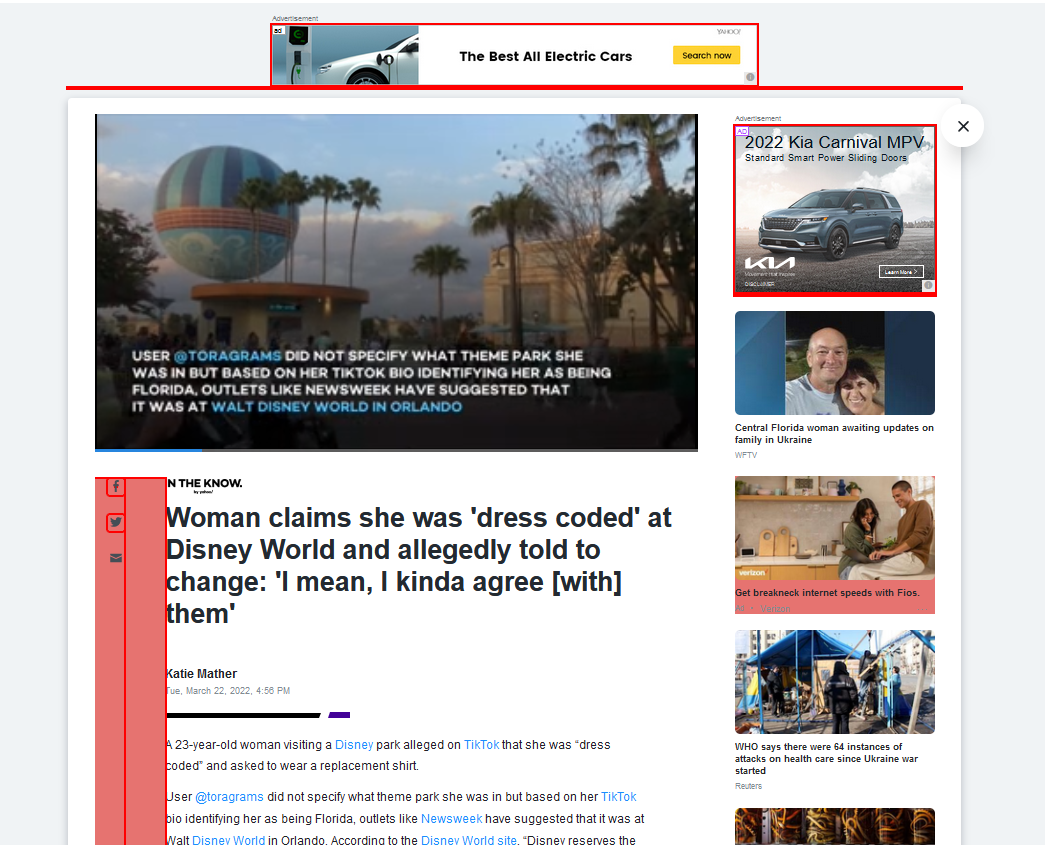
Basic website issue with pink borders and a pink bar on side of page blocking wording and text
Basic website issue --showing tons of pink borders all the time and such also showing a pink inch bar on left side of websites--almost all of them for the past week or so I have not changed any settings and this is on both my laptop/desktops.
すべての返信 (7)

I don't remember seeing such an issue. Since you haven't, presumably, enabled "resist fingerprinting" or changed any settings, I have linked below some articles about troubleshooting and profiles. Creating a new profile would serve as a quick test to see whether the problem persists. https://support.mozilla.org/en-US/kb/troubleshoot-and-diagnose-firefox-problems https://support.mozilla.org/en-US/kb/diagnose-firefox-issues-using-troubleshoot-mode https://support.mozilla.org/en-US/kb/troubleshoot-extensions-themes-to-fix-problems
https://support.mozilla.org/en-US/kb/profile-manager-create-remove-switch-firefox-profiles https://support.mozilla.org/en-US/kb/recovering-important-data-from-an-old-profile https://support.mozilla.org/en-US/kb/profiles-where-firefox-stores-user-data
Possibly caused by an extension that you have installed.
Can you attach a screenshot?
- https://support.mozilla.org/en-US/kb/how-do-i-create-screenshot-my-problem
- use a compressed image type like PNG or JPG to save the screenshot
This was a random article I clicked on, but that pink left side is on every article I click
Here is a 2nd one--I tried to get it smaller to get basically the whole page is showing, I do not mind the small thin borders--but it is all over every article
Does this only happen on the Yahoo websites or do you see it on other websites that you visit?
Only with Yahoo sites.
And thanks all so far for the attempt in helping me fix this!
Still happening though
I think this is a Yahoo site issue rather than a problem with Firefox.