


search bar frequent list

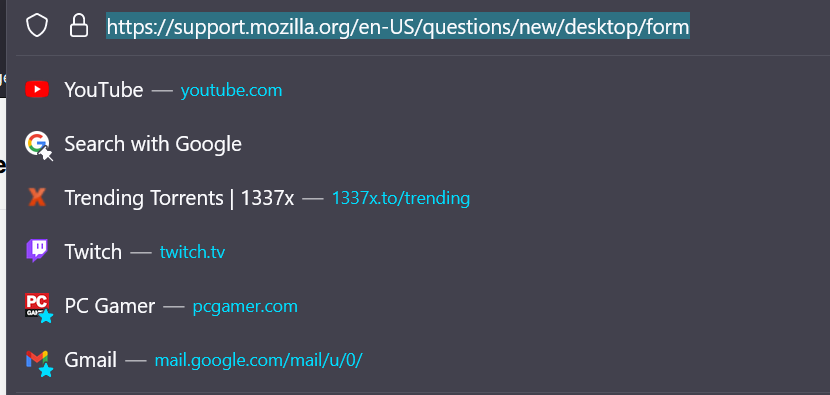
How do I get rid of some of these options in my search bar...I want to clear the list or remove them all completely
How do I get rid of some of these options in my search bar...I want to clear the list or remove them all completely
選ばれた解決策
There are two places in Settings. The first is on the Search page under Search Suggestions (see link below). The second is on the Privacy & Security page under Address Bar.
この回答をすべて読む 👍 1すべての返信 (2)

選ばれた解決策
There are two places in Settings. The first is on the Search page under Search Suggestions (see link below). The second is on the Privacy & Security page under Address Bar.
Note that suggestions with a star attached are bookmarks and suggestions with a pin are items pinned on the Firefox Home page (about:newtab, about:home).