


Не работает кнопка на сайте

Привет.
Firefox 60.0.1 (64 бит) на двух ноутах (Win 10 Домашняя, 1709, сборка 16299.431)
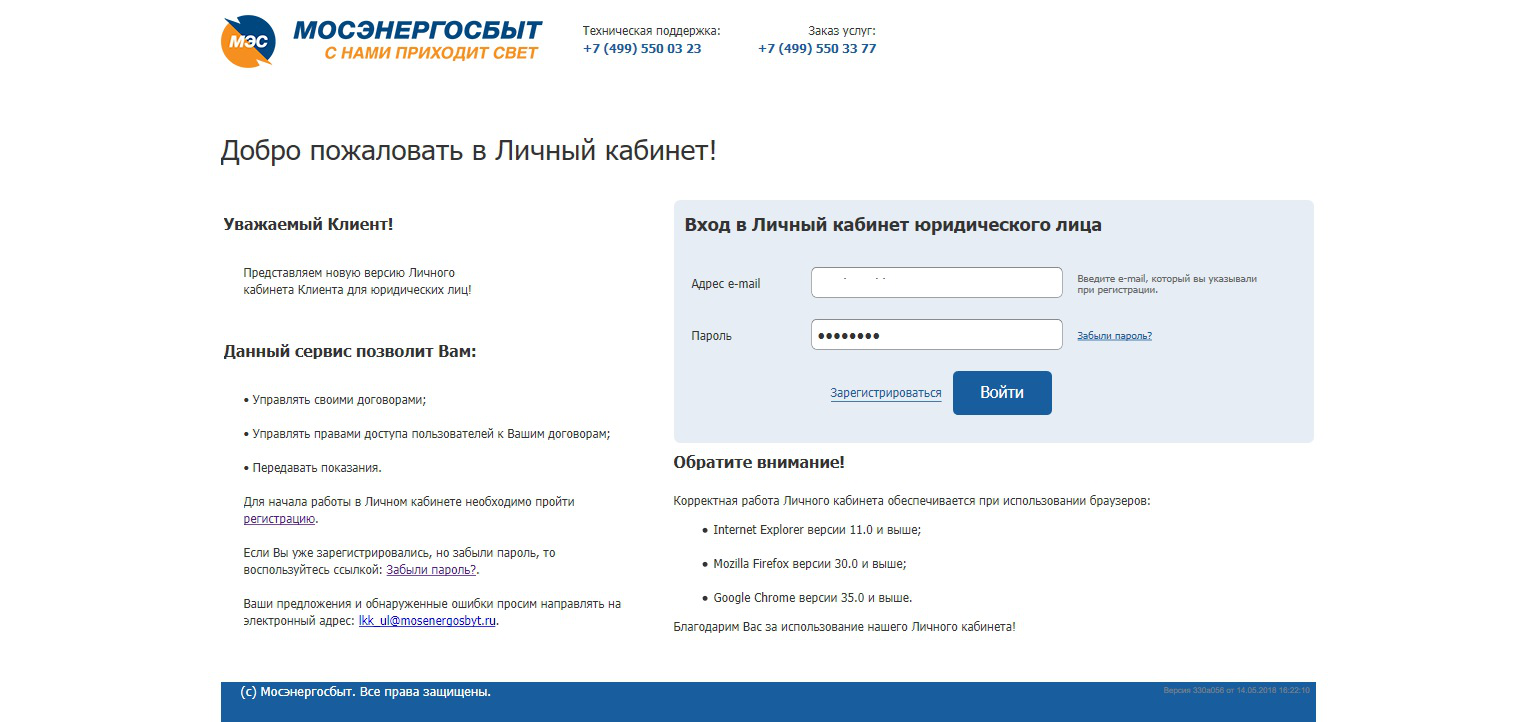
В личном кабинете Мосэнергосбыта на одном ноуте все работает хорошо, а на другом не срабатывают кнопки на сайте. Совсем не понимаю, с какими настройками это связано.
Например, кнопка Войти не работает на странице авторизации.
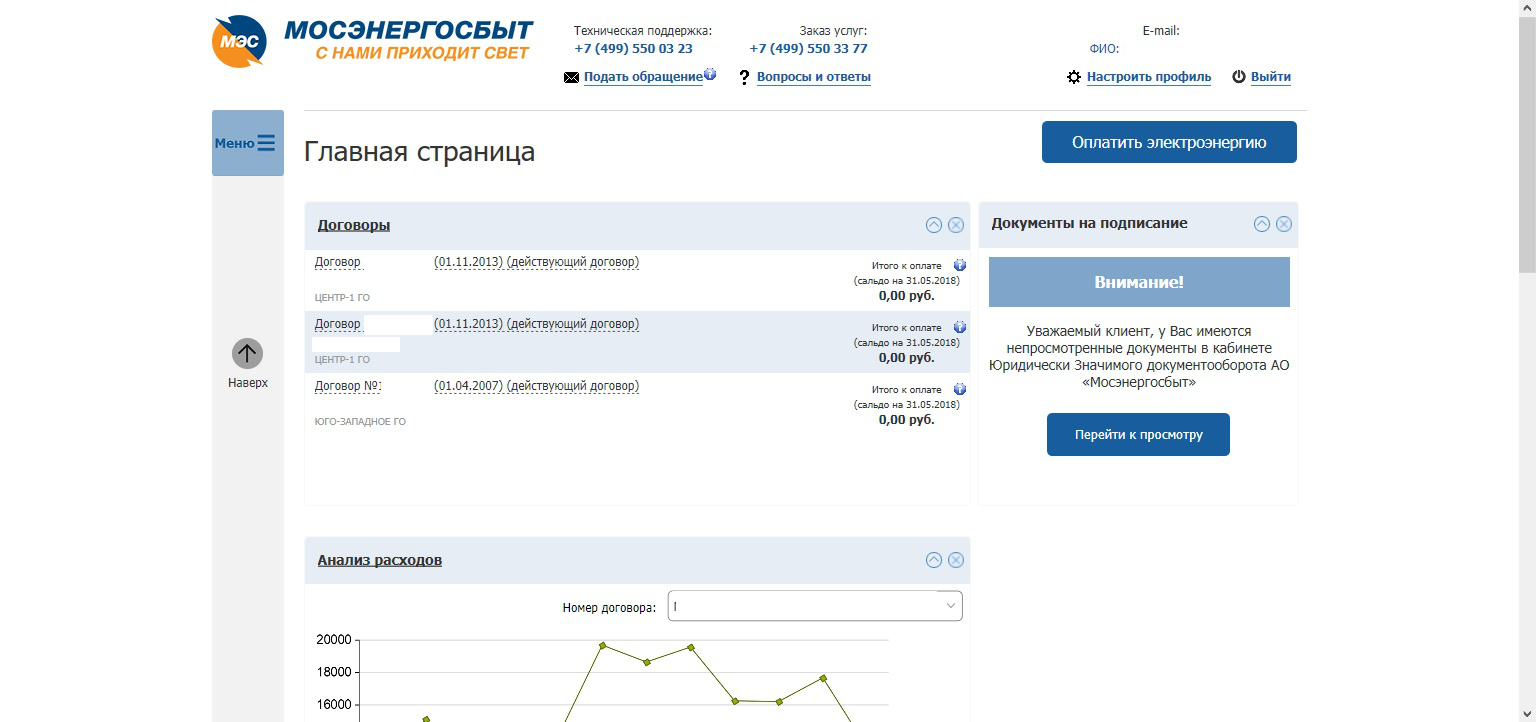
Если авторизоваться с клавиатуры, то на странице личного кабинета не работает кнопка Оплатить электроэнергию, не открываются Договора из списка, не открывается выпадающее меню выбора договора в Анализе расходов.
Самое странное, что на другом ноутбуке все работает. Думаю что дело в настройках, но в каких?
すべての返信 (4)

Many site issues can be caused by corrupt cookies or cache.
- Clear the Cache and
- Remove Cookies
Warning ! ! This will log you out of sites you're logged in to. You may also lose any settings for that website.
- Cookies; Delete cookies to remove the information websites have stored on your computer {web link}
- Cache; How to clear the Firefox cache {web link}
If there is still a problem, Start Firefox in Safe Mode {web link} by holding down the <Shift> (Mac=Options) key, and then starting Firefox.
A small dialog should appear. Click Start In Safe Mode (not Refresh). Did this help?
While you are in safe mode;
Try disabling graphics hardware acceleration in Firefox. Since this feature was added to Firefox it has gradually improved but there are still a few glitches.
How to disable Hardware Acceleration {web link}
FredMcD said
Many site issues can be caused by corrupt cookies or cache.Warning ! ! This will log you out of sites you're logged in to. You may also lose any settings for that website.
- Clear the Cache and
- Remove Cookies
- Cookies; Delete cookies to remove the information websites have stored on your computer {web link}
If there is still a problem, Start Firefox in Safe Mode {web link} by holding down the <Shift> (Mac=Options) key, and then starting Firefox. A small dialog should appear. Click Start In Safe Mode (not Refresh). Did this help? While you are in safe mode; Try disabling graphics hardware acceleration in Firefox. Since this feature was added to Firefox it has gradually improved but there are still a few glitches. How to disable Hardware Acceleration {web link}
- Cache; How to clear the Firefox cache {web link}
did not help
Make sure you are not blocking content.
Start Firefox in Safe Mode {web link} by holding down the <Shift> (Mac=Options) key, and then starting Firefox.
A small dialog should appear. Click Start In Safe Mode (not Refresh). Is the problem still there?
One issue that seems more common lately is Firefox's Tracking Protection feature. When it is blocking content in a page, a shield icon will appear at the left end of the address bar next to the padlock icon. This article has more info on managing this feature: Tracking Protection {web link} While you are in safe mode;
Try disabling graphics hardware acceleration in Firefox. Since this feature was added to Firefox it has gradually improved but there are still a few glitches.
How to disable Hardware Acceleration {web link} </blockquote>
did not help </blockquote>
FredMcD said
Make sure you are not blocking content. Start Firefox in Safe Mode {web link} by holding down the <Shift> (Mac=Options) key, and then starting Firefox. A small dialog should appear. Click Start In Safe Mode (not Refresh). Is the problem still there?
One issue that seems more common lately is Firefox's Tracking Protection feature. When it is blocking content in a page, a shield icon will appear at the left end of the address bar next to the padlock icon. This article has more info on managing this feature: Tracking Protection {web link} While you are in safe mode;
Try disabling graphics hardware acceleration in Firefox. Since this feature was added to Firefox it has gradually improved but there are still a few glitches.
How to disable Hardware Acceleration {web link}
did not help
この投稿は GusSer により に変更されました