


Why video pixelating and sound repeating over and over
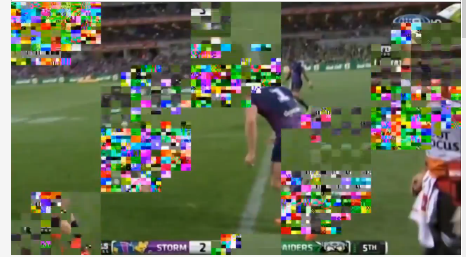
This just started today on a sporting site video, You Tube is ok. My computer is Windows 10 on Firefox 48 and Adobe is version 23.0.0.162. I did uninstall and reinstall Adobe, no change. I unticked acceleration. The video plays for a little while and then pixelation and sound voice repeat starts and a not nice sound happens with the pixelation. Could you help please?
すべての返信 (6)

If you have problems with current Shockwave Flash plugin versions then check this:
- see if there are updates for your graphics drivers
https://support.mozilla.org/kb/upgrade-graphics-drivers-use-hardware-acceleration
- disable protected mode in the Flash plugin (Flash 11.3+ on Windows Vista and later)
https://forums.adobe.com/message/4468493#TemporaryWorkaround
- disable hardware acceleration in the Flash plugin
https://forums.adobe.com/thread/891337 See also:
Hardware acceleration already disabled-Protective mode not wise to disable, removes security-The pixelation is happening only on one site and other sites adobe is good.
terrace said
Protective mode not wise to disable, removes security
As a test, disable it. You can turn it back on after.
Turned it off, played video still pixelation. As i said it only happens on the one site, all others ok.
Can you provide a public link to the web page?
Start Firefox in Safe Mode {web Link} by holding down the <Shift>
(Mac=Options) key, and then starting Firefox.
A small dialog should appear. Click Start In Safe Mode (not Refresh).
Is the problem still there?
This morning the pixelation is not there, it`s a different video but the same footy subject. I had emailed them so looks like just their site maybe. The site is Espn footy tips as you see in my attachment. Thanks.
