


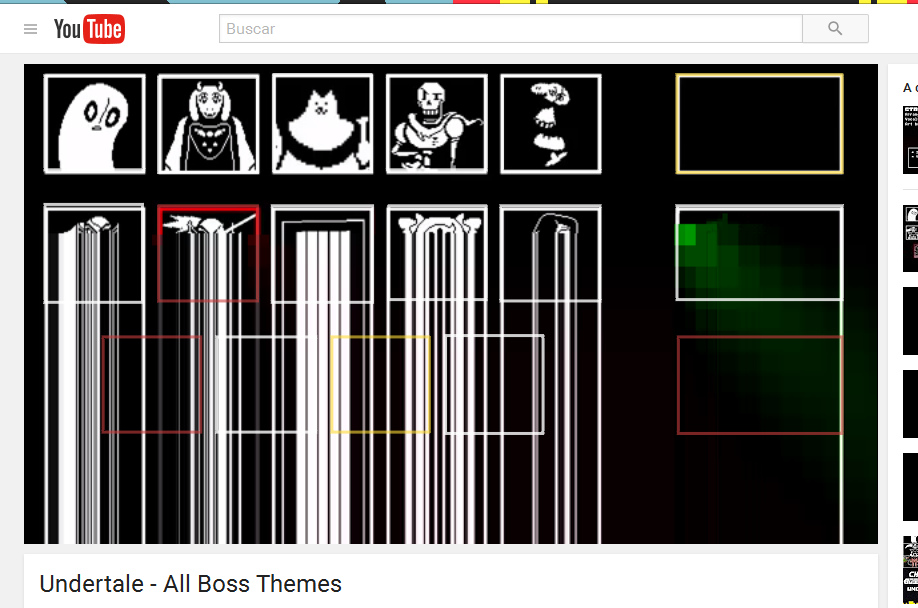
Youtube videos "glitches" frequently

It happens frequently. The bottom half of the video stops updating the video, and just repeats a row of pixels. This doesn't happen in other browsers.
この投稿は marthyx により に変更されました
選ばれた解決策
https://support.mozilla.org/en-US/kb/update-firefox-latest-version 46.0.1
If you have problems with current Shockwave Flash plugin versions then check this:
- see if there are updates for your graphics drivers
https://support.mozilla.org/kb/upgrade-graphics-drivers-use-hardware-acceleration
- disable protected mode in the Flash plugin (Flash 11.3+ on Windows Vista and later)
https://forums.adobe.com/message/4468493#TemporaryWorkaround
- disable hardware acceleration in the Flash plugin
https://forums.adobe.com/thread/891337 See also:
この回答をすべて読む 👍 0すべての返信 (1)

選ばれた解決策
https://support.mozilla.org/en-US/kb/update-firefox-latest-version 46.0.1
If you have problems with current Shockwave Flash plugin versions then check this:
- see if there are updates for your graphics drivers
https://support.mozilla.org/kb/upgrade-graphics-drivers-use-hardware-acceleration
- disable protected mode in the Flash plugin (Flash 11.3+ on Windows Vista and later)
https://forums.adobe.com/message/4468493#TemporaryWorkaround
- disable hardware acceleration in the Flash plugin
https://forums.adobe.com/thread/891337 See also: