


every time I open an email I get a popup window from http://pintertest.aot.im that asks for a username & password

Every time I open a file (e.g., emails) I get a popup window labeled "Authentication Required" asking me for a username & a password. There is an address shown on the popup window: http://pinterest.aot.im
Tutte le risposte (7)
Can you add a screenshot => More info here How do I create a screenshot of my problem?.
And check for malware with all the programs provided below.
Modificato da kobe il
Start Firefox in Safe Mode to check if one of the extensions (Firefox/Firefox/Tools > Add-ons > Extensions) or if hardware acceleration is causing the problem (switch to the DEFAULT theme: Firefox/Firefox/Tools > Add-ons > Appearance).
- Do NOT click the Reset button on the Safe Mode start window.
Ran Norton Internet Security but virus remains.
See attached png screenshot
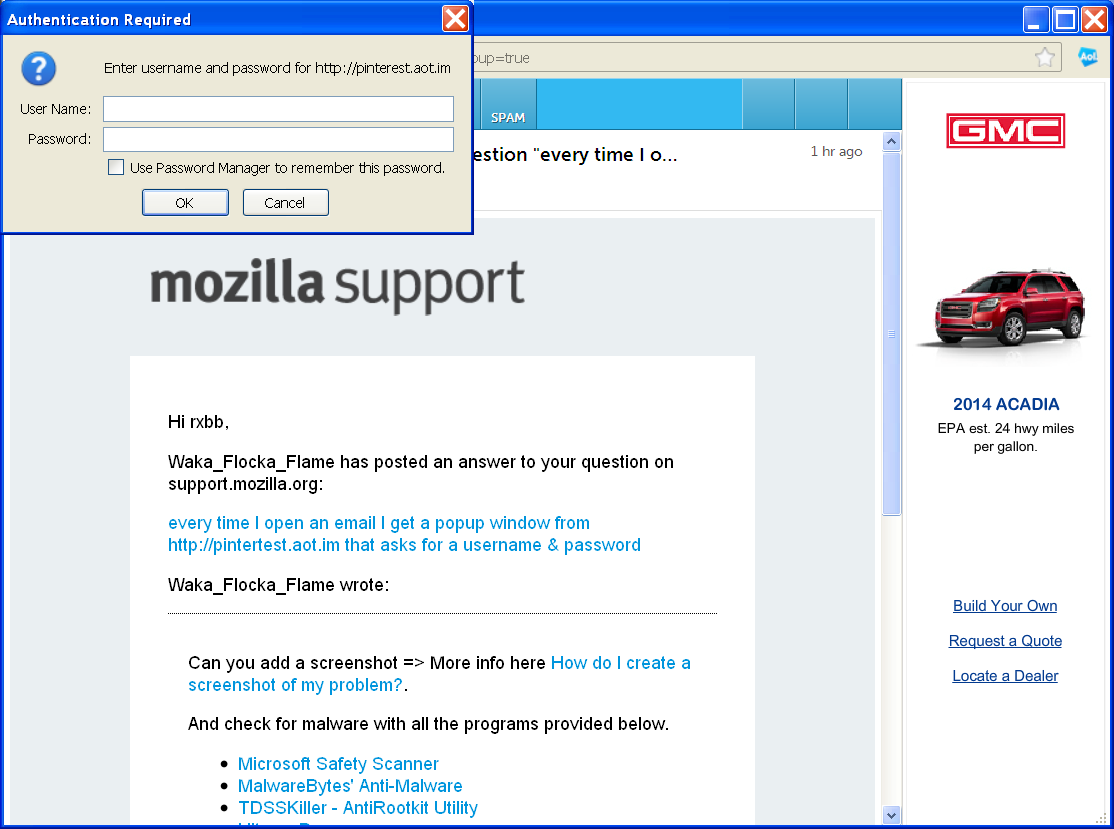
Did you use any of the tools i provided above? or safe mode as cor-el stated? it looks to be a malicious addon or some type of malware.
Modificato da kobe il
Waka_Flocka_Flame:
I ran the Quickscan option of Microsoft Safety Scanner; it could not find any virus or malware. But something is clearly there. I am going to try cor-el's suggestion.
I found a reference on the internet staing that pinterest.aot.im is a "browser hijacker".
rxbb
Starting Firefox in Safe Mode, as cor-el suggested, prevented the pinterest.aot.im popup window from activating.
But from now on do I always have to start Firefox in safe mode?
I would still like to get rid of this intrusion.
If it works in Safe Mode and in normal mode with all extensions (Firefox/Tools > Add-ons > Extensions) disabled then try to find which extension is causing it by enabling one extension at a time until the problem reappears.
Close and restart Firefox after each change via "Firefox > Exit" (Windows: Firefox/File > Exit; Mac: Firefox > Quit Firefox; Linux: Firefox/File > Quit)
- If you have many extensions then first enable half of the extensions to test which half has the problem.
- Continue to divide the bad half that still has the issue until you find which one is causing it.