


Advanced seaching of bookmarks

How to perform an advanced search of bookmarks (by name, description, url or all of them) in "Library"
The Add-on "Advanced Bookmark Search" (ref. https://addons.mozilla.org/firefox/ad.../advanced-bookmark-search/) doesn't work with "Firefox 12.0"
Modificato da cor-el il
Tutte le risposte (5)
Hi hyFoxy. It is not compatible with firefox12. You have to wait until a compatible version is available for firefox 12. Please check this article Bookmark Tags
See also:
- Show Parent Folder: https://addons.mozilla.org/firefox/addon/show-parent-folder/
- Go Parent Folder: https://addons.mozilla.org/firefox/addon/go-parent-folder/
thx for the useful hint, I've installed it, but the initial issue isn't solved;-(
You can sort your Bookmarks and History items in the Library window
- open Bookmarks Library using CTRL + SHIFT + B shortkeys
- right-click a column and select the additional columns you want to appear in the Bookmarks Library
Check and tell if that's what you were looking for.
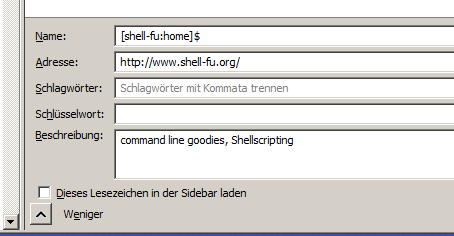
Ok, I've figured out that after installing the recommended add-ons, searching for text parts in URL string works fine, but searching for text in "description" field doesn't work as requested (see screenshot below)
Advanced searching in Library tool seems to be a little bit tricky;-)
Modificato da hyFoxy il