


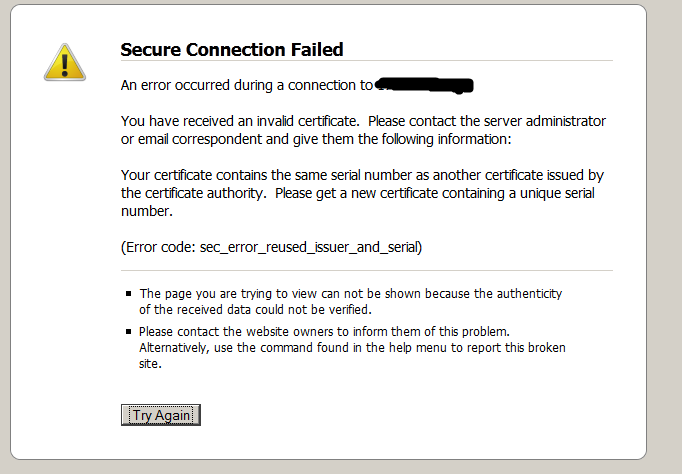
Error code: sec_error_reused_issuer_and_serial

I do web development. I was working on a site with a self-signed certificate and therefore had to create an exception in Firefox to access the site using https. Due to unrelated problems on the server, I deleted the account and then recreated it. I also had to create a new self-signed certificate. Now Firefox returns the message Error code: sec_error_reused_issuer_and_serial. I deleted the original exception from Firefox but it still returns the error. I tried to explicitly create a new exception but that returned the error, too. Note I do not have this problem with other computers on the same network and the problem does occur if I move the offending computer to another network. i.e., the problem is associated with the computer, not the network or router.
Modificato da bart@softdesigns.net il
Tutte le risposte (12)
Do you see that certificate in the certificate manager?
- Tools > Options > Advanced : Encryption: Certificates - View Certificates
Rename or delete the file cert_override.txt (cert_override.txt.old) in the Firefox Profile Folder to remove all permanent exceptions that you have saved.
The site is not listed in certificates. It was there but I removed it when I first got the error. No help. I do not have the file cert_override.txt. I searched in Mozilla program files and in Documents and Settings but could not find it.
It took me a while to figure it out from googling, but the solution is simply to delete the cert8.db from your FireFox profile, usually found in C:\Documents and Settings\<yourname>\Application Data\Mozilla\Firefox\Profiles\<yourprofile>. Easier still just search for cert8.db in your computer and delete that file.
Oh….. you need close FireFox first
Got this information somewhere in net and worked fine for me.
This is temporary solution. The problem reappears after awhile. It won't let me access Linksys web management console. I have to delete the cert8.db every time.
This is really irritating - I.E. allows multiple sites to use the same self-signed certificate, but Firefox does not. If I'm aware of the risk, then why can't I tell Firefox to allow it? Having to delete the certificate every time I need to connect to a different device is a genuine PITA.
I was also generating my own certificates and I noticed I received this error when the certificates had the same serial number. Also, I made sure that the Common Name was the same as my websites.
Making the serial numbers unique for each certificate fixed the issue for me.
Getting the same issue, trying to login to multiple Cisco wireless LAN controllers. Deleting cert8.db and cleaning out certificate store in FF options does not work.
Have had to resort to IE Tab to get it working.
This smells like a bug to me.
I had this problem too. I thought it was Firefox 13 but that was not the case. After some research I found the problem. It is ESET Smart Security 5.2.9. After uninstalling the program the issue was solved.
Yes, It is ESET Smart Security 5.2.9!!!!! once I installed it the problem started, bur problem resolved after uninstalling.
Those who have this problem because of ESET Smart Security 5.2.9, there is no need to uninstall it. go to the program interface: setup>enter advanced setup>extend web and email tree>choose SSL> at SSL protocol checking choose "Do not scan SSL protocol. then press OK.
after that the problem will resolve.
Thanks you!

Bingo!
I removed SSL scanning from ESET 6.0 and re-installed all the latest Windows updates. Everything works fine now.
Thanks for your help!
Best wishes, Anand