


Windows 10 reached EOS (end of support) on October 14, 2025. If you are on Windows 10, see this article.

Cerca nel supporto

Attenzione alle mail truffa. Mozilla non chiederà mai di chiamare o mandare messaggi a un numero di telefono o di inviare dati personali. Segnalare qualsiasi attività sospetta utilizzando l'opzione “Segnala abuso”.

Ulteriori informazioni
Apri

How do you open multiple tabs?

George Kitsoukakis risposto
Leon Saridakis

Can someone describe to me how you can open multiple tabs from the Browser starting page? All I see is the top search bar which takes me to Google. But what do I do if I wanna do another search in another tab? Most other browsers simply have a clearly visible button to open another tab but I can‘t find it on Firefox Focus. Online it says there‘s supposed to be a + in the top right corner but it isn‘t there on the picture below and it also doesn‘t appear once I do a search.
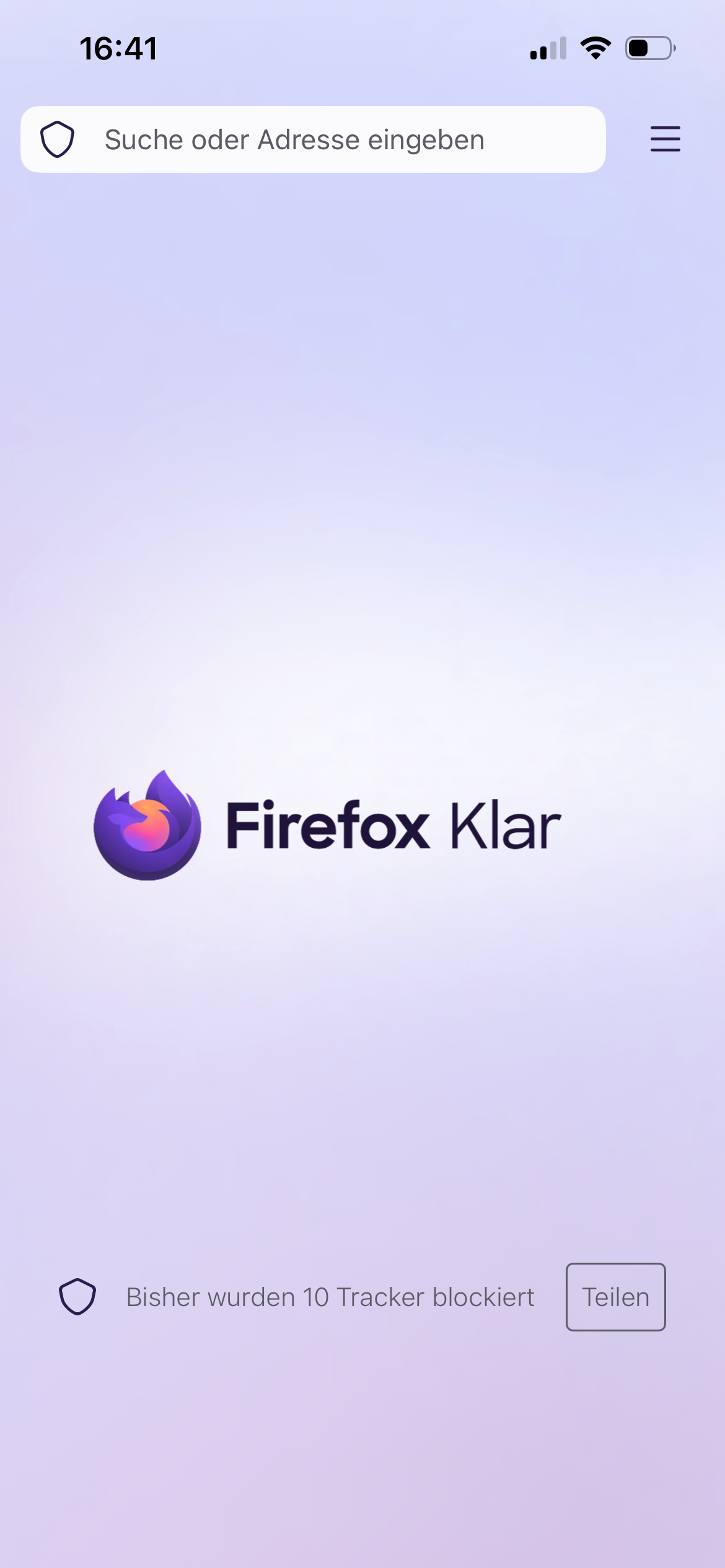
Can someone describe to me how you can open multiple tabs from the Browser starting page? All I see is the top search bar which takes me to Google. But what do I do if I wanna do another search in another tab? Most other browsers simply have a clearly visible button to open another tab but I can‘t find it on Firefox Focus. Online it says there‘s supposed to be a + in the top right corner but it isn‘t there on the picture below and it also doesn‘t appear once I do a search.
Immagini allegate

Tutte le risposte (1)

Hi

Is that Firefox Focus on iPhone (iOS)?

If you want the privacy of Focus but need multiple tabs for searching, use the Standard Firefox App and opening a "Private Tab" there. That version has the "+" button you are looking for.

The guide mentioning a + or a tab number, check the title of the article, maybe is "for Android." ?

Richiedi supporto

Bisogna accedere al proprio account per rispondere nelle discussioni. Se non si possiede ancora un account, inserire una nuova richiesta.