


Yahoo mail don't work since thunderbird 148

Hello. Big problem. Since thunderbird 147 everything fine. I have thunderbird desktop in windows 11 pc. I have 5 accounts in thunderbird (2 yahoo , 1 Gmail,1 tim and 1 alice ). Saturday thunderbird update itself to 148 and when open my 2 account Yahoo stop working. Its open a popup web to insert password but its says "error can't continue" or something similar. The password off course is correct and when i go in webmail Yahoo (with firefox or chrome) everything works. I go in yahoo account setting and i have thunderbird app connected to my accepted app (nothing changes in last months.... Thunderbird is always setting in accepted app ,like bluemail app in my smartphone android). I've tried everything and nothing works... (Cancel account and add again,cancel cookie,cache,change pop or imap protocol, nothing works....) . Repeat until 147 everything works fine, update and stop working yahoo account. I read many topic in reddit and many people have this problem (even with aol accounts). Can you fix the problems???? Even with beta version or daily beta version but FIXED IT PLEASE.... If you don't fix i will change my client mail forever with something better (sadly cause i use Thunderbird from 20 years....)
Tutte le risposte (5)
Anziché usare Oauth come metodo di autenticazione, usa le password per applicazione -> https://forum.mozillaitalia.org/index.php?topic=74783.0
megalo9999,
If you can converse well in English, I would ask that you continue here.
A likely reason you are unable to login to your account, is Thunderbird version 148.0 has a code change to meet new OAuth2 authentication requirements from Yahoo, ATT and AOL, a new protocol called PKCE. This requires you to reauthenticate (login) to your account, even though the authentication method remains OAuth2. Also, if a you have more than one account using OAauth2 authentication (in any combination of Yahoo, ATT and AOL), then additional problems can occur. Note also, deleting accounts and adding them back are not likely to help, because cookies related to oauth are saved across accounts, across startups and login attempts which are not deleted when accounts are deleted. Nor is clearing cache likely to help.
The steps and questions below should help you, and your response will be greatly appreciated, so we can help you and other users. (we are skipping section A)
B. If you have not yet been successful, Please tell us:
B1. With the password that failed with Thunderbird, can you log into the account(s) using the mail provider’s web interface (webmail)? (Note: you must use the account password, not an “app password” that was created by yahoo) B2. What are the full domain name(s) of all the affected account(s)? (for example yahoo.co.uk) B3. Are cookies enabled in Thunderbird at Settings > Privacy & Security > “Accept cookies from sites …” B4. Are you able to login using Thunderbird after you do the following
- Settings
- Config Editor
- Click 'Accept the risk and continue' if that appears
- Find mailnews.oauth.usePrivateBrowser (screen shot below - you can paste it into the search field)
- Click the two-headed arrow icon to toggle false to true
* Restart Thunderbird (make sure it has fully shut down before starting it up)
- Retry the login
C. If you were not successful after B4…
C1. Can you see the entire oauth dialog panel - no action buttons are missing? C2. No authentication dialogs are hidden behind what you currently see? C3. Is the preference javascript.enabled set to true in Settings > Config editor? (javascript is required for oauth) C4. Are you in the country in which you normally use the account? (rule out geoip) C5. (related to #4 above) Are you using a VPN? C6. Is the authentication method in Account Settings set to oauth? C7. Are you using MFA/2FA? (enabling multi-factor authentication / two-factor authentication in your mail provider settings might be blocking you) C8. Are you running a webserver on your computer? Or is any program listening on port 80 [1]? C9. If you are using Windows, does it help to start Windows in Safe Mode with networking enabled? See https://support.microsoft.com/en-us/windows/windows-startup-settings-1af6ec8c-4d4a-4b23-adb7-e76eef0b847f. If you feel the instructions are too complicated, printing them often helps.
[1] check for program listening on port 80:
- macOS and Linux, a terminal window - sudo netstat -an | grep LISTEN | grep :80\D
- Windows, in a command/dos window - netstat -an | findstr LISTEN | findstr ":80[^0-9]"
If you are really stuck, sending us screen shots might help.
try everythings Wayne . i toggle also the MFA/2FA (which i use normally until 147 with no problem....) i made ALL the list you ask.... the only thing i didn't make is deleted account and re add..... cause i save more of 20 years of my yahoo mail in thunderbird.....so..... all the things you ask are set and "was" ok , except mailnews.oauth.usePrivateBrowser ,but i set to true.... and nothing happens... i had 2 account yahoo.... 1 .com and 1 .it , nobody works.... all other 3 account works perfect.... i need you (not you off course ;) ) fix this.... too big problem for me... i can enter with webmail and with android cellphone with bluemail... with no problems.... toggle 2fa,also add and created key app , but no works... always same message.... please help...
ps. rollback versione can help? is it safe or simple? thanks
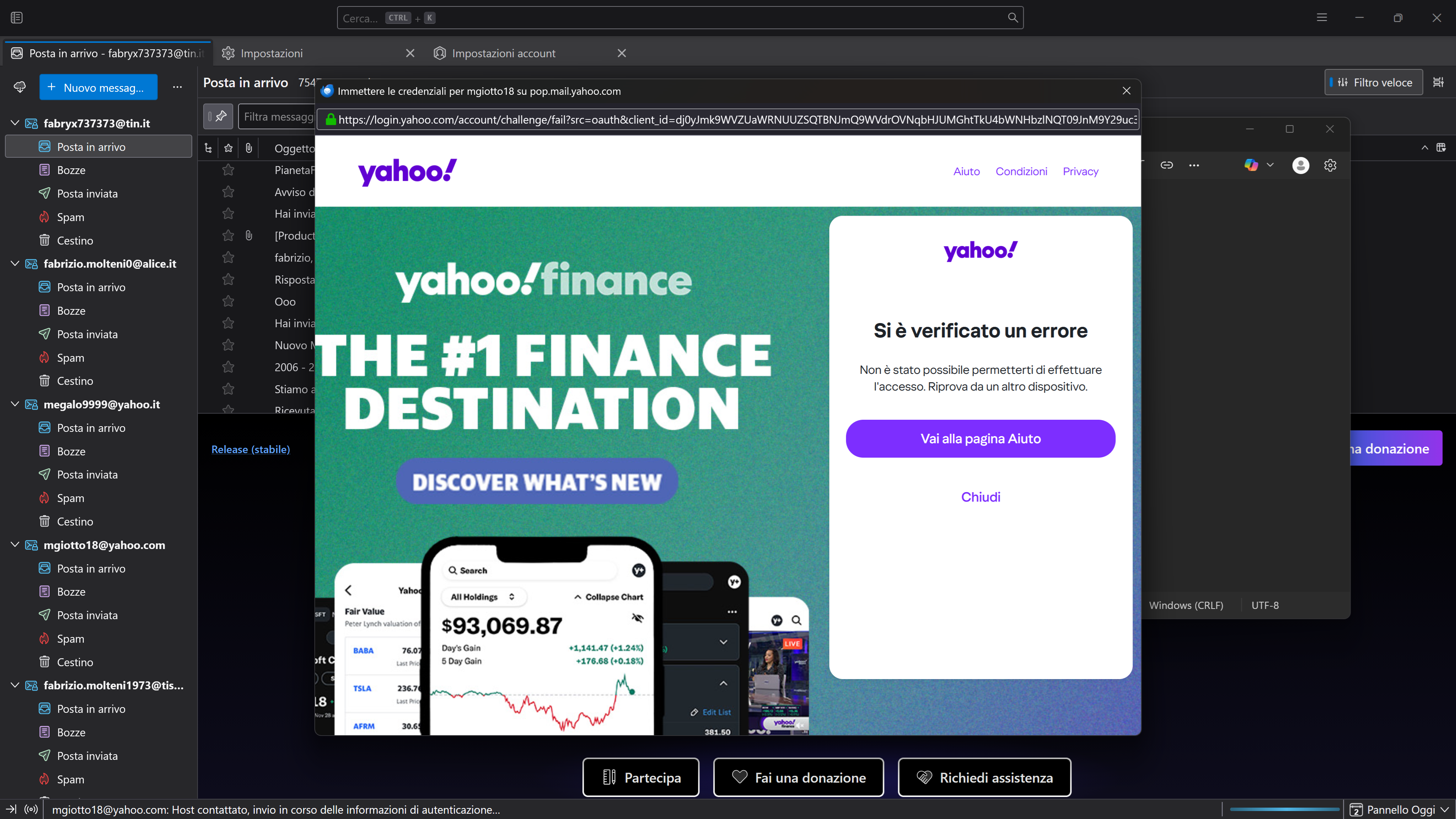
Please can somebody help me? There are a lot of people with this problem.....! If you can fix at least tell us how roll back version! If thunderbird don't solve I've change my client forever.... This bug is not possible in 2026!!! If with version 147 works all good and 148 stop working,its a simple answer....!
megalo9999, have you seen https://support.mozilla.org/en-US/kb/thunderbird-and-yahoo ?