

Questa discussione è archiviata.
Inserire una nuova richiesta se occorre aiuto.

Risolto
Archiviato
e-maul forwarding

Hello,
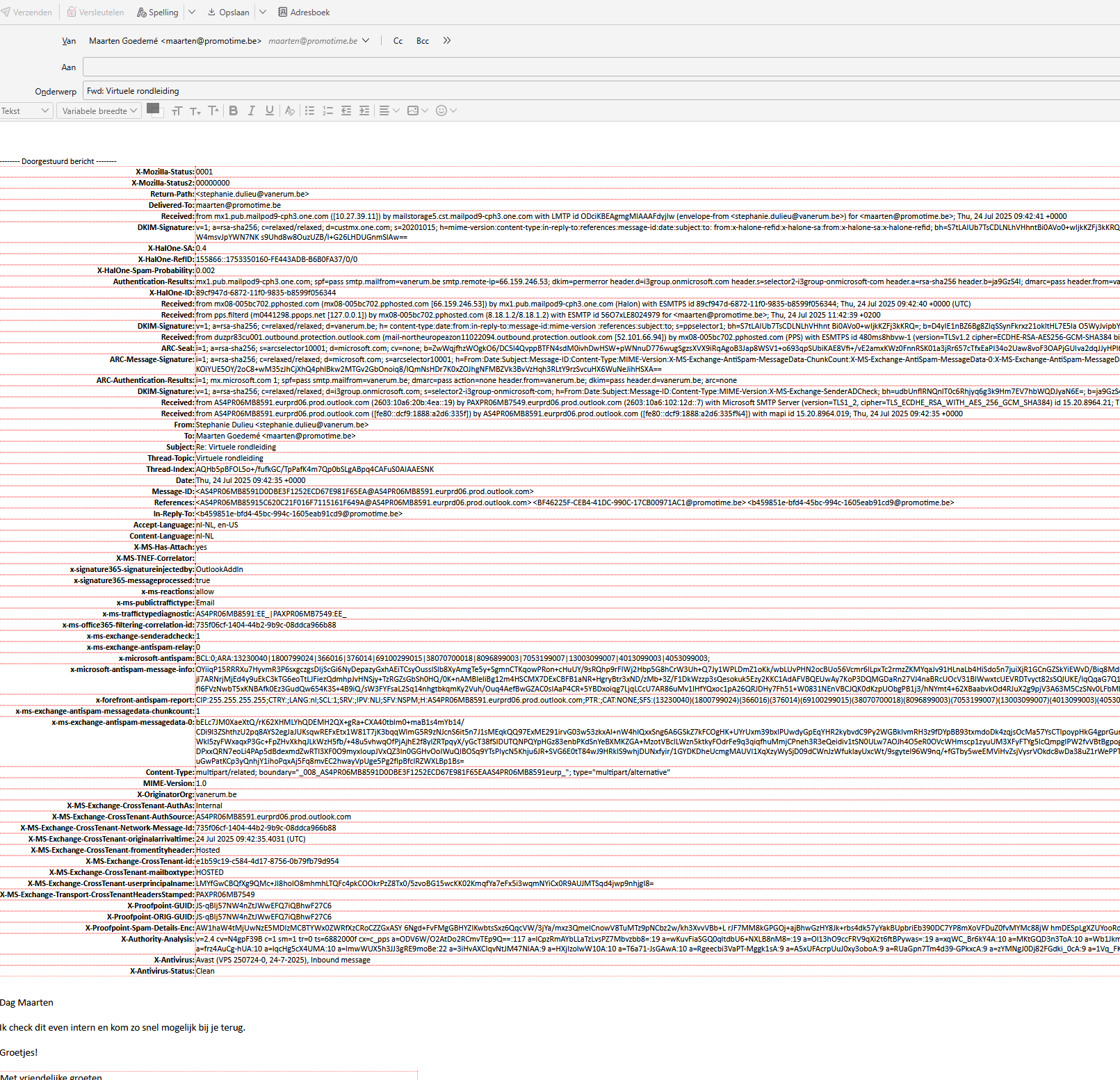
If I want to forward or print an e-mail I get to see above the actual e-mail all the source code. It's starting with X-Mozilla Status and ends with the line X-Antivirus-Status.
Is there a way to turn this off so that I don't have to delete this info each time before forwarding the e-mail?
Thanks,
Maarten
Hello,
If I want to forward or print an e-mail I get to see above the actual e-mail all the source code.
It's starting with X-Mozilla Status and ends with the line X-Antivirus-Status.
Is there a way to turn this off so that I don't have to delete this info each time before forwarding the e-mail?
Thanks,
Maarten
Tutte le risposte (2)

Ik heb Thunderbird niet voorhanden momenteel, maar ik denk dat u de headers kunt verbergen via de menubalk > Beeld > Headers > Normaal.
Soluzione scelta
gevonden -> Meer -> aanpassen -> berichtenknop -> alle kopteksten uitvinken.
Bedankt