


unwanted shortcuts on "new tab" in firefox browser

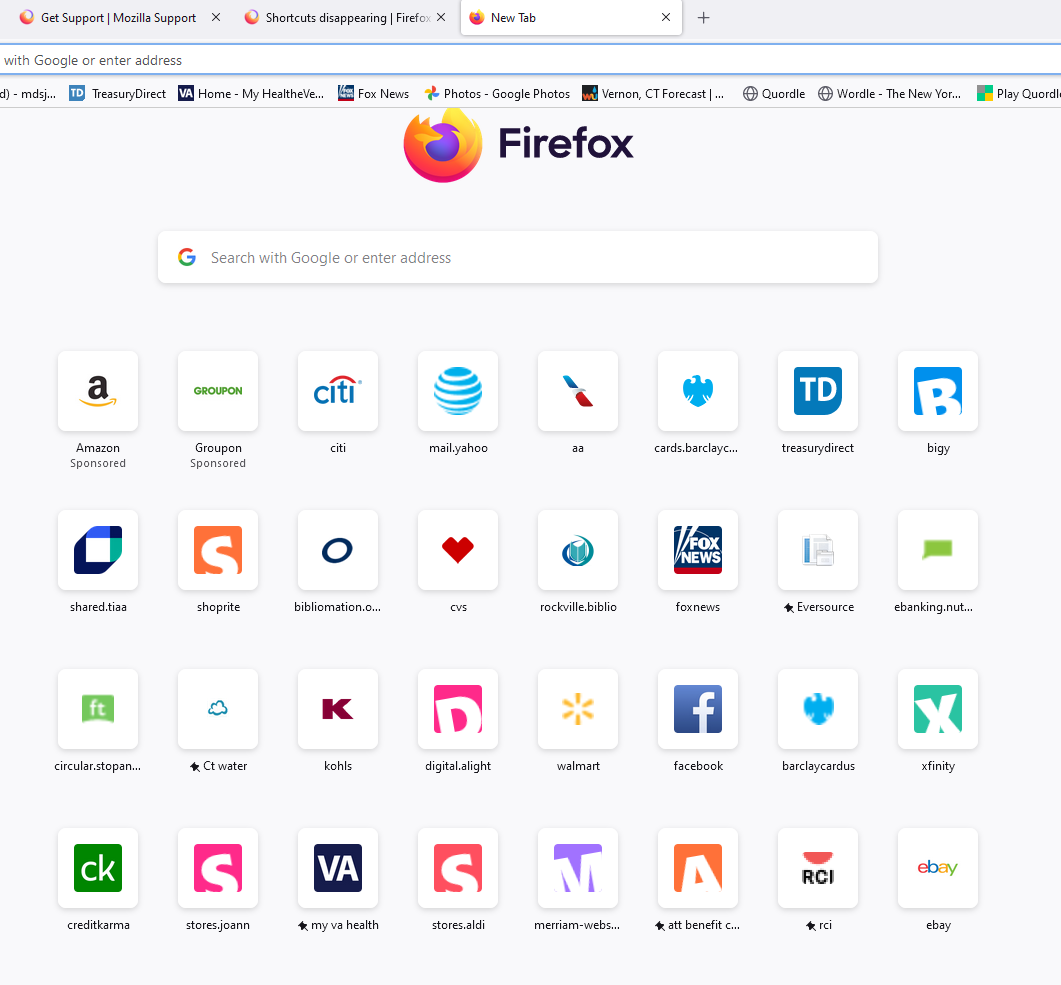
how are shortcuts created on my "new tab" home page in firefox browser. I used to be able to create the shortcuts I wanted, not random shortcuts that I might have visited once. Now shortcuts appear that I don't want. I know I can remove them by dismissing them but I should not get them in the first place. Please help.
Tutte le risposte (2)
The shortcuts are there based on firefox's default settings. If possible, try removing all of them (assuming that it won't add on to each other). If the problem persists, go to "Settings" > "Home" > "Firefox Home Content" > "Shortcuts" and make sure that option is turned off as well as "Recommended Stories" right below it.
Modificato da cheddar il
Tiles that aren't pinned are filled from recent history.
- https://support.mozilla.org/en-US/kb/customize-items-on-firefox-new-tab-page
- https://support.mozilla.org/en-US/kb/customize-your-new-tab-page
Note that tiles you dismiss in Firefox Home are added to a pref in about:config, so this pref can become quite large if you dismiss a lot of pages.
Changes made manually on the Firefox Home page are stored in prefs that you can find in about:config.
- browser.newtabpage.pinned => websites pinned to a tile
- browser.newtabpage.blocked => websites removed by clicking Dismiss in a tile
Pinned tiles are part of Sync:
- services.sync.prefs.sync.browser.newtabpage.pinned