


Join us to show up for other Firefox users 🦊. Earn fun badges and Mozilla swag vouchers! Find out more: https://mzl.la/askafox150

Windows 10 reached EOS (end of support) on October 14, 2025. If you are on Windows 10, see this article.

Cerca nel supporto

Attenzione alle mail truffa. Mozilla non chiederà mai di chiamare o mandare messaggi a un numero di telefono o di inviare dati personali. Segnalare qualsiasi attività sospetta utilizzando l'opzione “Segnala abuso”.

Ulteriori informazioni

Questa discussione è archiviata. Inserire una nuova richiesta se occorre aiuto.

bookmarks error

  • 2 risposte
  • 0 hanno questo problema
  • 147 visualizzazioni
  • Ultima risposta di cor-el
  • Archiviato

I imported my bookmarks, but they're not displaying in the bookmarks toolbar. I've tried hiding it and unhiding and restarting the program/my computer. The imported bookmarks can be seen when I go to "recent bookmarks" in the manage your bookmarks section. It also says that they're listed in the bookmarks menu, but they're not visible outside of the manage bookmarks settings window.

I imported my bookmarks, but they're not displaying in the bookmarks toolbar. I've tried hiding it and unhiding and restarting the program/my computer. The imported bookmarks can be seen when I go to "recent bookmarks" in the manage your bookmarks section. It also says that they're listed in the bookmarks menu, but they're not visible outside of the manage bookmarks settings window.

Tutte le risposte (2)

What are you seeing in the bookmark manager? see screenshot
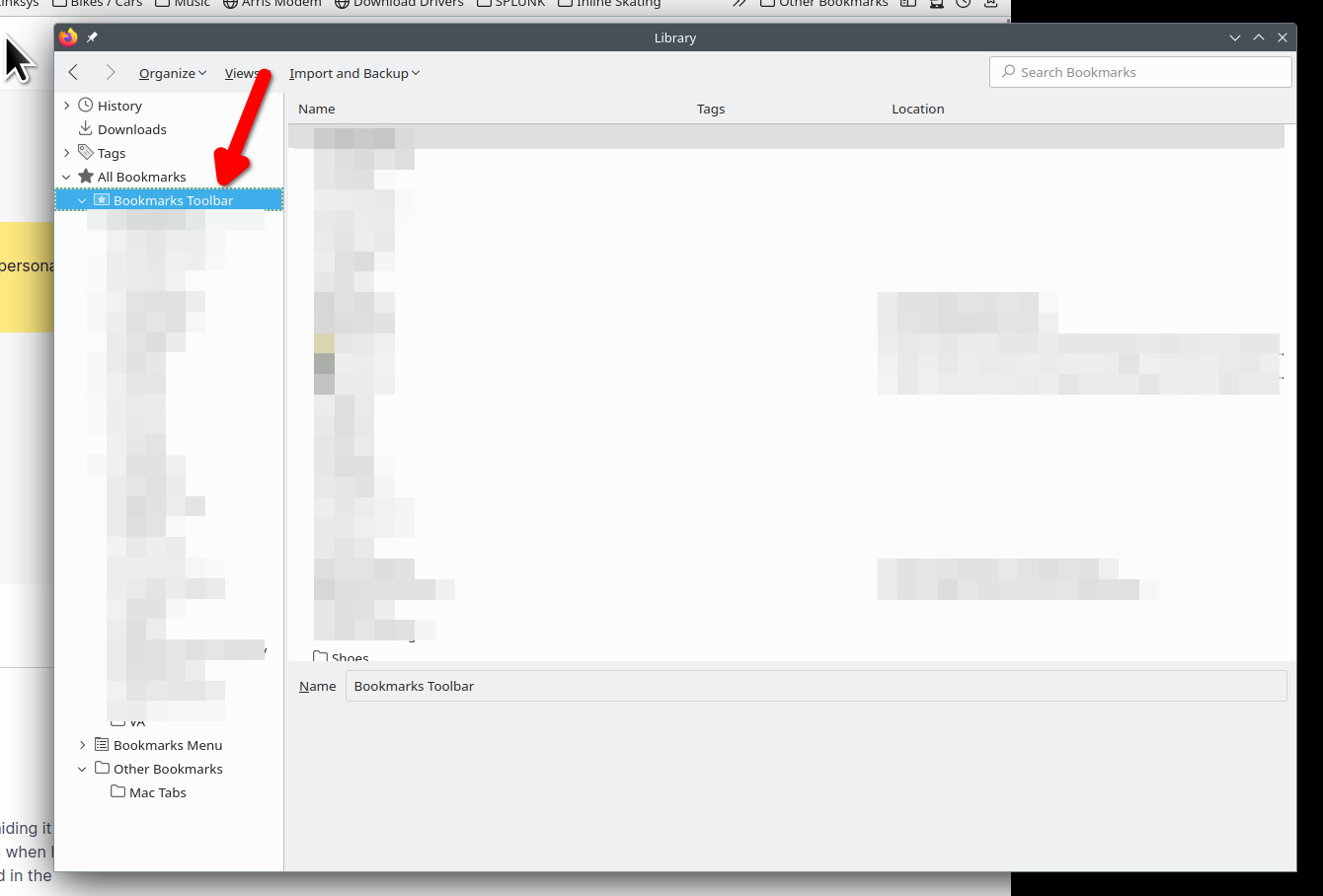
Sometimes a Bookmarks HTML import fails and the bookmarks in the Bookmarks Toolbar folder end up in a fake Bookmarks Toolbar folder positioned in the Bookmarks Menu folder and not in the real Bookmarks Toolbar folder placed directly under the "All Bookmarks folder". You will have to move (Copy/Paste) the bookmarks from the fake Bookmarks Toolbar folder to the real Bookmarks Toolbar folder.