


Word document - Auto open

Hello,
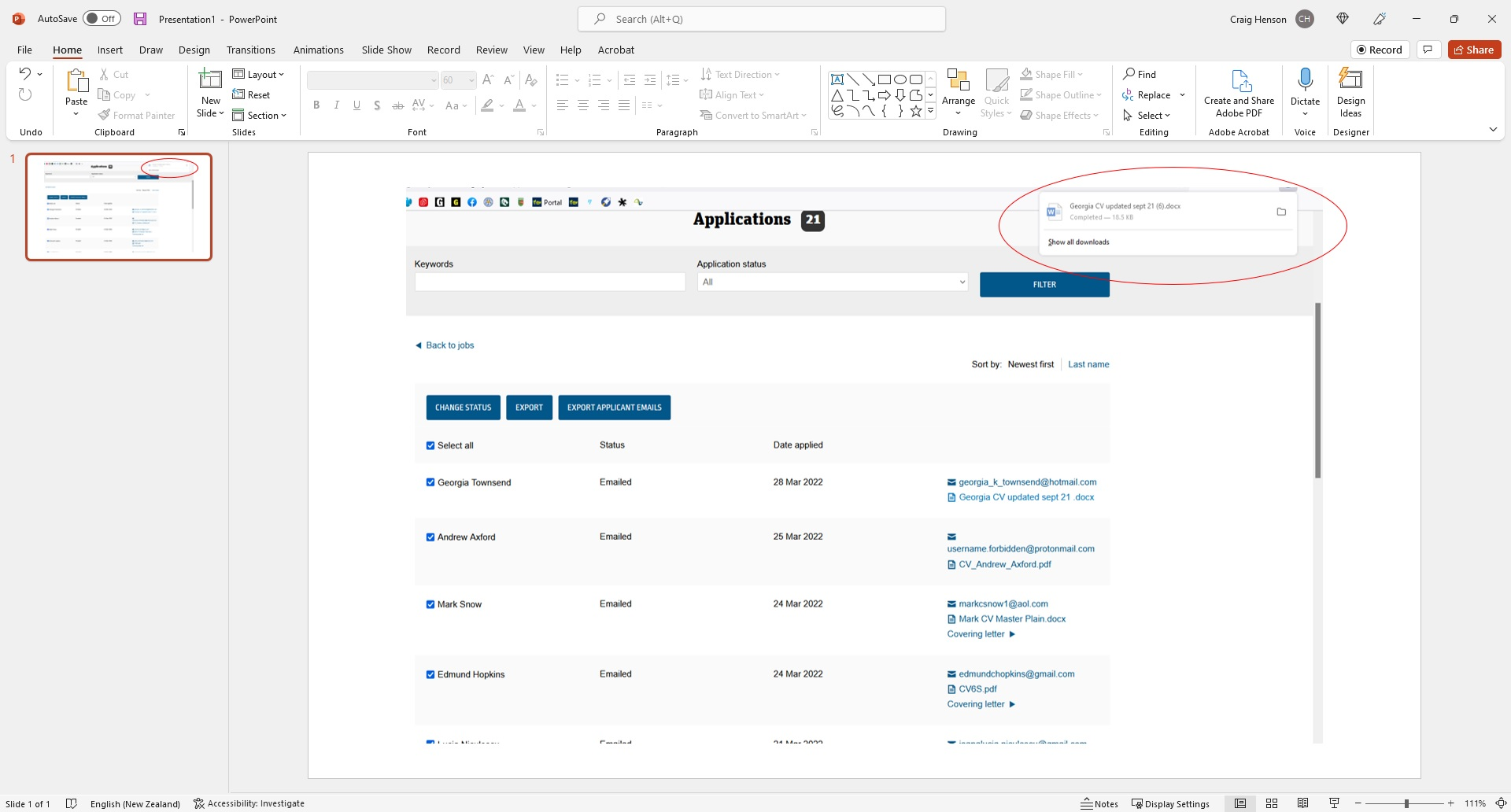
Please can you tell me how I can click on a word document and for the document to automatically open without having to click the link in my downlaods? See screenshot of the download box that appears in the top right that I have to click to open the word document.
It does it for a PDF document but not for a word document.
Regards, Craig
Tutte le risposte (3)

Soluzione scelta
See the Manage file types and download actions in Firefox article, which includes the following information under the Adding download actions section:
When you download a type of file that can be opened with an installed application, you can set Firefox to always open similar files:
- Right-click the downloaded item in the Downloads panel. (You can also do this from the Library window Downloads history.)
- Select "Always Open Similar Files" from the context menu.
The image "Fx98Downloads-FileContextmenu" does not exist.
Selecting "Always Open Similar Files" will add a new entry to the Genera panel Applications section of Firefox settings, to use the system default application to open that type of file.
To learn more about changes to download handling in Firefox version 98, see How file downloads are handled in Firefox.
Legend! Thank you.
You're welcome, craig. I'll mark this question solved.