


cannot get firefox to start, want to find out why
Dear mozilla community,
I cannot get firefox to start, and I need help to troubleshoot this. What I already did:
- remove and reinstall (apt)
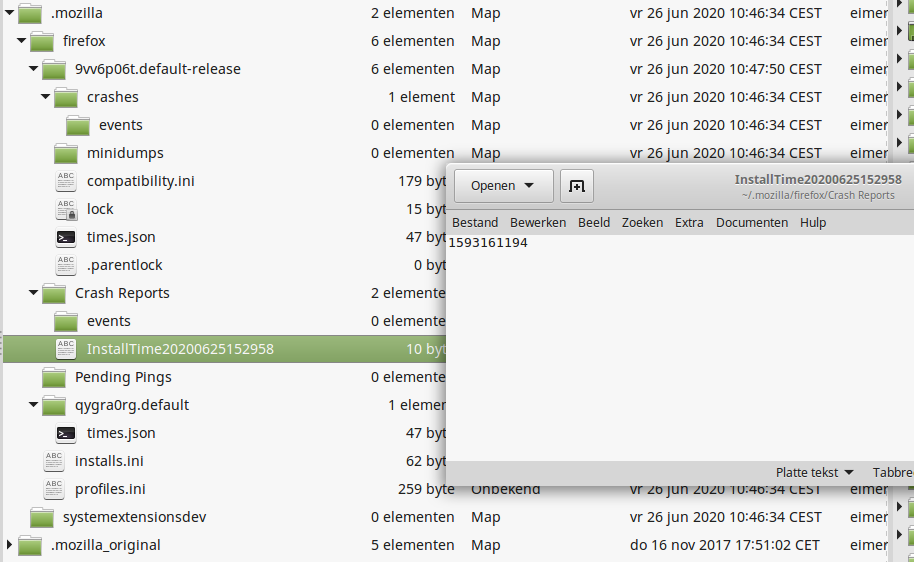
- rename ~/.mozilla to trigger recreation
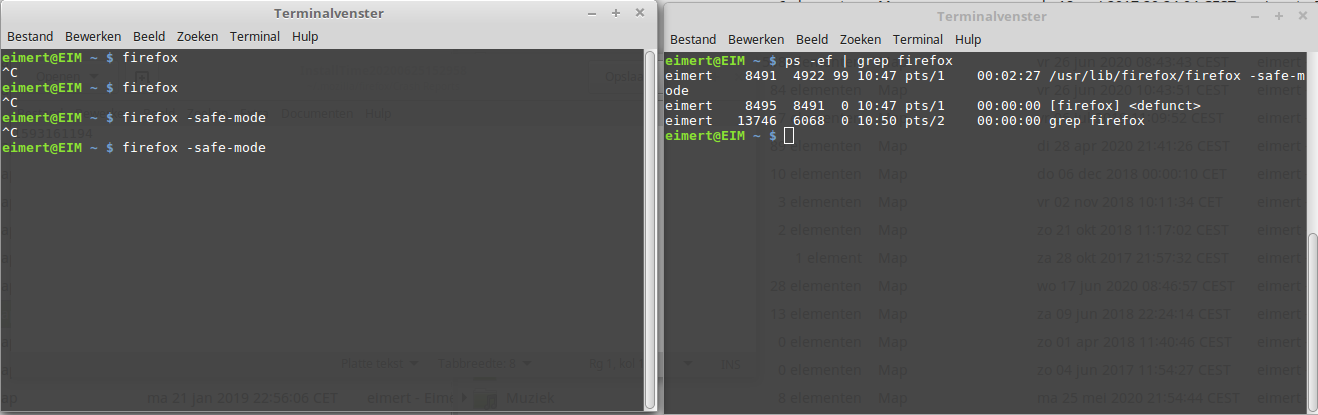
- start using the command line
- start in safe mode
The only symptoms are <defunct> processes (see screenshot).
I need more information to find out what went wrong. Where can I find this?
Details
- apt
- firefox_78.0+build2-0ubuntu0.16.04.1~mt1_amd64.deb
- Linux Mint 18.3 Sylvia
Modificato da eim_92 il
Soluzione scelta
Are you currently using a version from the repositories of your Linux distribution?
Try the Firefox version from the official Mozilla server:
https://www.mozilla.org/en-US/firefox/all/
Leggere questa risposta nel contesto 👍 0Tutte le risposte (4)

Your screenshot failed to load. Please try again.
In order to better assist you with your issue please provide us with a screenshot. If you need help to create a screenshot, please see How do I create a screenshot of my problem?
Once you've done this, attach the saved screenshot file to your forum post by clicking the Browse... button below the Post your reply box. This will help us to visualize the problem.
Thank you!
Soluzione scelta
Are you currently using a version from the repositories of your Linux distribution?
Try the Firefox version from the official Mozilla server:
https://www.mozilla.org/en-US/firefox/all/
FredMcD said
Your screenshot failed to load. Please try again. In order to better assist you with your issue please provide us with a screenshot. If you need help to create a screenshot, please see How do I create a screenshot of my problem? Once you've done this, attach the saved screenshot file to your forum post by clicking the Browse... button below the Post your reply box. This will help us to visualize the problem. Thank you!
Hi FredMcD,
Thx a lot: just installing firefox manually under /opt fixed it :).
There seems to be something wrong with the screenshots: I see them in the edit screen, I click save and they are simply not visible anymore.
That was very good work. Well Done.
Please flag your last post as Solved Problem
as this can help others with similar problems.