


Autofill feature isnt showing up

The feature for autofill addresses and credit cards doesn't show up like its supposed to here https://support.mozilla.org/en-US/kb/automatically-fill-address-and-credit-cards#w_turn-autofill-on-or-off Anyone know how i can turn it on?
Soluzione scelta
You can look at the formautofill prefs on the about:config page.
- extensions.formautofill.available = "on"
- https://wiki.mozilla.org/Firefox/Features/Form_Autofill
- http://www.ghacks.net/2017/05/24/firefoxs-new-form-autofill-is-awesome/
Tutte le risposte (12)
This is what my settings look like
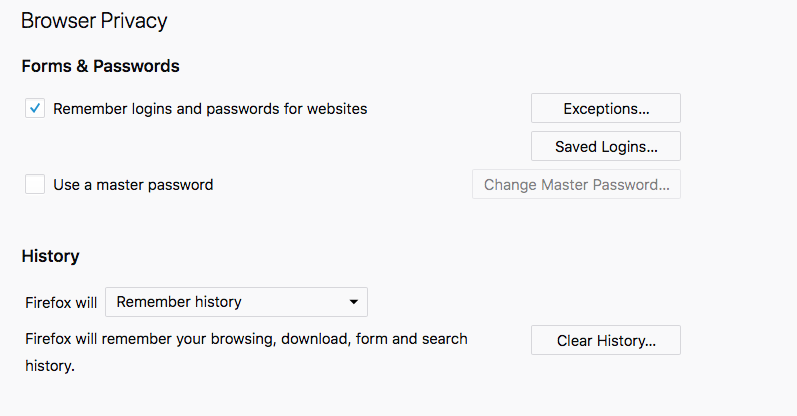
Autofill has been on a slow roll-out since Firefox 56. https://wiki.mozilla.org/Firefox/Features/Form_Autofill Last updated March 1, 2018
The en-US version has been slowly getting the various features in stages. I am not sure if there was a differences with the various platforms; Windows, Linux, and Mac.
That said, see if you can enable it now.
In about:config the preference named dom.forms.autocomplete.formautofill needs to be set to true.
- Type about:config in the URL bar and hit Enter.
- Put dom.forms.autocomplete.formautofill in the Search field at the top to get only that pref to show.
- Does it show up with a Value' of true?
- If not, right-click and select Toggle. Then close about:config .
Then see if that Autofill Addresses and Credit Cards appears in your Preferences tab.
I am on Windows 7 and I have both working in one of my Firefox 60.0.1 Profiles, but can't get it to work in another Profile which I have extensively customized - so I have a problem there which needs to be fixed at some point.
Hello, Yes I tried that solution last night before posting this thread. I searched autofill and toogled everything to true if it was not true and still nothing I am also updated to the latest version and im on a mac (also on the latest version)
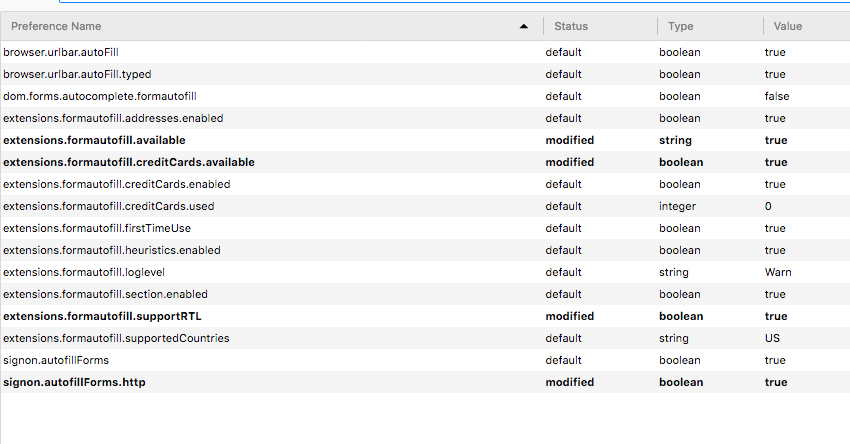
Those are prefs for some type of autofill extension not for the new built-in autofill feature.
An "autofill" extension probably isn't enabled via Firefox preferences, as you referred to in your first screenshot; the extension would have its own prefs window as with this "autofill" extension. https://addons.mozilla.org/en-US/firefox/addon/autofill-forms-e10s/
I did toggle on the "Dom." Extension as well as suggested even though I didn't include it in the screen shot. I don't know how I feel about third party extensions so I'd like the avoid those. I am hoping for a native one from Firefox itself like with chrome...
I was guessing as to the name of that extension, I just can't tell which one you have based upon the pref names starting with extensions.formautofill.*** but those prefs are for an extension with pref names such as that.
If you don't want an extension for autofill, then uninstall that extension once you figure out which one you have installed right now. Then the built-in autofill feature pref "toggle switch" should appear and work. Currently that extension is probably overriding the built-in feature,
Ah yes i see what your saying- the third party extension I downloaded I only downloaded after I realized the built in one wasnt showing up hence why i started this thread. I just deleted it now to see what would happen and the built in one still isn't showing up so i do not think the third party one was overriding anything
I also did togle on the feature after i uninstalled the third party one
Soluzione scelta
You can look at the formautofill prefs on the about:config page.
- extensions.formautofill.available = "on"
cor-el said
You can look at the formautofill prefs on the about:config page.
- extensions.formautofill.available = "on"
Thank you! turns out not as previously explained the value for that one must be "on" not "True". I changed it and magically it started working.
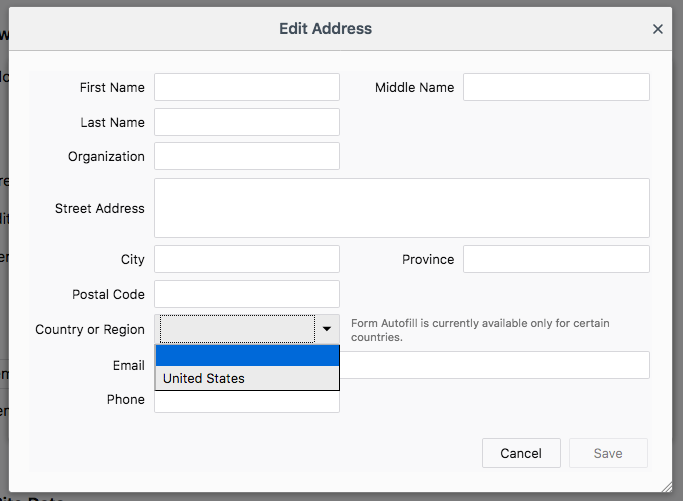
Does anyone know why the rest of the world is being shafted?? I live in Canada. Still it works though so thats nice. I just have to fill out the country component of online forms manually, not cool but still better than it not working at all.
Modificato da djsegovia il

I was wondering about the autofill option myself. Usually when I used to type in an address I visit on a regular basis (and also when I have them bookmarked) the address bar would finish the address for me, as well as offer up a few options from the same site in case I wanted to go to a specific page. It's not doing that anymore for some reason. I'm on Windows 10 and on the up to date version of Firefox, version 62 as of this moment.