

Questa discussione è archiviata.
Inserire una nuova richiesta se occorre aiuto.

Risolto
Archiviato
Blinking vertical lines in tab bar?

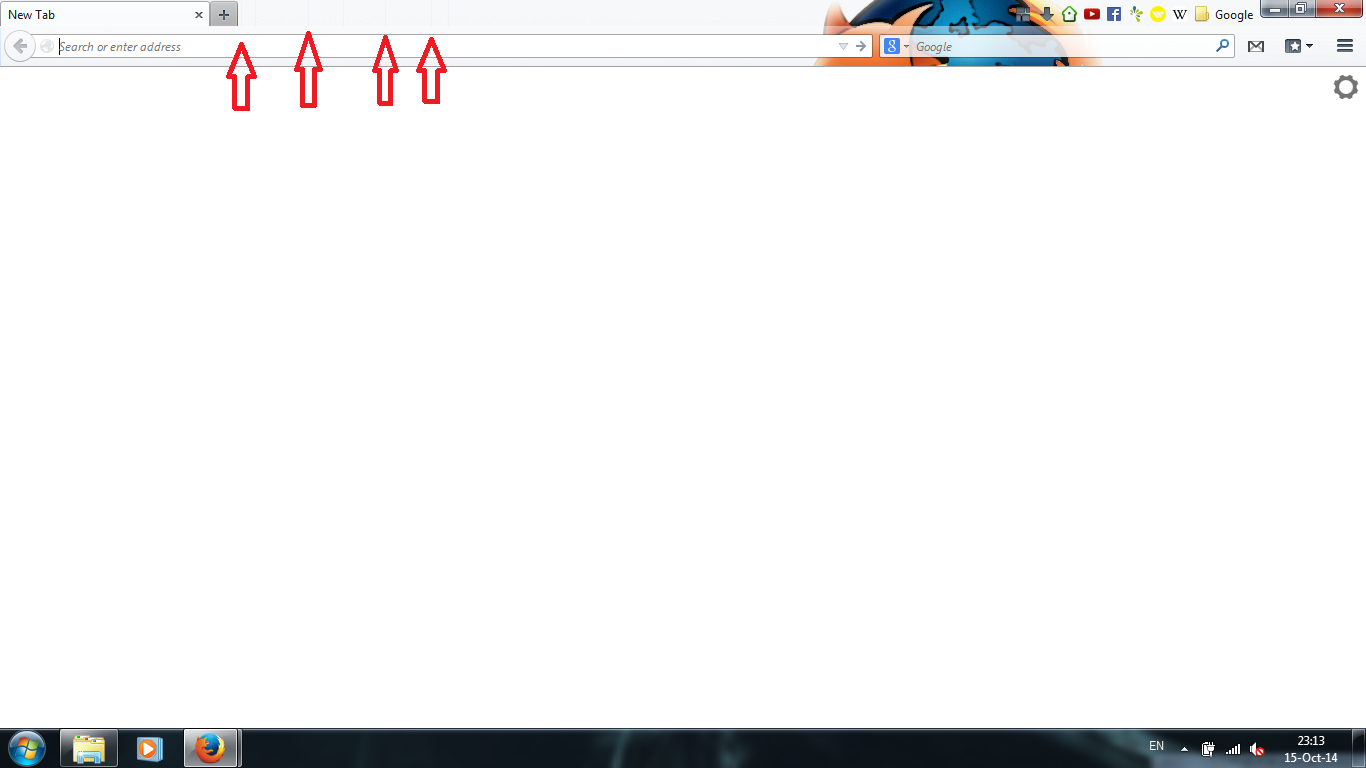
There are small vertical lines in the tab bar. They appear after closing tabs. They blink and change places when I hover the cursor over any Firefox buttons or bars. And sometimes they start to blink and mirror the text cursor in the address bar.
Disabling all add-ons and themes does not affect them.
I'll try to add a screenshot of the problem.
There are small vertical lines in the tab bar. They appear after closing tabs. They blink and change places when I hover the cursor over any Firefox buttons or bars. And sometimes they start to blink and mirror the text cursor in the address bar.
Disabling all add-ons and themes does not affect them.
I'll try to add a screenshot of the problem.
Tutte le risposte (3)
Here is a screenshot
Soluzione scelta
Start Firefox in Safe Mode to check if one of the extensions (Firefox/Tools > Add-ons > Extensions) or if hardware acceleration is causing the problem.
- Switch to the DEFAULT theme: Firefox/Tools > Add-ons > Appearance
- Do NOT click the Reset button on the Safe Mode start window
It was the hardware acceleration.
Thank you cor-el!