


I receive emails but cannot send any.

I can no longer send messages through the email client on one of my accounts using Thunderbird, which no longer recognizes my internet service provider's password (but it does receive messages). Everything works fine with my other accounts.
Thank you for your help.
Semua Balasan (20)
please post complete error message and a screenshot of your SMTP server settings pane. that is needed so people here can assess the issue.
Hello, this must be what you're asking about.
(The server configuration is the same for all 4 email addresses, and the others are working correctly.)
Thank you (and thanks google translate !!)
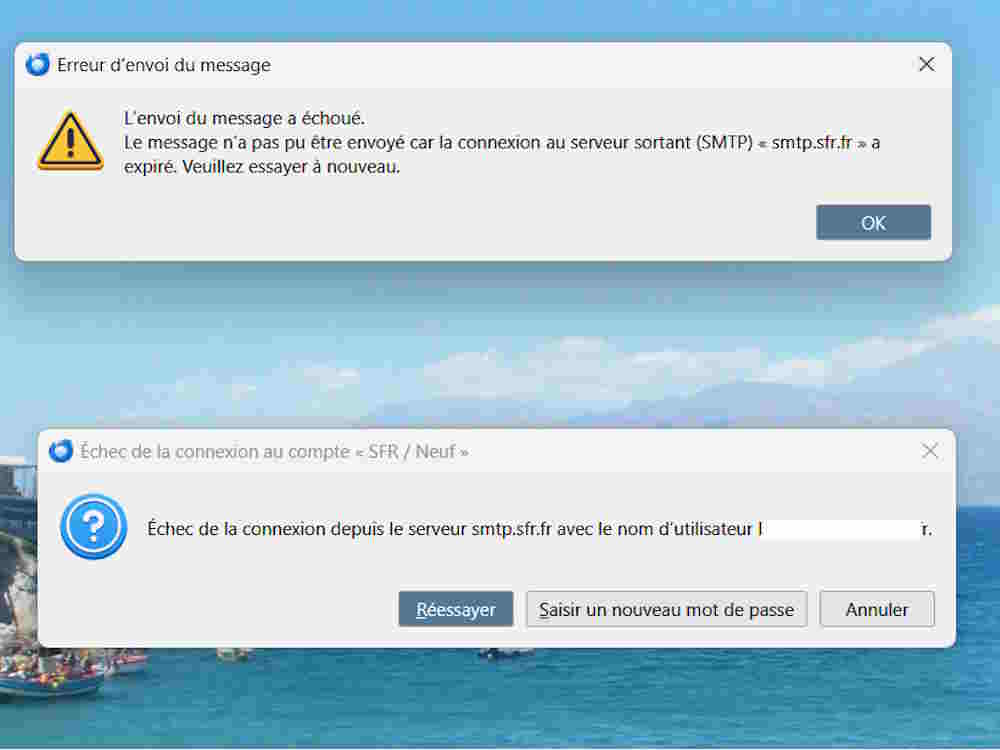
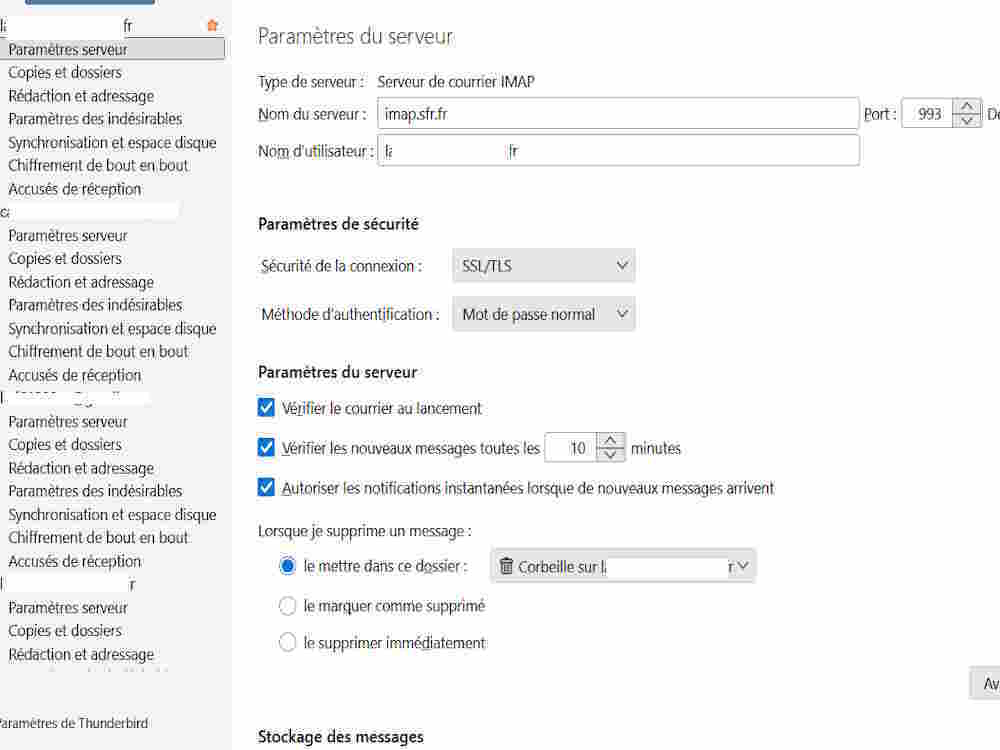
This is an English language forum, so error messages must be translated to English.
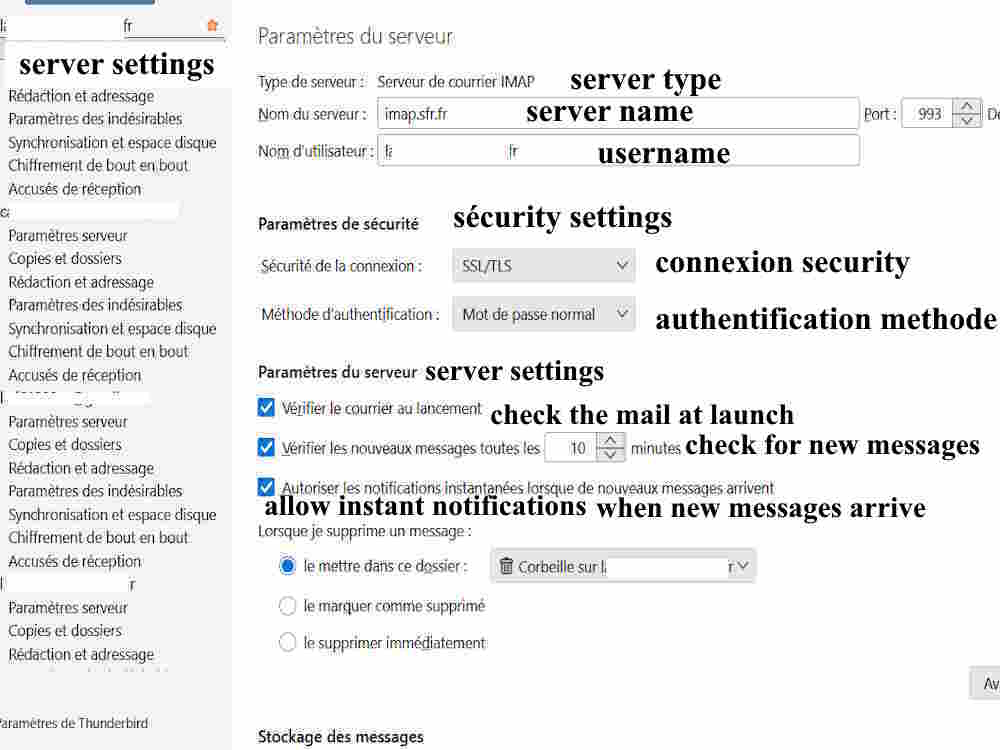
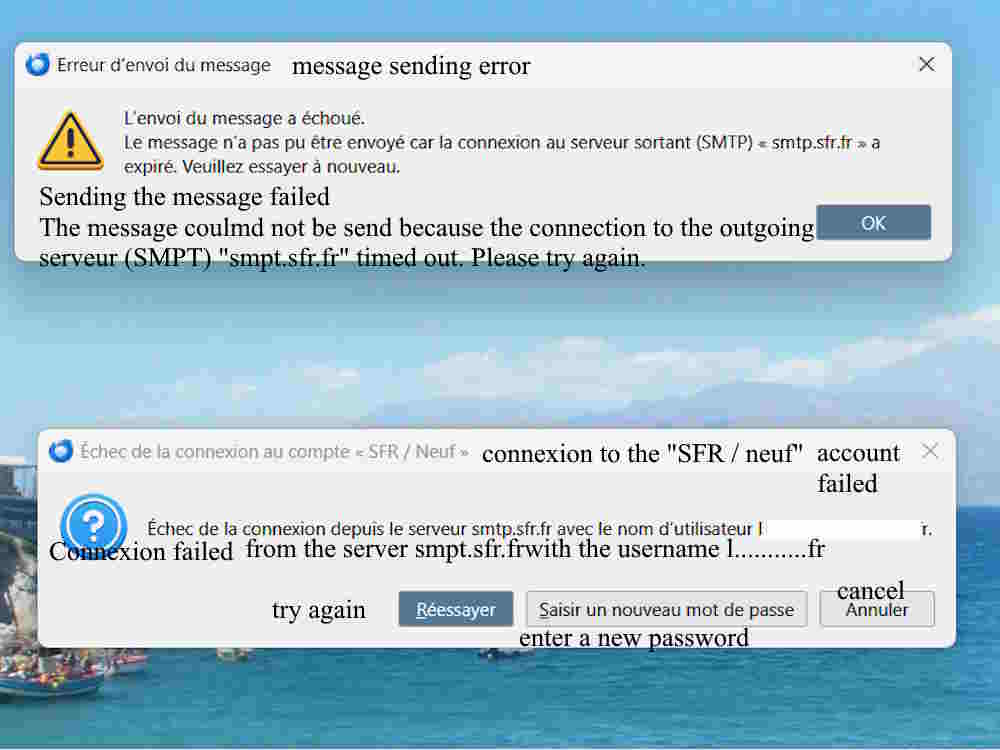
It was the text of the error that was not understood. I am familiar with the thunderbird menus. Please post screenshot of the SMTP server settings pane, since that is where the problem is. thank you
Hello there
1. Error sending message The message failed to be sent. The message could not be sent because the connection to the outgoing server (SMTP) = smtp.sfr.fr=a Expires. Please try again.
2.🎅
Failed to log in to the "SFR/ Neuf" account ? Failed to connect from smtp.sfr.fr server with user name I T.
Diperbarui oleh Googlethunderbird. pada

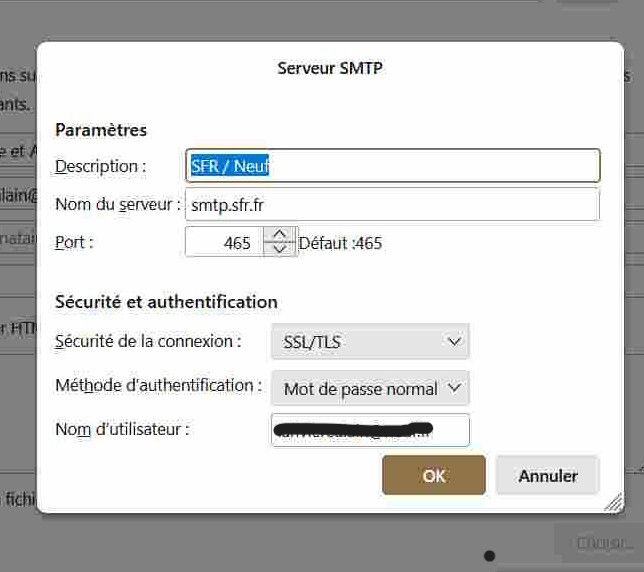
No, you don't need to translate the settings. Just take a screenshot from: Account settings > click on account name > Edit outgoing server.
Here's the screenshot. PS: I have another account that works normally, and it uses the same server details.
Just for a sanity check, - click 'account settings' - click the account in left side bar - then, click the 'edit SMTP server' button in lower right - check to verify that it is the setting for this account and not for the other account
I suggest doing this, as it is quite common for users to have multiple accounts with the same provider and to have the wrong SMTP server set for one of them.
Hello, I followed the steps (see screenshot).
I checked all three accounts (with the same provider), and the SMTP server is the same for all three!
That is fine. What is key is that each SMTP server has a different email address. That is what is important. the one associated with your account, via the 'edit smtp server' button, must have the same email address. That may not be the issue, but it's always a possibility where there are multiple accounts with same server.
All three accounts appear to be using the same server under three different email addresses.
However, next to the "edit SMTP server" button, there's an "outgoing SMTP server" button with a drop-down arrow. I've attached a screenshot of this drop-down list.
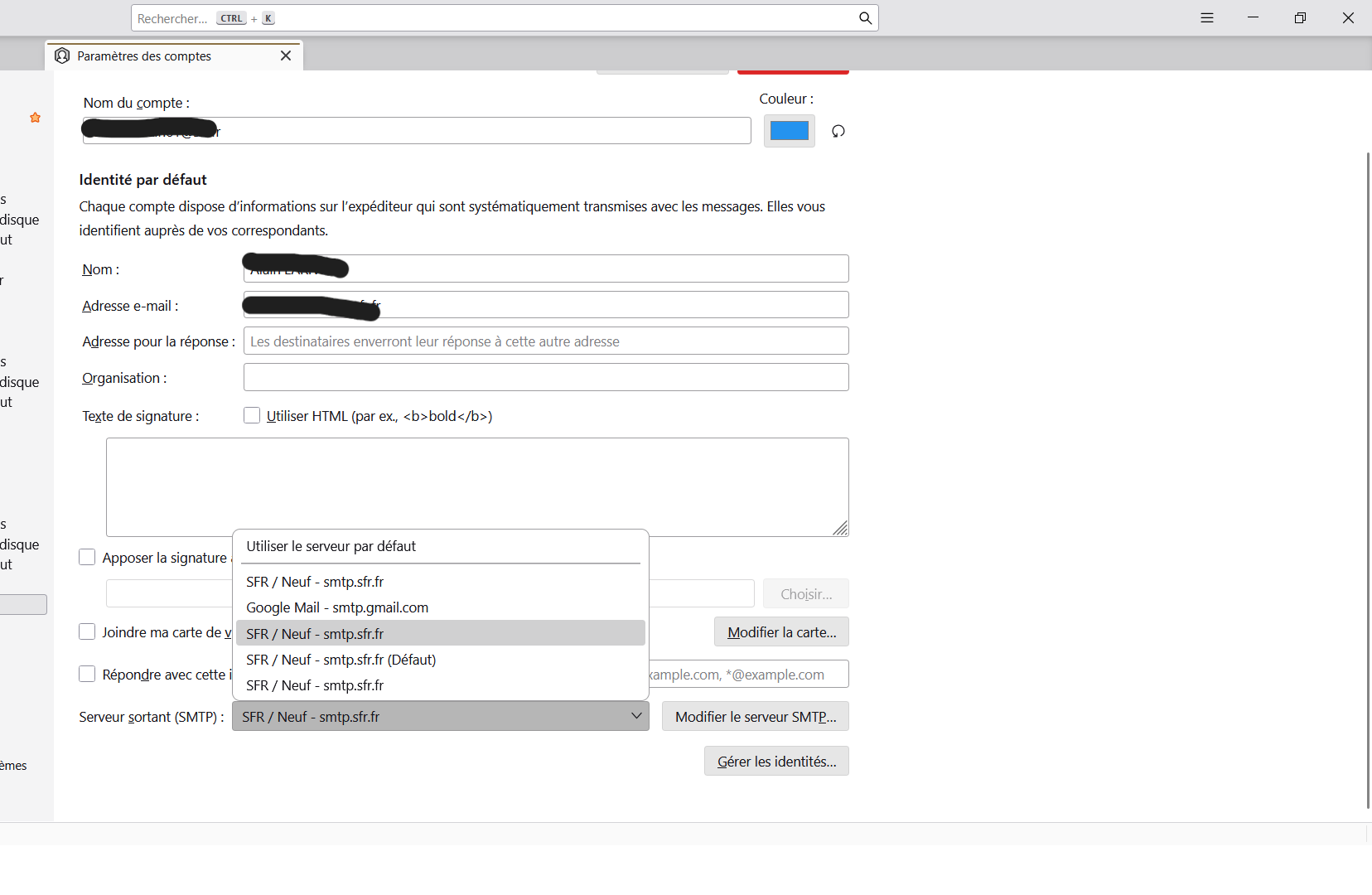
That feature is where people can adjust the assigned SMTP server. Apparently, this is not an issue for your problem, but a good check. For my own use, I use the Description field on the SMTP server pane to contain the email address so that the list of servers clearly identifies each. So, we still have no solution for your issue. I suggest going to settings>privacy&security, and delete the rows for that one account. That should remove any saved password and prompt you for the correct one,
That didn't change anything.
So, I went back to "Account settings / Email configuration" and when I tried to enter the password (which is used on the provider's website), this is what I saw on the screen (screenshot attached). It seems there's a specific password for Mozilla Thunderbird's outgoing server.
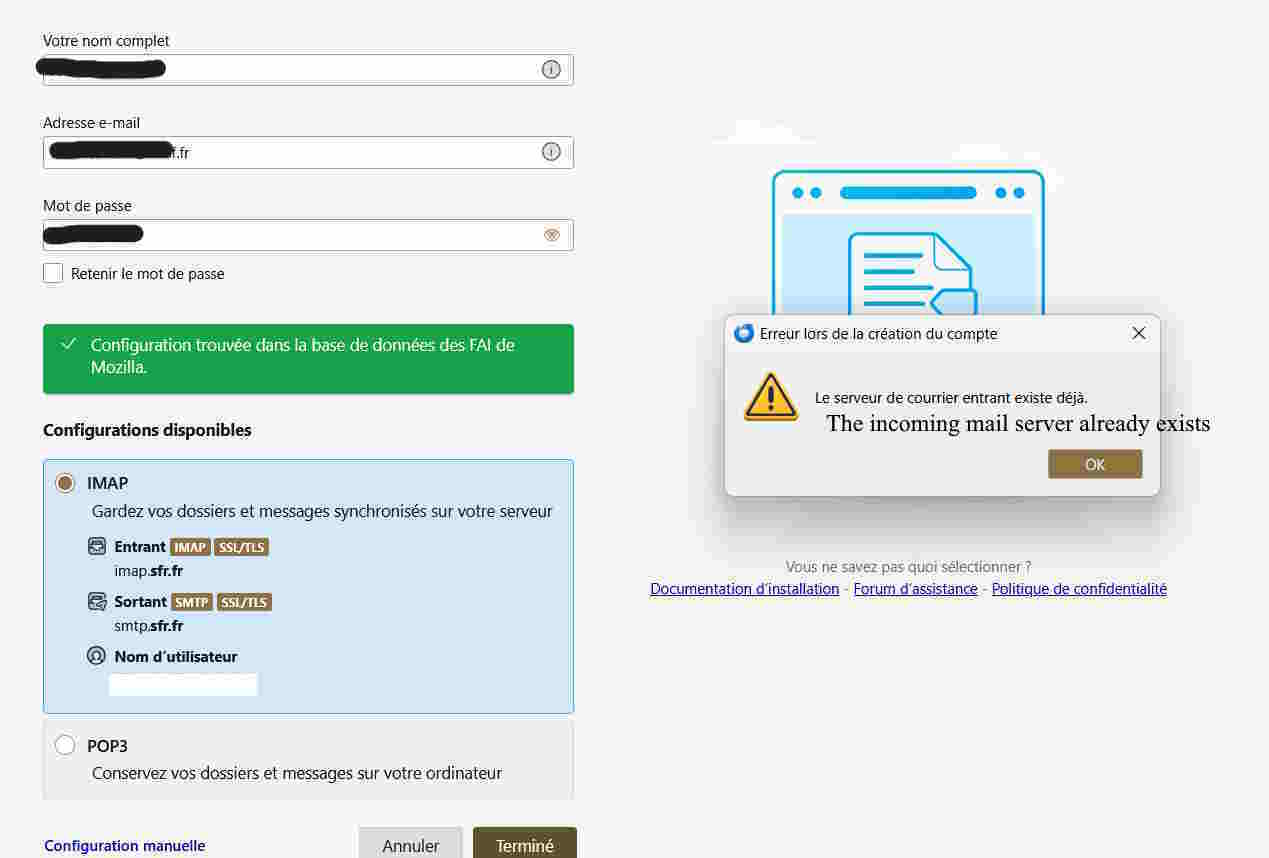
It isn't a thunderbird or mozilla issue. some email providers (such as Gmail) require unique passwords for third-party access. I don't know if your provider requires that.
Me too but je n'aime pas ne pas comprendre ! Mais pour moi, vu que je peux envoyer des mails depuis le site de mon fournisseur (qui me demande le mot de passe pour me connecter) et que je ne peux pas le faire le faire depuis Thunderbird (alors que je peux y reçevoir des mails et que j'avais configurer cette boîte mail avec le même mot de passe), c'est que Thunderbird a changé quelque chose (ou qu'il y a un 'mélange' entre les serveurs pour les différentes adresses mails). Bonne soirée (il est est 21h15 en France) et merci.
Good evening. I will see if I can locate someone else with more insight here.