I receive emails but cannot send any.

I can no longer send messages through the email client on one of my accounts using Thunderbird, which no longer recognizes my internet service provider's password (but it does receive messages). Everything works fine with my other accounts.
Thank you for your help.
Semua Balasan (20)

larivierealain said
Me too but je n'aime pas ne pas comprendre ! Mais pour moi, vu que je peux envoyer des mails depuis le site de mon fournisseur (qui me demande le mot de passe pour me connecter) et que je ne peux pas le faire le faire depuis Thunderbird (alors que je peux y reçevoir des mails et que j'avais configurer cette boîte mail avec le même mot de passe), c'est que Thunderbird a changé quelque chose (ou qu'il y a un 'mélange' entre les serveurs pour les différentes adresses mails). Bonne soirée (il est est 21h15 en France) et merci.
TRANSLATION I don't like not understanding! But for me, since I can send emails from my provider's website (which asks me for the password to log in) and I can't do it from Thunderbird (even though I can receive emails there and I had set up this mailbox with the same password), it means Thunderbird changed something (or there's a 'mix-up' between the servers for the different email addresses). Good evening (it's 9:15 PM in France) and thank you.
I had another person review this and his suggestion remained on my perception that the SMTP server may be wrong. To do a final check , please do this: - click account settings and click the account in left sidebar - now on the bottom row on the right, click the 'edit SMTP server' button' - now, click the Description field and enter the email address of the account and save the update.. - now, revert to prior screen and check that the email address shown in SMTP row matches the email address in upper section. If it does, then I suggest comparing all SMTP server settings to see which has a discrepancy.
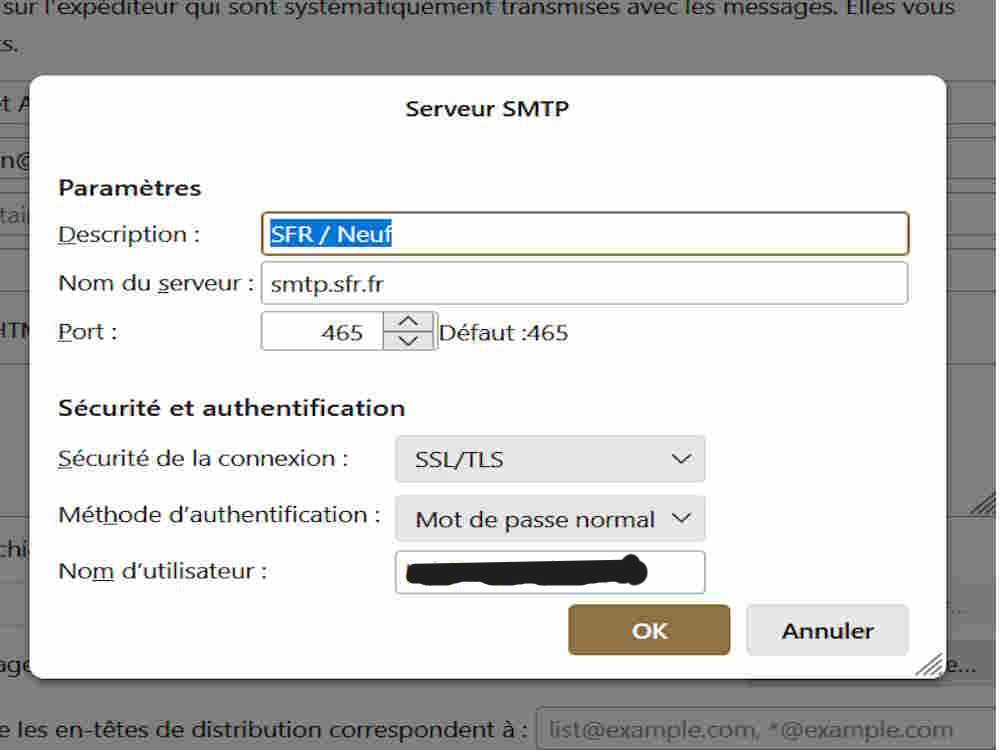
Hello, I went to "account settings," then "edit SMTP server," and there... I don't have "description". When I click on "edit server," I get the window shown in the screenshot, where the problematic email address is clearly displayed.
I just noticed that in "Server settings / Local directory" the path C:/user... ends with "imap.sfr-5.fr", whereas for the other two email addresses with the same provider, the path ends with "imap.sfr-1.fr" for one and "imap.sfr-2.fr" for the other. I've noticed that if I try to change this path, it offers me a choice from "imap.sfr-1.fr" to "imap.sfr-6.fr". Could this be causing the problem?

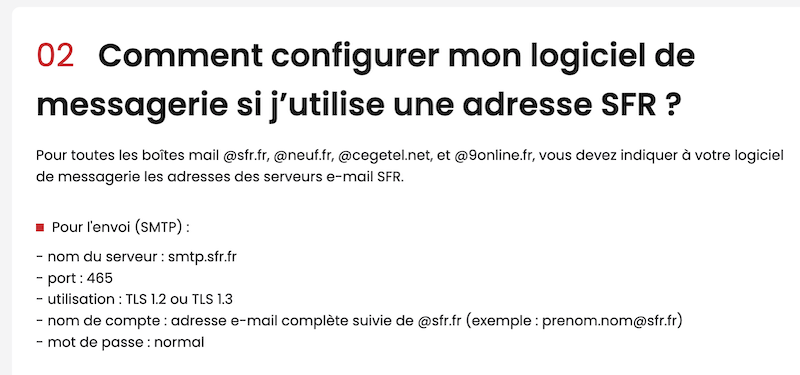
Hello, sur cette page https://assistance.sfr.fr/sfrmail-appli/sfrmail/configurer-messagerie-recevoir-email-sfr.html j'ai trouvé les paramètres suivants pour configurer le SMTP de SFR.(image)
On you question, no. Those names are used for the account, not the server. The problem is with sending, not receiving, and there may be a mismatch in the accounts.
Hello, I don't have "TLS 1.2" or "TLS 1.3", I only have "SSL/TLS" as you can see in the last screenshot I posted.
Thunderbird handles that automatically. I have exhausted my ideas, and maybe Mapenzi's post will help you.
larivierealain said
I just noticed that in "Server settings / Local directory" the path C:/user... ends with "imap.sfr-5.fr", whereas for the other two email addresses with the same provider, the path ends with "imap.sfr-1.fr" for one and "imap.sfr-2.fr" for the other.
This is normal! When you have set up more than one email address (not to confound with aliases) at the same email service provider (SFR in your case) there will be several "imap.sfr-n.fr" account folders in the ImapMail folder in the profile. Each account folder stores the message files of the corresponding email address. And every setup of a further SFR address will create a new imap.sfr-n+1.fr" account folder in ImapMail.
larivierealain said
I've noticed that if I try to change this path, it offers me a choice from "imap.sfr-1.fr" to "imap.sfr-6.fr". Could this be causing the problem?
No, this is not the problem, and please do not try to change the message storage local directory of your different accounts without a good reason.
larivierealain said
Hello, I don't have "TLS 1.2" or "TLS 1.3", I only have "SSL/TLS" as you can see in the last screenshot I posted.
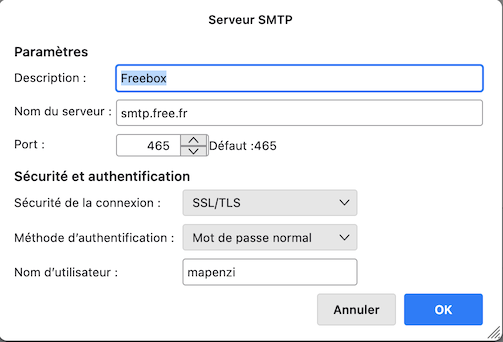
Qu'est-ce que tu as renseigné dans le champ "Nom d'utilisateur" ? L'adresse émail complète ou juste la partie devant l'arobase @ ? Ça peut varier d'un fournisseurs à l'autre ...
Hello there
1.
What did you fill in in the "Username" field? The complete email address or just the part in front of the @ at? It can vary from one supplier to another.
Qu'est-ce que tu as renseigné dans le champ "Nom d'utilisateur" ? L'adresse émail complète ou juste la partie devant l'arobase @ ? Ça peut varier d'un fournisseurs à l'autre ...
This is the full email address, just like the other two email addresses which are working normally !
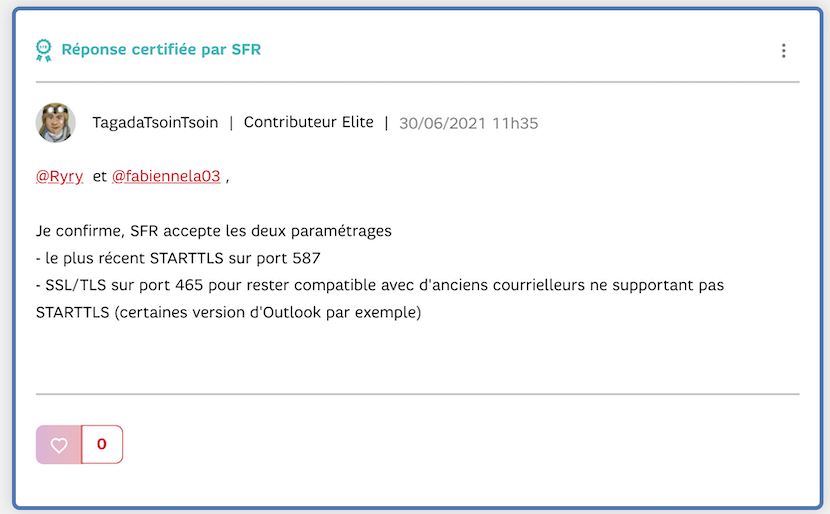
Tu peux aussi essayer cette alternative pour le SMTP de SFR: STARTTLS sur le port 587 (image) ... Trouvé ici https://la-communaute.sfr.fr/t5/sfr-mail/thunderbird-refuse-smtp-sfr/td-p/2303523
Si tu ne trouves pas de solution ici tu peux aussi t'adresser au forum français https://forums.mozfr.org/viewforum.php?f=4 Ils y sont peut-être plus au courant des FAI français...
Diperbarui oleh Mapenzi pada
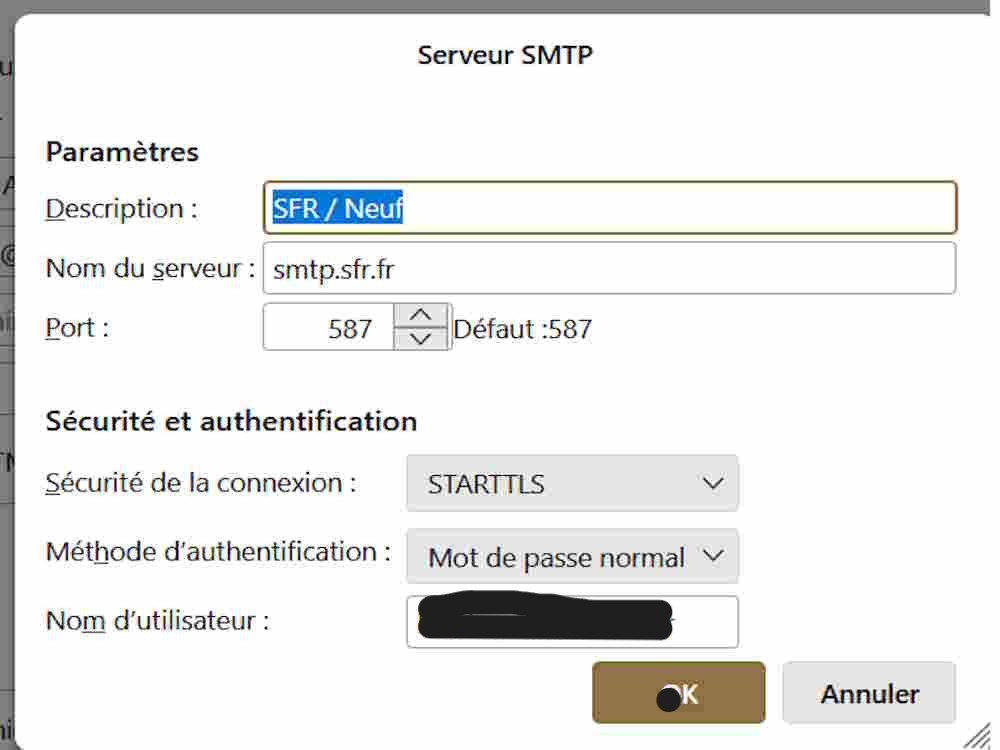
I tried STARTTLS-587 and it gives me the following message after entering the password:
"Connection failed with the server smpt.sfr.fr with the username l..........." followed by "Unable to authenticate to the outgoing server (SMPT). Please check your password and authentication method in the "Account settings / Outgoing SMPT server" menu." Attached is a screenshot of "STRATTLS8587".
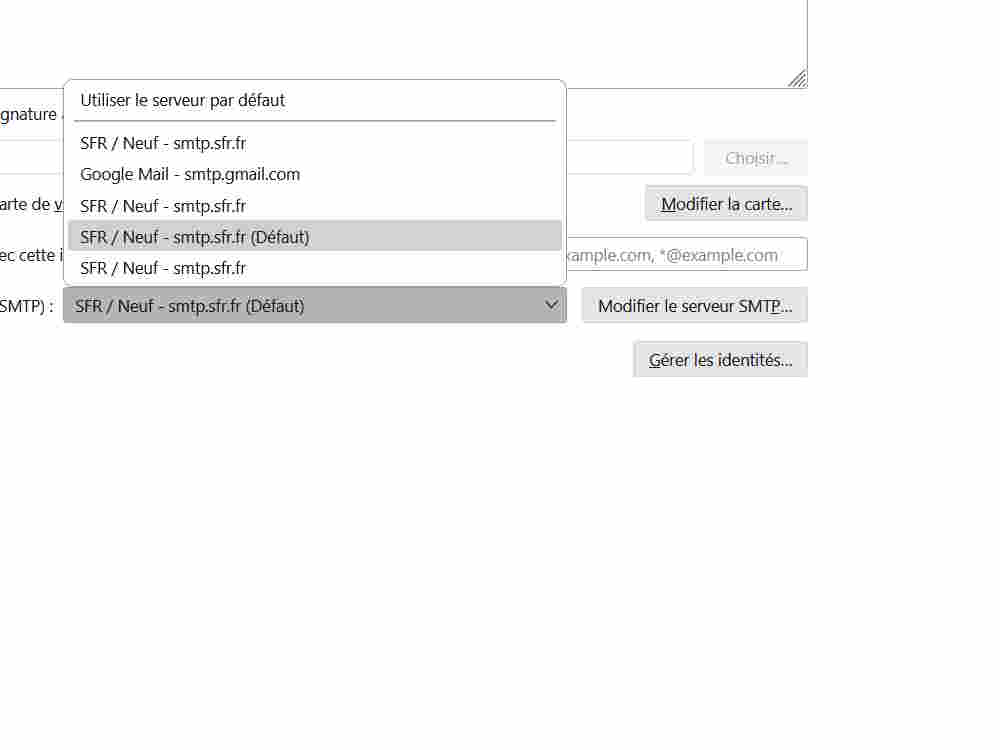
Encore un truc à vérifier : va dans les Paramètres des comptes et sélectionne le compte problematique dans le panneau de gauche, puis va vers le bas sur "Serveur sortant". Est-ce que le bon SMTP est choisi dans le liste déroulante des serveurs ? (voir image jointe)