Utas ini telah diarsipkan.
Silakan membuat pertanyaan baru jika Anda membutuhkan bantuan.

Diarsipkan
MISSING BOOKMARKS ICON
When my Firefox crashed today, I chose to restore it rather than troubleshoot. When it was done, my bookmarks icon had disappeared. Yet when I go to the individual websites, I can see that each one is still bookmarked. How can I restore the icon that used to be in the toolbar at top? Thank you for any help you can give. I have been using Firefox for many years now and this is the first time I encountered this problem.
When my Firefox crashed today, I chose to restore it rather than troubleshoot. When it was done, my bookmarks icon had disappeared. Yet when I go to the individual websites, I can see that each one is still bookmarked. How can I restore the icon that used to be in the toolbar at top?
Thank you for any help you can give. I have been using Firefox for many years now and this is the first time I encountered this problem.
Semua Balasan (2)
Try to open the customize panel and drag&drop the Bookmarks menu icon on your toolbar.

Same. Bookmark icon have disappeared.
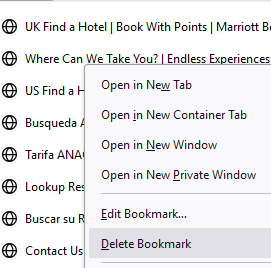
Also, the button to delete a bookmark is not functioning, not working. It does not delete anything.