


Data Lost

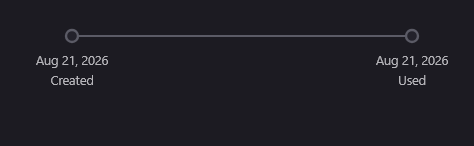
Hi there, I have been using the Firefox browser for many years and had saved all my login passwords to various sites on it and I never had a problem with it. But this time, after installing Windows and the Firefox browser, when I logged into my account and turned on the sync, it did not bring any of my previous information. When I go to my account management page, it writes my membership date at the bottom of the page as of today (2026), while as I mentioned, I have had an account on the Firefox browser for many years. How is it possible that my previous information does not exist and it recognizes me as a new user and what is the solution?!
Wšě wotmołwy (3)
Did you change your Firefox password in the process?
Yes, unfortunately I think I forgot my password and changed it. I also suspect something else, I installed the new Firefox and when I wanted to log in, there was no option to continue with Google account, I entered my email and then saw that the password was incorrect and then I clicked that I forgot my password, I got a link to my email and chose a password, here I think Firefox created an account for me (signup) not (sign in). Then in the next attempts when I saw that it did not bring my information, I installed an earlier version of Firefox, there was an option (continue with Google account), this time I clicked it and connected with my Google account but instead of logging in directly to that account, it linked the Google account to the Firefox account. However, it still does not show my information. I think I should unlink my Google account from my Firefox account and then delete my Firefox account and connect to my Google account without having a Firefox account. If the empty data hasn't synced to my own data yet, maybe it will fix it. Do you think this is the problem?! I'm saying this because the Firefox account creation date is last night.
Hi
It appears from your question that you are using Firefox Sync as a backup service. While it may be handy in some cases (such as transferring your data to a new device), we do not recommend relying on Sync for backup purposes.
If you have a copy of your Firefox profile for desktop Firefox, you should be able to recover your bookmarks and other data. To restore bookmarks, see this article. For instructions on recovering all of your data, see Restore bookmarks, passwords and data from an old Firefox profile.
If you have your data in Firefox on a mobile device, please follow these instructions to connect it to Sync and copy the data.
Be aware! Resetting your Mozilla account password without a recovery key will erase your data from Mozilla servers. Make sure to generate a recovery key in advance and safely store it.
Hope this will help you resolve your issue!